

Hi everyone,
Since Proxmox doesn't leer disk from the GUI, Iwrote a Bash script that automates the whole process. It runs entirely on the host with the guest stopped, so there's no GParted or live-CD juggling.
It handles the tricky parts (filesystem, partition table, and the underlying host volume) and keeps the disk's identity intact.
What it does:
- Stops the guest and shrinks the filesystem, the partition, and the host volume, then updates the Proxmox config
- Works with VMs and LXC containers
- Backends: ZFS zvol, LVM-thin, qcow2 (including NFS/SMB storage), raw LV, and Ceph/RBD
- Filesystems: ext2/3/4 and NTFS. XFS is never shrunk (it uses an LVM compact mode to reclaim space instead)
- Keeps PARTUUIDs, type GUIDs, GPT flags, and filesystem/swap UUIDs intact, and moves partitions behind the shrunk one down automatically
- Detects and safely refuses layouts it can't handle, like MBR disks or BitLocker-encrypted volumes
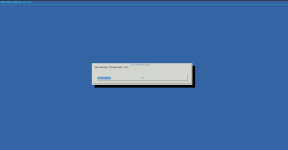
- Has a --dry-run mode and a live progress bar for the long steps
As always, take a backup before shrinking anything.
GitHub: https://github.com/Garfieldttt/pve-disk-shrink
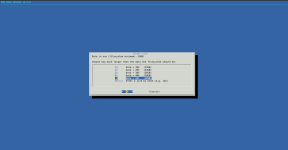
Since Proxmox doesn't leer disk from the GUI, Iwrote a Bash script that automates the whole process. It runs entirely on the host with the guest stopped, so there's no GParted or live-CD juggling.
It handles the tricky parts (filesystem, partition table, and the underlying host volume) and keeps the disk's identity intact.
What it does:
- Stops the guest and shrinks the filesystem, the partition, and the host volume, then updates the Proxmox config
- Works with VMs and LXC containers
- Backends: ZFS zvol, LVM-thin, qcow2 (including NFS/SMB storage), raw LV, and Ceph/RBD
- Filesystems: ext2/3/4 and NTFS. XFS is never shrunk (it uses an LVM compact mode to reclaim space instead)
- Keeps PARTUUIDs, type GUIDs, GPT flags, and filesystem/swap UUIDs intact, and moves partitions behind the shrunk one down automatically
- Detects and safely refuses layouts it can't handle, like MBR disks or BitLocker-encrypted volumes
- Has a --dry-run mode and a live progress bar for the long steps
As always, take a backup before shrinking anything.
GitHub: https://github.com/Garfieldttt/pve-disk-shrink
Last edited:
