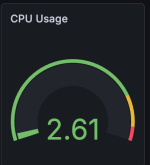
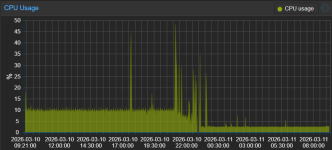
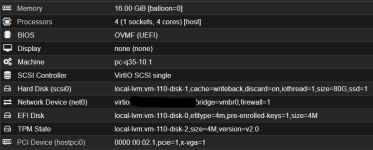
I've tried to migrate from 2 Windows Server 2025 Core Hyper-V VMs running on Win10 2019 LTSC IoT and Dell E7470 with i5-6300u (2C/4T), 32 GB of RAM, NVMe SSD. The laptop has cooper radiators on SSD, RAM sticks, PTM 7950 on CPU die and it is lifted few centimeters above desk for better air cooling. When Hyper-V is utilized, the cooler starts spinning only on heavy tasks like Windows Updates installation, restarts. Windows host CPU utilization barely reached 3-5% during idle remote session on Hyper-V host.
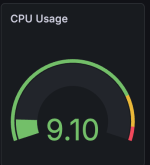
I converted vhdx images to QCOW2 and created Proxmox VMs. The same VMs running on Proxmox VE utilized int total 4-8% of the CPU. Fan was spinning all the time. Windows VirtIO Drivers were installed. I've tried various Proxmox settings but I gave up few hours later and restored Windows 10 from backup.
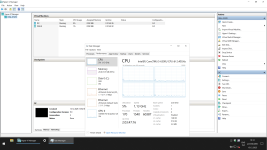
I am afraid we may proceed with Win Sever 2022 instead of 2025 on new infra just for this reason
I converted vhdx images to QCOW2 and created Proxmox VMs. The same VMs running on Proxmox VE utilized int total 4-8% of the CPU. Fan was spinning all the time. Windows VirtIO Drivers were installed. I've tried various Proxmox settings but I gave up few hours later and restored Windows 10 from backup.
I am afraid we may proceed with Win Sever 2022 instead of 2025 on new infra just for this reason
Last edited: