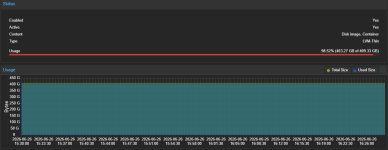
I have a 3 node simple cluster, no HA. I have discard and SSD emulation set on the drives for each guest machine. I verified TRIM was running correctly using the 'defragment and optimize drives' tool in Windows Server 2022 guests (and one is 2025). The LVM size was correctly reflecting the true utilized space on the guests prior to live migrate. After doing a live migration to another identical host hardware wise, I noticed it was utilizing the full size of the VM disk. (This also occurred around the same time I migrated to PVE 9.2 from 7.4) After which, I discovered the option for 'fstrim_cloned_disks' was disabled for the guest, I enabled it after this was noticed. Running 'Optimize' on the guest to initiate a TRIM on the disk ends instantly but does not release any space now. (Also errors in event log below) It seems live migration writes the entire guest disk worth of bits to the destination and TRIM is no longer working? Any ideas how can fix this? (I tried migrating back and forth with the fstrim cloned disks set in the options, but it does not help)
Edit last minute before posting:
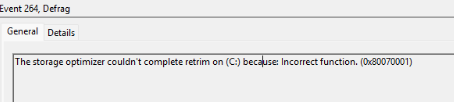
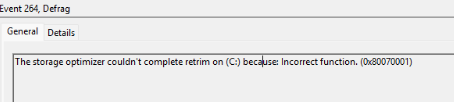
I noticed one of the VMs which is on Windows Server 2025 shows the following event error:
Possibly related to https://github.com/virtio-win/kvm-guest-drivers-windows/issues/1574 ??
Things I've tried:
Updating QEMU guest agents
Migration back and forth again
Updating Windows
Running optimize drives in guests
Restarting QEMU Services
Restarting host & guests
Config:
Edit last minute before posting:
I noticed one of the VMs which is on Windows Server 2025 shows the following event error:
Possibly related to https://github.com/virtio-win/kvm-guest-drivers-windows/issues/1574 ??
Things I've tried:
Updating QEMU guest agents
Migration back and forth again
Updating Windows
Running optimize drives in guests
Restarting QEMU Services
Restarting host & guests
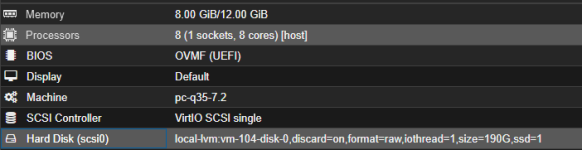
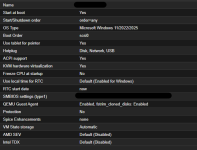
Config: