Network Setup

Marlon123

New Member
Jan 9, 2026
5
0
1
I want to give my two vm’s a network so that both vm’s get an own ip address. The problem ist that when I give one of them the vmbr0 with random generated MAC address the other one is getting a ip but I can’t reach it and in the vm there is no internet access


(English isn’t my best)

(I run TrueNAS Scale and Xpenology (Synology) in Proxmox while using the Dell Wyse 5070)
 
Hey Marlon,

are you using DHCP? If not, did you manually configure your VM's IP addresses? Is vmbr0 properly bridged to your PVE host's physical network interface?
 
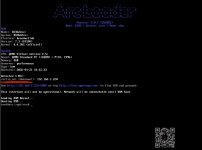
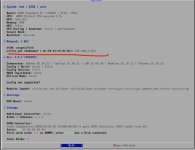
Yes I use dhcp one of the vm ist running fine. It’s getting the ip address via dhcp. But the second vm then gets this error. It gets the ip but the interface is unknown???
 

Attachments

  • IMG_9557.jpeg
    IMG_9557.jpeg
    58.9 KB · Views: 10
  • IMG_9558.jpeg
    IMG_9558.jpeg
    74.2 KB · Views: 9
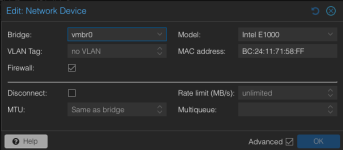
Which model is configured for your Xpenology VM (VM -> Hardware -> Network Device -> Edit)? If VirtIO, can you try to change it to Intel E1000?
 
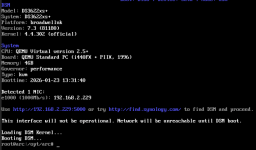
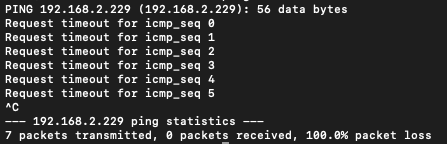
Same Problem got the ip but its not reachable
 

Attachments

  • Bildschirmfoto 2026-01-23 um 14.31.57.png
    Bildschirmfoto 2026-01-23 um 14.31.57.png
    53.6 KB · Views: 3
  • Bildschirmfoto 2026-01-23 um 14.34.50.png
    Bildschirmfoto 2026-01-23 um 14.34.50.png
    12.9 KB · Views: 3
  • Bildschirmfoto 2026-01-23 um 14.35.18.png
    Bildschirmfoto 2026-01-23 um 14.35.18.png
    24.4 KB · Views: 3