Emmergency Error / Harddrive

marvintv

New Member
Dec 1, 2019
14
0
1
25
Hello Guys

i have a dedicated server with 2x 1TB SSD and 2x1TB HDD

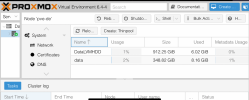
They are correctly mounted and added in proxmox.

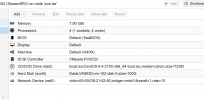
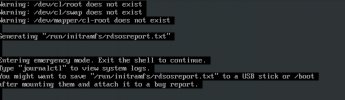
But now i have the problem if i create 1 vm on the HDDs it works fine, but after install the second or more vm i get the problem that (for example debian) i can install the os and the storage i added to this vm is shown up but after the reboot the hdd is gone and the vm dosnt recognize it.

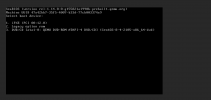
I already tryed diffrenct Controller Types like VmWare, where at least the hdd / storage is shown up but if i try to boot it redirects me into grub boot loader

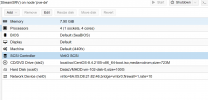
Screen Attached Including Config
 

Attachments

  • pve0101.PNG
    pve0101.PNG
    74.4 KB · Views: 10
  • pve0202.PNG
    pve0202.PNG
    33.5 KB · Views: 9
  • pve0303.PNG
    pve0303.PNG
    75.1 KB · Views: 9
  • pve0404.PNG
    pve0404.PNG
    33.3 KB · Views: 10
Hello Guys

i have a dedicated server with 2x 1TB SSD and 2x1TB HDD

They are correctly mounted and added in proxmox.
how?
But now i have the problem if i create 1 vm on the HDDs it works fine, but after install the second or more vm i get the problem that (for example debian) i can install the os and the storage i added to this vm is shown up but after the reboot the hdd is gone and the vm dosnt recognize it.
use firstly no virtio. than install virtio-driver inside vm. change than
I already tryed diffrenct Controller Types like VmWare, where at least the hdd / storage is shown up but if i try to boot it redirects me into grub boot loader

Screen Attached Including Config
 
how?

use firstly no virtio. than install virtio-driver inside vm. change than
Hello

Virtio Driver is installed on the VM, didnt work too. I included it inside the iso because i cant boot the vm.


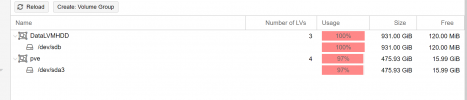
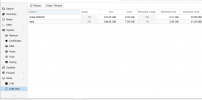
Second i attached a picture of the Drives configuration.

Thanks
 

Attachments

  • drives02.PNG
    drives02.PNG
    42.9 KB · Views: 6
  • drives01.PNG
    drives01.PNG
    76.9 KB · Views: 6
  • drives03.PNG
    drives03.PNG
    54.9 KB · Views: 6
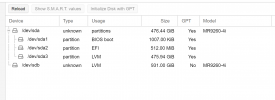
You HDD is missing a GPT and you didn't created a partition for your LVM. Are you sure thats right?
 
Last edited:
is this right?
the modell info say yes. ok.
 
Last edited:
You HDD is missing a GPT and you didn't created a partition for your LVM. Are you sure thats right?
oh ye see that, i dont know why its again without. Had the same issue a while ago. Its kicking itself out. idk why
 
From the raid? Its setup correctly in raid 1, there isnt a lot to show. And if the Raid have a problem why works the first vm ?
 
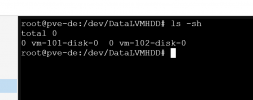
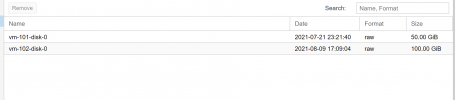
u will say that the imagefiles were created for the 1. vm and stay and they were gone for the next vms?
then show the files!
 
Last edited: