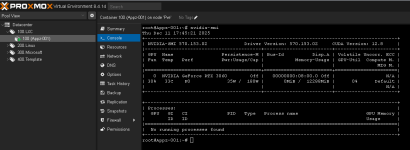
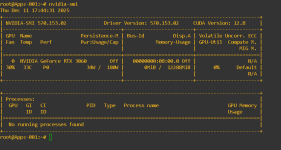
Hi! I post step by step tutorial how to install NVIDIA drivers on Promox server. I hope it will be usefull for someone:
1. Blacklist nouveau:
2. Paste, save and quit:
3. Update initramfs:
4. Check if nouveau is enabled:
5. Disable nouveau and verify:
6. Ensure GPU is visible:
7. Download driver (check for most recent version compatible with nvidia-utils-xxx-server):
8.Install build packages:
9. Run instalation:
10. Check if instalation was successfull:
11. [optional] Turn on persistane mode if necessary (lowers IDLE power consumption):
https://docs.nvidia.com/deploy/driver-persistence/index.html
12. After creating CT shut it down and edit lxc configuration file (location might be diffrent):
13. Paste, save and quit. If you have more than one GPU, change
14. Start your CT and install (on the CT):
15. Verify installation (on the CT)
1. Blacklist nouveau:
vi /etc/modprobe.d/blacklist-nouveau.conf2. Paste, save and quit:
blacklist nouveauoptions nouveau modeset=03. Update initramfs:
update-initramfs -u4. Check if nouveau is enabled:
lsmod | grep nouveau5. Disable nouveau and verify:
rmmod nouveaulsmod | grep nouveau6. Ensure GPU is visible:
lspci | grep NVIDIA7. Download driver (check for most recent version compatible with nvidia-utils-xxx-server):
wget https://us.download.nvidia.com/XFree86/Linux-x86_64/550.90.07/NVIDIA-Linux-x86_64-550.90.07.runchmod +x NVIDIA-Linux-x86_64-550.90.07.run8.Install build packages:
apt install build-essential pve-headers-$(uname -r)9. Run instalation:
./NVIDIA-Linux-x86_64-550.90.07.run10. Check if instalation was successfull:
nvidia-smi11. [optional] Turn on persistane mode if necessary (lowers IDLE power consumption):
https://docs.nvidia.com/deploy/driver-persistence/index.html
nvidia-smi --persistence-mode=1 #only for current sessionnvidia-persistenced12. After creating CT shut it down and edit lxc configuration file (location might be diffrent):
vi /etc/pve/nodes/pve/lxc/10001.conf13. Paste, save and quit. If you have more than one GPU, change
/dev/nvidia0 /dev/nvidia0 to /dev/nvidia<GPU ID> /dev/nvidia<GPU ID>:lxc.cgroup2.devices.allow: c 195:* rwmlxc.cgroup2.devices.allow: c 243:* rwmlxc.mount.entry: /dev/dri/renderD128 dev/dri/renderD128 none bind,optional,create=filelxc.mount.entry: /dev/nvidia0 dev/nvidia0 none bind,optional,create=filelxc.mount.entry: /dev/nvidiactl dev/nvidiactl none bind,optional,create=filelxc.mount.entry: /dev/nvidia-uvm dev/nvidia-uvm none bind,optional,create=filelxc.mount.entry: /dev/nvidia-uvm-tools dev/nvidia-uvm-tools none bind,optional,create=file14. Start your CT and install (on the CT):
apt install nvidia-utils-550-server15. Verify installation (on the CT)
nvidia-smi
 ff,efifb