Hello all,
I'm having a bit of a difficulty with the internet speeds on a fresh install of Proxmox and pfSense.
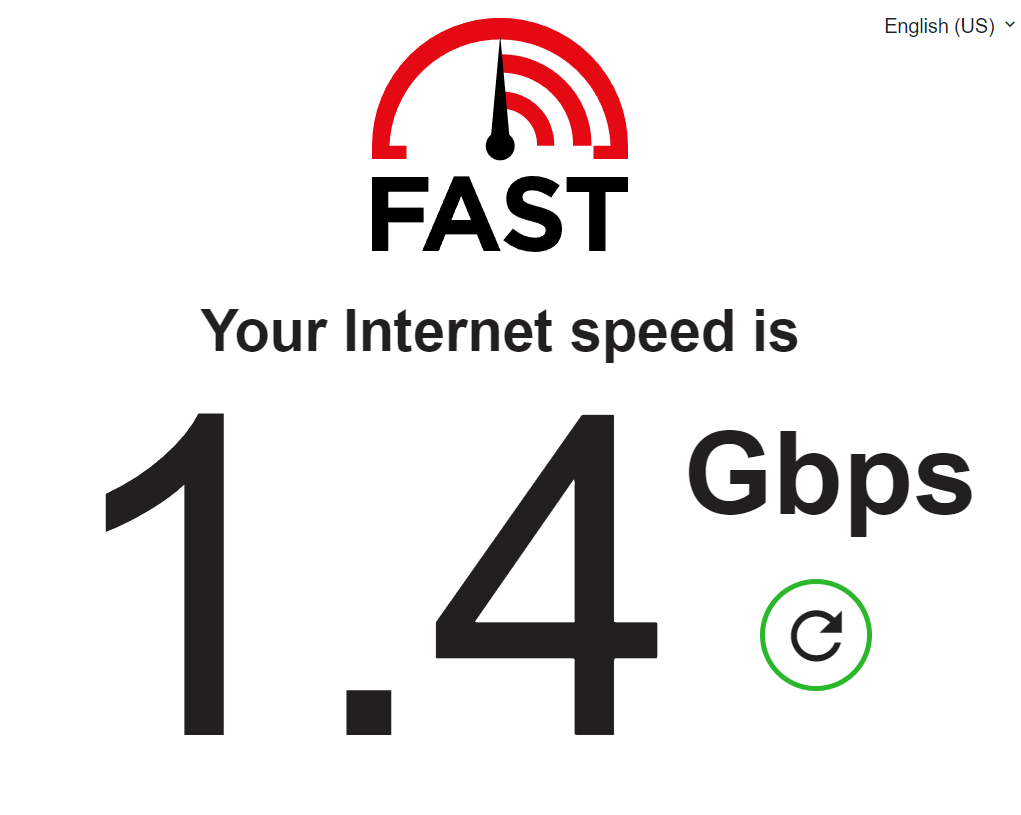
I was using an HP EliteDesk 805 G6 with an AMD Ryzen 5 processor with had an Intel i225-V 2.5GbE Flex IO V2 NIC for WAN and a Realtek 8156/8156B 2.5GbE USB to Ethernet for LAN. It was working FLAWLESSLY! Getting 1.30Gbps+ with that setup:
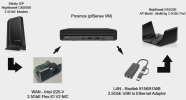
I decided to upgrade to an HP Pro Mini 400 G9 with an Intel Core 17-12700T. I used the same Intel i225-V 2.5GbE Flex IO V2 NIC for WAN and Realtek 8156/8156B 2.5GbE USB to Ethernet for LAN but am getting a miserable 200-300Mbps. This is happening without packages installed on pfSense, fresh Proxmox copy as well.
I have tried reinstalling pfSense but same results.
Weirdly, I tried both NICS on another HP Pro Mini 400 G9 with the same i7-12700T processor but with Windows installed and I get 1.30Gbps+ on both NICs. The only difference is Windows is installed rather than Promox.
Does Proxmox treat AMD and Intel differently when it comes to the drivers? I have also noticed that the new HP Pro Mini has the HP Wolf Security - I don't know if that makes a different or not.
Here's more info on my node:
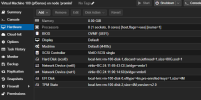
pfSense VM hardware setup:
and when I type in lshw -class network on my node:
What are your thoughts?
Thank you for the help!
I'm having a bit of a difficulty with the internet speeds on a fresh install of Proxmox and pfSense.
I was using an HP EliteDesk 805 G6 with an AMD Ryzen 5 processor with had an Intel i225-V 2.5GbE Flex IO V2 NIC for WAN and a Realtek 8156/8156B 2.5GbE USB to Ethernet for LAN. It was working FLAWLESSLY! Getting 1.30Gbps+ with that setup:
I decided to upgrade to an HP Pro Mini 400 G9 with an Intel Core 17-12700T. I used the same Intel i225-V 2.5GbE Flex IO V2 NIC for WAN and Realtek 8156/8156B 2.5GbE USB to Ethernet for LAN but am getting a miserable 200-300Mbps. This is happening without packages installed on pfSense, fresh Proxmox copy as well.
I have tried reinstalling pfSense but same results.
Weirdly, I tried both NICS on another HP Pro Mini 400 G9 with the same i7-12700T processor but with Windows installed and I get 1.30Gbps+ on both NICs. The only difference is Windows is installed rather than Promox.
Does Proxmox treat AMD and Intel differently when it comes to the drivers? I have also noticed that the new HP Pro Mini has the HP Wolf Security - I don't know if that makes a different or not.
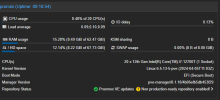
Here's more info on my node:
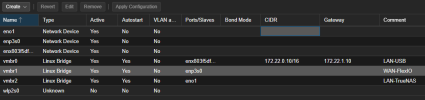
pfSense VM hardware setup:
and when I type in lshw -class network on my node:
Code:
*-network
       description: Ethernet interface
       product: Ethernet Controller I225-V
       vendor: Intel Corporation
       physical id: 0
       bus info: pci@0000:03:00.0
       logical name: enp3s0
       version: 03
       serial: c8:5a:cf:b1:b3:64
       capacity: 1Gbit/s
       width: 32 bits
       clock: 33MHz
       capabilities: pm msi msix pciexpress bus_master cap_list ethernet physical tp 10bt 10bt-fd 100bt 100bt-fd 1000bt-fd autonegotiation
       configuration: autonegotiation=on broadcast=yes driver=igc driverversion=6.5.13-5-pve duplex=full firmware=1057:8754 latency=0 link=yes multicast=yes port=twisted pair
       resources: irq:16 memory:80800000-808fffff memory:80900000-80903fff
  *-network
       description: Ethernet interface
       product: Ethernet Connection (17) I219-LM
       vendor: Intel Corporation
       physical id: 1f.6
       bus info: pci@0000:00:1f.6
       logical name: eno1
       version: 11
       serial: 64:4e:d7:b3:91:98
       capacity: 1Gbit/s
       width: 32 bits
       clock: 33MHz
       capabilities: pm msi bus_master cap_list ethernet physical tp 10bt 10bt-fd 100bt 100bt-fd 1000bt-fd autonegotiation
       configuration: autonegotiation=on broadcast=yes driver=e1000e driverversion=6.5.13-5-pve firmware=2.3-4 latency=0 link=no multicast=yes port=twisted pair
       resources: irq:125 memory:80c00000-80c1ffff
  *-network
       description: Ethernet interface
       physical id: 8
       bus info: usb@2:9
       logical name: enx803f5df48a66
       serial: 80:3f:5d:f4:8a:66
       capacity: 1Gbit/s
       capabilities: ethernet physical tp mii 10bt 10bt-fd 100bt 100bt-fd 1000bt 1000bt-fd autonegotiation
       configuration: autonegotiation=on broadcast=yes driver=r8152 driverversion=v1.12.13 duplex=full firmware=rtl8156b-2 v3 10/20/23 link=yes multicast=yes port=MII
What are your thoughts?
Thank you for the help!
Last edited: