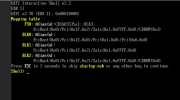
[SOLVED] QUICK HELP How to disable secureboot VM?

Seriously?

How about doing a quick google and/or forum search in the future, if you don't want to rely on other people, which help here for free (in their free time)!
Yeah but it tooks hours "google" isn't always straight forward idek
 
Seriously?

How about doing a quick google and/or forum search in the future, if you don't want to rely on other people, which help here for free (in their free time)!
Your right ok... i give it to ya, i didn't pay for active subscription (support) lol
 
Your right ok... i give it to ya, i didn't pay for active subscription (support) lol

This was not the point. Even if you had a subscription, your post was out of the Proxmox staff's business times anyway. So opening a support ticket instead of a forum post, had most likely also not give you a faster answer.

This is an official community forum. It does not matter, if you have a subscription or not.

But in my opinion it is rude to demand on an answer (even more within a short timespan) from other people which, as I said, help here in their free time or in case of the Proxmox staff in their business times, but also for free.
 
Yeah but it tooks hours "google" isn't always straight forward idek
Adding my two cents...

If you had read through the entire thread on reddit I mentioned, you would have found the answer to your question as well as an explanation of the actual root cause. (Enabling Pre-Enroll Keys when creating the EFI partition.)

Working with Proxmox (even as a hobbyist) is complicated and requires a large investment of time. Many of us here have spent countless hours troubleshooting problems. We're all passionate and more than willing to share what we've learned... but your posts seem increasingly unappreciative.

A better approach would've have been to simply post the link to the tutorial video with a brief explanation of how you solved the issue. You figured it out on your own, enjoy the sense of accomplishment and pay it forward. That's how this community works!
 
Adding my two cents...

If you had read through the entire thread on reddit I mentioned, you would have found the answer to your question as well as an explanation of the actual root cause. (Enabling Pre-Enroll Keys when creating the EFI partition.)

Working with Proxmox (even as a hobbyist) is complicated and requires a large investment of time. Many of us here have spent countless hours troubleshooting problems. We're all passionate and more than willing to share what we've learned... but your posts seem increasingly unappreciative.
M8 no "
actual root cause. (Enabling Pre-Enroll Keys when creating the EFI partition.)" nope it's secureboot ESC+EUFIBIOS+DISABLE_SECURE_BOOT... easy as f* to just tell me to ESC but it took like 7+ hours for a reply with "seriously" ... sorry.... not enough. it's not "unappreciative" i am just being ignored and people are disintrested in the thread by purpose.

nope reading reddit wouldn't solved the issue for me imo and other people wouldn't know so it's like stupid to assume people cared.

The fact @Neobin ignored the problem and blindingly liking your post on purpose and pure hate tells me enough instead of just helping me :/
 
Last edited:
This was not the point. Even if you had a subscription, your post was out of the Proxmox staff's business times anyway. So opening a support ticket instead of a forum post, had most likely also not give you a faster answer.

This is an official community forum. It does not matter, if you have a subscription or not.

But in my opinion it is rude to demand on an answer (even more within a short timespan) from other people which, as I said, help here in their free time or in case of the Proxmox staff in their business times, but also for free.
Short timespan... it's like 8 hours... lol 8 hours "short" and for "seriously" instead of just helping me you just find excuses......
 
M8 no "
actual root cause. (Enabling Pre-Enroll Keys when creating the EFI partition.)" nope it's secureboot ESC+EUFIBIOS+DISABLE_SECURE_BOOT... easy as f* to just tell me to ESC but it took like 7+ hours for a reply with "seriously" ... sorry.... not enough. it's not "unappreciative" i am just being ignored and people are disintrested in the thread by purpose.

nope reading reddit wouldn't solved the issue for me imo and other people wouldn't know so it's like stupid to assume people cared.

The fact @Neobin ignored the problem and blindingly liking your post on purpose and pure hate tells me enough instead of just helping me :/
Short timespan... it's like 8 hours... lol 8 hours "short" and for "seriously" instead of just helping me you just find excuses......

If you are expecting/needing guaranteed personal 24/7/365 support within minutes, this is the wrong place here.
For this you have to find a support service provider who can offer this and pay him for this.
Now I have played the money-card!

Good luck...
 
Adding my two cents...

If you had read through the entire thread on reddit I mentioned, you would have found the answer to your question as well as an explanation of the actual root cause. (Enabling Pre-Enroll Keys when creating the EFI partition.)

Working with Proxmox (even as a hobbyist) is complicated and requires a large investment of time. Many of us here have spent countless hours troubleshooting problems. We're all passionate and more than willing to share what we've learned... but your posts seem increasingly unappreciative.

A better approach would've have been to simply post the link to the tutorial video with a brief explanation of how you solved the issue. You figured it out on your own, enjoy the sense of accomplishment and pay it forward. That's how this community works!
Thanks for that Reddit link!
 
  • Like
Reactions: jamesharr
Seriously?

How about doing a quick google and/or forum search in the future, if you don't want to rely on other people, which help here for free (in their free time)!
Necro-post, but FYI, this thread was my top result when I googled "proxmox disable secure boot". Replying in forums "just use google/just search" poisons the searching results for everyone else in the future ;)
 
Necro-post, but FYI, this thread was my top result when I googled "proxmox disable secure boot". Replying in forums "just use google/just search" poisons the searching results for everyone else in the future ;)

You absolutely missed my/the point here.

But yeah; before more people waste their time complaining instead of simply clicking on a second search result, here you go:
 
before more people waste their time complaining instead of simply clicking on a second search result

Oh no, don't mistake me here - I did both. I provided edification on how we should respond positively to forum posts as they are likely to show in the same search results you told them to use, in the future and I simply clicked on subsequent search results to find the answer. Isn't it great how humans are so versatile and can do more than one thing? ;)
 
Hello,

Yes this thread is google top link for

proxmox how to disable secure boot

along with


Anyone that install nvidia drivers in their passthrough VM
and who chose the OVMF bios (and checked pre-enroll keys)
Will find themselves staring at a console instead of their login manager
since the nvidia driver will fail to load

Now we have the instruction from Neobin to go in the bios

Code:
At the start of the VM press ESC (several times) to get into the UEFI, there: "Device Management" -> "Secure Boot Configuration" -> "Attempt Secure Boot" -> Uncheck it (remove the: "X") -> Go back to the main menu by pressing ESC multiple times -> "Reset".


I confirm this will resolve your problem

Now I would like to know, do we have a command oneliner to perform this change for a VM from the proxmox console ?

Where is this setting actually stored ?

Here is my actual vm.conf

Code:
agent: 1
audio0: device=ich9-intel-hda,driver=none
bios: ovmf
boot: order=scsi0;ide2;net0
cores: 16
cpu: host
efidisk0: local-lvm:vm-118-disk-0,efitype=4m,pre-enrolled-keys=1,size=4M
ide2: lvm-iso:iso/debian-12.11.0-amd64-DVD-1.iso,media=cdrom,size=3760M
machine: q35
memory: 24000
meta: creation-qemu=9.2.0,ctime=1754305242
name: debian
net0: virtio=BC:24:11:26:41:1C,bridge=vmbr0,firewall=1
numa: 0
ostype: l26
scsi0: local-lvm:vm-118-disk-1,iothread=1,size=32G
scsihw: virtio-scsi-single
smbios1: uuid=f1efd63a-ce36-4ad4-ba11-d7a3e921e9b9
sockets: 1
usb0: host=36b0:3002
usb1: host=046d:c548
vga: none
vmgenid: 90c699e1-836c-463d-af0c-180570625d5c
hostpci0: 0000:0f:00,pcie=1,romfile=Lenovo.RTX3060.unknown.version.rom
agent: 1


From the web interface, this line cannot be touched

Code:
efidisk0: local-lvm:vm-118-disk-0,efitype=4m,pre-enrolled-keys=1,size=4M

Could it be set to pre-enrolled-keys=0 ? Would that be enough ? What about adding the nvidia keys or keys for whatever modification you just made ?


I think "attempt to secure boot" setting should be something you can toggle in both the web interface and the vm.conf, something clearly labelled "[ ] Enable Secure Boot" so that anyone who figured out that this is their problem doesn't have to search forums to find the solution.

(Does wiping EFIDISK0 and re-creating it without pre-enroll keys also wipe the bootloader ?)

 
  • Like
Reactions: GCustom
Hello,

Yes this thread is google top link for

proxmox how to disable secure boot

along with


Anyone that install nvidia drivers in their passthrough VM
and who chose the OVMF bios (and checked pre-enroll keys)
Will find themselves staring at a console instead of their login manager
since the nvidia driver will fail to load

Now we have the instruction from Neobin to go in the bios

Code:
At the start of the VM press ESC (several times) to get into the UEFI, there: "Device Management" -> "Secure Boot Configuration" -> "Attempt Secure Boot" -> Uncheck it (remove the: "X") -> Go back to the main menu by pressing ESC multiple times -> "Reset".


I confirm this will resolve your problem

Now I would like to know, do we have a command oneliner to perform this change for a VM from the proxmox console ?

Where is this setting actually stored ?

Here is my actual vm.conf

Code:
agent: 1
audio0: device=ich9-intel-hda,driver=none
bios: ovmf
boot: order=scsi0;ide2;net0
cores: 16
cpu: host
efidisk0: local-lvm:vm-118-disk-0,efitype=4m,pre-enrolled-keys=1,size=4M
ide2: lvm-iso:iso/debian-12.11.0-amd64-DVD-1.iso,media=cdrom,size=3760M
machine: q35
memory: 24000
meta: creation-qemu=9.2.0,ctime=1754305242
name: debian
net0: virtio=BC:24:11:26:41:1C,bridge=vmbr0,firewall=1
numa: 0
ostype: l26
scsi0: local-lvm:vm-118-disk-1,iothread=1,size=32G
scsihw: virtio-scsi-single
smbios1: uuid=f1efd63a-ce36-4ad4-ba11-d7a3e921e9b9
sockets: 1
usb0: host=36b0:3002
usb1: host=046d:c548
vga: none
vmgenid: 90c699e1-836c-463d-af0c-180570625d5c
hostpci0: 0000:0f:00,pcie=1,romfile=Lenovo.RTX3060.unknown.version.rom
agent: 1


From the web interface, this line cannot be touched

Code:
efidisk0: local-lvm:vm-118-disk-0,efitype=4m,pre-enrolled-keys=1,size=4M

Could it be set to pre-enrolled-keys=0 ? Would that be enough ? What about adding the nvidia keys or keys for whatever modification you just made ?


I think "attempt to secure boot" setting should be something you can toggle in both the web interface and the vm.conf, something clearly labelled "[ ] Enable Secure Boot" so that anyone who figured out that this is their problem doesn't have to search forums to find the solution.

(Does wiping EFIDISK0 and re-creating it without pre-enroll keys also wipe the bootloader ?)

Hi, just wanted to make a quick note, i often face this issue, and would love the option to toggle secureboot in the OVMF UEFI bios from console, or GUI.

Anyways, just confirmed that easiest way to disable secure boot without having to get into the BIOS menu is to remove the EFI disk from VM (and then also remove the unused disk it becomes), and then create a new EFI disk, unchecking Pre-Enroll keys, it creates the bios with secureboot disabled.

A toggle option would likely require keeping two copies of the bios file, one with secureboot enabled, the other with it disabled.. Don't know how feasible that is..

The easiest improvement would be to add a visible explanation to the Pre-Enroll keys - checkbox stating something like: This will enforce Secure Boot in the BIOS

Because now it's by default checked (edit: and actually looks kind of greyed out), and user easily just clicks past it with OK without realizing that it enabled secure boot which might prevent his VM from booting.

edit: @aaron or any staff member, would this be something that could be implemented? Clarifying that checking the Pre-Enroll keys - checkbox implicates also enforcing secure boot in the BIOS, so it's a bit harder to miss. I keep forgetting it even though i've done it many times and should remember to uncheck that box, but no..
 
Last edited:
you can disable it in the firmware config screen when booting the VM. removing the EFI disk also clears all other EFI settings.
 
you can disable it in the firmware config screen when booting the VM. removing the EFI disk also clears all other EFI settings.
Yes, but i think his thread is looking for an easier way to do it.. Take my example:

I have linked external block devices to my VM, and so even setting the boot order to none in VM options does not stop the linux VM from booting from scsi0.

The issue then is, after i start the VM, click the console button, wait for the browser to provide the link to open the spice window, opening the link starting spice, moving the cursor on top of the spice window and left click to focus keyboard input to spice, and then start pounding that ESC key like a demented monkey on meth, it's already too late.

And if i have a linux VM with grub timeout set to 0, i'm completely out of luck.

The only option then remains to unlink the block devices from the VM, giving me enough time to access the BIOS menu, disabling secure boot, and re-linking the block devices to the VM (using qm set in the console).

Or deleting the EFI disk and recreating it. But if user has for example edited boot menu entries, and has custom EFIVARS store entries, that can be a pain to recreate.

So just a short rant about how time-consuming and annoying it can sometimes be to deal with this secure boot issue in UEFI bios, and maybe find a better solution? Thanks.
 
if your VM fails to boot due to a secure boot violation, you can just hit reset while accessing its console and then press Esc to enter the firmware settings.. that is handled before Grub is even executed (and if Grub is executed, you likely do not have a secure boot related issue anyway ;))