Hello everyone, This is my first post.
PC Specs: Lenovo M720q - i3-9100t, 16gb ram single stick, 256gb samsung 970 evo plus NVME (firmware: 2B2QEXM7), 65w power adapter.
I am running into problems during the installation. Every time during the install process the machine reboots.
I am using an USB to install images (proxmox 8 flashed via rufus dd method, and ventoy). Reading other post suggested to install ubuntu or debian to see if anything can be installed. Those fail as well.
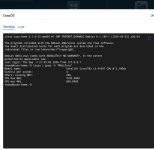
With the proxmox install, the furthest I can get is to the 3% "Creating LV's" and then the reboot happens, sometimes it reaches 45% and the progress bar increases and it reboots. The NVME health in crystaldiskinfo is around 94%.
I used a live debian 13 usb and tried booting from it, it crashed when i tried normal boot, but it booted right away when i clicked the fail safe method. after booting i installed debian 13 to the NVME, and it went success first try, but when i tried to boot from the NVME, i get the debian startup page, where i can select 3 options, i clicked the first one "debian/unx linux" it gave a single line of some text and rebooted again, if i dont select any option in the "3 options page" it reboots. i tried this command, still no luck,
nomodeset pcie_aspm=off nvme_core.default_ps_max_latency_us=0. EDIT: i have tried different ram combinations, 2x4gb, or single 4gb, single 16gb, still nothing.
PC Specs: Lenovo M720q - i3-9100t, 16gb ram single stick, 256gb samsung 970 evo plus NVME (firmware: 2B2QEXM7), 65w power adapter.
I am running into problems during the installation. Every time during the install process the machine reboots.
I am using an USB to install images (proxmox 8 flashed via rufus dd method, and ventoy). Reading other post suggested to install ubuntu or debian to see if anything can be installed. Those fail as well.
With the proxmox install, the furthest I can get is to the 3% "Creating LV's" and then the reboot happens, sometimes it reaches 45% and the progress bar increases and it reboots. The NVME health in crystaldiskinfo is around 94%.
I used a live debian 13 usb and tried booting from it, it crashed when i tried normal boot, but it booted right away when i clicked the fail safe method. after booting i installed debian 13 to the NVME, and it went success first try, but when i tried to boot from the NVME, i get the debian startup page, where i can select 3 options, i clicked the first one "debian/unx linux" it gave a single line of some text and rebooted again, if i dont select any option in the "3 options page" it reboots. i tried this command, still no luck,
nomodeset pcie_aspm=off nvme_core.default_ps_max_latency_us=0. EDIT: i have tried different ram combinations, 2x4gb, or single 4gb, single 16gb, still nothing.
Last edited:
 .
.