PBS testimonial (hardware requirements are a joke)

Nov 26, 2021
496
278
83
Clickbait headline, but I think it is true :)
Maybe others can chime in with their setups and why they need beefy hardware.
Here is my PBS testimonial.

Reading the documentation I was a little bit scared. Especially the storage part seemed brutal.
Turns out it is not that bad and I misunderstood how PBS works.
I wanted to backup 3 destination, each roughly hosting 5-10 VMs.
Mixture of Windows and Linux VMs.

Since some of the PVE are from my clients, I wanted to do it right.
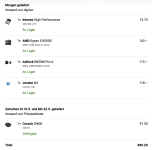
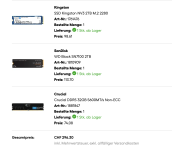
AMD Ryzen 5 8500G, two 120GB SSDs for boot and two 2TB nvme for datastore.
Changed to recordsize to 4M for the datastore (which I think should be a changed default for PBS).
I was for a long time on the edge, if I should just get two HDD and combine them with L2ARC, but then decided that if I need more than 2TB in the future, I could still do that and use the NVME as svdev or L2ARC.

Turns out, the storage performance is not that important. I thought that PVE would create a chunk checksum, send that to PBS and then PBS would check some kind of metadata table or DB on the disk, to see if the checksum is already there. I think what happens instead is that the PVE will get a hashtable at the beginning. So it will check against a local hashtable and only send the chunks that are not on that table. Thank god, otherwise high latency VDSL backups would probably become a problem.

So in reality, not my storage is the bottleneck, but the 1GBit/s WAN of PBS and the 40Mbit/s upload of one PVE location.
No matter if garbage collection or prune jobs, they are under 10 seconds.

Maybe the random 4mb chunk reads when doing a restore profit a little bit from having SSDs, but probably even that would have been fine with HDDs.

If you are going to use an ACME, do it first! I did it afterwards only to realize that ACME changes the fingerprint when the cert gets renewed.
It is also easier to just get a real cert, then you don't have to use fingerprints on PVE and can just leave it empty.

Some things about permission I love, others I don't really like.

Love:
You can give PVE only the DatastoreBackup permission and have a ransomware protected backup system by doing so.

Don't like:
I struggled with api tokens and users.
I want to create an api token for PVE1 that has permission to access /datastore/PVE1namespace.
So I naturally assumed just creating a token with permission to /datastore/PVE1namespace is enough.
Instead I have to create a token tied up to a user.
Why is it combined with a user?
So I have to create the user PVE1user and then create the token with permission for /datastore/PVE1namespace.
And that is not enough either, I have to give PVE1user access to /datastore/ so PVE can read it. Which seems rather stupid, since I explicitly told PVE to use PVE1namespace.

Deduplication is pretty poor. Not because of PBS of course.
Looks like Windows just shuffles and changes too many data even during normal usage.
I currently have 18x backups of each VM and my deduplication factor is only 11x.

All in all, I am very happy with PBS! :)

Unlike PVE, for PBS pricing is a little bit too steep for me. But thankfully that isn't a problem since you let me use the community edition.
Keep up the good work!
 
Last edited:
Deduplication is pretty poor.
Obviously that depends on the modified data per interval and the "prune"-settings. And it needs a number of backups present to work at all :-)

Both my dayjobs cluster and my homelab show around 30 - with basically "everything daily". If I would run hourly backups the Dedup-Factor would probably rise.
 
Hi,

For deduplication YMMV, for example, if I look at our PBS, it's pretty good with more than 90% of Linux VMs (more than 60% of these Linux machines are Debian), and retention from 14 to 365 days.

2025-12-10T07:57:06+01:00: Original data usage: 10.225 PiB
2025-12-10T07:57:06+01:00: On-Disk usage: 14.638 TiB (0.14%)
2025-12-10T07:57:06+01:00: On-Disk chunks: 15675165
2025-12-10T07:57:06+01:00: Deduplication factor: 715.29

We have critical VMs which backups run every 2 hours, and the other run at least one per day (VM => 93 Groups, 78200 Snapshots).

Best regards,
 
wait is that the price in the us for to build a pc?
in sweden you need to pay like x2 or even x3 that amount..
Taxes about 25% then alot of other stuff like the ram increase SSD increases..
 
If it is not in a rack it's a toy IMHO :)

We have found that a Dell PowerVault MD1220 stuffed full of 900GB 10k RPM spinners has more than adequate performance for ~30VM's. Have several shelves hanging of the back of the server on dedicated redundant 6Gbps SAS connections and then a zpool per shelf use dRAID (8D+2P+1S) with the shelves dedicated to particular "clients" where a "client" is a department/faculty etc. We get about 17TiB usable from a shelf with 900GB drives. The verification takes a while, but over a 24h cycle the machine sits idle for nearly 50% of the time.
 
since I got asked about my PBS from @news, here are some more detailed informations:
Tip: Don't use newer Intenso High for anything important. I have 100% failure rate after 2 years. First they get slow as hell, then bad sectors show up long before the TBW is reached, and the SSD obviously doesn't proper maintenance and only finds errors when doing a full read on all the sectors e.g. with dd - or with ddrescue, to get the data somewhere safer. My four years old 480GB is still fast and has no errors, but every Intenso High we know of that has been bought three years or less ago has problems, every model from 120GB to 960GB.
Seems they enshittify their SSD lines every now and then, using worse chips. Heard they use QLC now, though the datasheet still says TLC. (And I'm pretty sure that a few years ago, their Top line was TLC, and the High line MLC.)
 
Maybe the random 4mb chunk reads when doing a restore profit a little bit from having SSDs, but probably even that would have been fine with HDDs.
From my experience, HDD-only storage for the PBS datastore really is a no go. As soon as you're on SSD, performance will be doable. I have been using mirrored consumer SATA SSD's (860 EVO, with DRAM cache) and this proved to be an infinite amount faster compared to HDD-only. A pool with HDDs combined with NVME svdev works great as well for larger datastores. From there, you can scale up to your requirements for operation speed and reliability.
 
Last edited:
Tip: Don't use newer Intenso High for anything important. I have 100% failure rate after 2 years.
Of course not :) They are bottom of the barrel trash SSDs! Look at the price.
I use it as a boot disk. Which is mirrored with another drive. When using a drive, I suspect a firmware issue leading to total failure and plan my vdevs accordingly. That is why I would never use two identical drives or two drives with the same Phison controller in a mirror.

Semi off topic rant: That is why mirrors with different drives are IMHO often more secure than RAIDZ2 where all drives are the same. Another thing I don't like.

From my experience, HDD-only storage for the PBS datastore really is a no go.
The IMHO more important question would be, is HDD only but with L2ARC also a no go for you? And if yes, why?
 
  • Like
Reactions: Johannes S
The IMHO more important question would be, is HDD only but with L2ARC also a no go for you? And if yes, why?
I have never tried HDDs + L2ARC SSD for PBS datastore. With that hardware I'd go for HDDs + svdev SSD because L2ARC is optimized for read workloads while PBS also heavily benefits from fast writes.
 
Last edited:
  • Like
Reactions: Johannes S
To be more precise: L2ARC is not optimized for read workloads. It is an added read cache that caches stuff that evicted ARC before. It does only do read cache, never write cache.
while PBS also heavily benefits from fast writes.
Not sure if I would agree with that statement.

I have not run extensive tests to proofe it, so take this with a huge grain of salt:
Writing 2-4mb chunks is one of the easiest tasks there is for a HDD. You should get near sequential write speed of a disk, which means that even a single HDD should be able to achieve +50MB/s, probably closer to 200MB/s. Which is already faster than a 1GBit/s NIC can handle.
 
Writing 2-4mb chunks is one of the easiest tasks there is for a HDD. You should get near sequential write speed of a disk
PBS does really, really do random writes. It needs IOPS - as many as it can get.

For ZFS there is the rising problem of fragmentation of the free space --> it is not guaranteed that a single 2-4 MB chunk can be written sequentially at one place.

For my PBS' with rotating rust I can say that PBS does write a lot of small pieces of information (mostly meta data, plus some "special_small_blocks" in my case) to my obligatory fast "Special Device" - usually 10 to 30 times as much (in IOPS, not in volume) than it writes to the data spindles.

Disclaimer: just my observation in my specific setups with my specific set of data to backup...
 
PBS does really, really do random writes. It needs IOPS - as many as it can get.
Not what I am seeing in the real world.

Let's start with a fresh VM where nothing is already backed up:

Bash:
zpool iostat poolBackup 1
              capacity     operations     bandwidth
pool        alloc   free   read  write   read  write
----------  -----  -----  -----  -----  -----  -----
poolBackup  1.29T   536G      2      3  1.30M  1.05M
poolBackup  1.29T   536G     82      0   356K      0
poolBackup  1.29T   536G     30      0   132K      0
poolBackup  1.29T   536G     45      0   196K      0
poolBackup  1.29T   536G     65    493   284K   538M
poolBackup  1.29T   536G     47    263   204K   138M
poolBackup  1.29T   536G     53      0   240K      0
poolBackup  1.29T   536G     38      0   160K      0
poolBackup  1.29T   536G     49      0   212K      0
poolBackup  1.29T   536G     35    274   152K   449M
poolBackup  1.29T   535G    123    402   543K   363M
poolBackup  1.29T   535G    131      0   575K      0
poolBackup  1.29T   535G     62      0   264K      0
poolBackup  1.29T   535G     55      0   228K      0
poolBackup  1.29T   535G    135   1011   599K   832M
poolBackup  1.29T   535G    138      0   587K      0
poolBackup  1.29T   535G    105      0   452K      0
poolBackup  1.29T   535G    115      0   492K      0
poolBackup  1.29T   535G    117      0   512K      0
poolBackup  1.29T   535G     73    935   320K   650M
poolBackup  1.29T   534G    110    210   464K  39.1M
poolBackup  1.29T   534G     53      0   236K      0
poolBackup  1.29T   534G     52      0   236K      0
poolBackup  1.29T   534G     36      0   152K      0
poolBackup  1.29T   534G    112    190   495K   208M
poolBackup  1.29T   534G     85    651   371K   631M

We can clearly see the 5s target of ZFS. Writes happen async. Writes go into RAM TXG groups and get written to disk as a sinlge sequential write.
Max 935 IOPS.


For a already backed up VM with few changes:
Bash:
root@pbs:~# zpool iostat poolBackup 1
              capacity     operations     bandwidth
pool        alloc   free   read  write   read  write
----------  -----  -----  -----  -----  -----  -----
poolBackup  1.29T   534G      2      3  1.30M  1.06M
poolBackup  1.29T   534G     12    340  52.0K  36.6M
poolBackup  1.29T   534G      0      0      0      0
poolBackup  1.29T   534G      5      0  28.0K      0
poolBackup  1.29T   534G      2      0  12.0K      0
poolBackup  1.29T   534G      2      0  16.0K      0
poolBackup  1.29T   534G     15    182  63.9K  10.6M
poolBackup  1.29T   534G     43      0   200K      0
poolBackup  1.29T   534G     11      0  47.9K      0
poolBackup  1.29T   534G     32      0   144K      0
poolBackup  1.29T   534G     32      0   136K      0
poolBackup  1.29T   534G     26    458   124K  96.6M
poolBackup  1.29T   534G      3      0  16.0K      0
poolBackup  1.29T   534G      8      0  40.0K      0
poolBackup  1.29T   534G     61      0   264K      0
poolBackup  1.29T   534G     15      0  67.9K      0
poolBackup  1.29T   534G      5    224  24.0K  85.0M
poolBackup  1.29T   534G      2    136  12.0K  2.80M
poolBackup  1.29T   534G      2      0  12.0K      0
poolBackup  1.29T   534G     11      0  51.9K      0
poolBackup  1.29T   534G      8      0  40.0K      0
poolBackup  1.29T   534G      0      0      0      0

For ZFS there is the rising problem of fragmentation of the free space --> it is not guaranteed that a single 2-4 MB chunk can be written sequentially at one place.
That is true, performance could tank later on.


My gues is, YMMV really applies hard here :)
For a not so performant, 1GBit/s only NIC and WAN PBS, you could probably get away with a HDD mirror. Maybe add a cheap 500GB consumer SSD L2ARC to speed up garbage collection jobs, but ARC will probably already take of that mostly. If you do add a special vdev with two cheap 500GB "prosumer" drives in a mirror, I can't imagine how the HDDs could become the bottleneck.
 
  • Like
Reactions: Johannes S and UdoB
Just as a bad designed example: one single pool, RaidZ2, three devices for the Special Device because two were not stable - and one being attached by USB. Again: bad design.

What I can see here is this:
Code:
root@pvec:~# zpool iostat -v     5
                                                     capacity     operations     bandwidth
pool                                               alloc   free   read  write   read  write
-------------------------------------------------  -----  -----  -----  -----  -----  -----
rpool                                              13.9T  8.16T  1.09K    543  32.1M  10.5M
  raidz2-0                                         13.7T  8.09T    225      3  27.2M  33.8K
    ata-ST6000VN001-2BB186_ZR10HB1L-part3              -      -     56      0  6.84M  8.45K
    ata-ST6000NE000-2KR101_WKD3EC23-part3              -      -     56      0  6.82M  8.45K
    ata-WDC_WD60EFZX-68B3FN0_WD-C8141VUG-part3         -      -     56      0  6.75M  8.45K
    ata-ST6000NE000-2KR101_WSD00N42-part3              -      -     56      0  6.78M  8.45K
special                                                -      -      -      -      -      -
  mirror-1                                          160G  71.7G    887    540  4.89M  10.5M
    wwn-0x5707c18100a093e7                             -      -    868    237  4.73M  3.50M
    wwn-0x5002538d702a40a7                             -      -     12    187   106K  3.50M
    usb-Samsung_SSD_850_EVO_250G_000000004BA8-0:0      -      -      6    115  63.0K  3.50M
cache                                                  -      -      -      -      -      -
  nvme0n1                                           466G   115M    340    145  2.41M  29.5M
-------------------------------------------------  -----  -----  -----  -----  -----  -----
                                                     capacity     operations     bandwidth
pool                                               alloc   free   read  write   read  write
-------------------------------------------------  -----  -----  -----  -----  -----  -----
rpool                                              13.9T  8.16T  2.57K  1.30K   113M  29.8M
  raidz2-0                                         13.7T  8.09T    810      3   104M  12.8K
    ata-ST6000VN001-2BB186_ZR10HB1L-part3              -      -    200      0  25.9M  3.20K
    ata-ST6000NE000-2KR101_WKD3EC23-part3              -      -    206      0  26.4M  3.20K
    ata-WDC_WD60EFZX-68B3FN0_WD-C8141VUG-part3         -      -    204      0  26.2M  3.20K
    ata-ST6000NE000-2KR101_WSD00N42-part3              -      -    199      0  25.7M  3.20K
special                                                -      -      -      -      -      -
  mirror-1                                          160G  71.7G  1.78K  1.30K  9.22M  29.8M
    wwn-0x5707c18100a093e7                             -      -  1.78K    701  9.22M  9.94M
    wwn-0x5002538d702a40a7                             -      -      0    323      0  9.75M
    usb-Samsung_SSD_850_EVO_250G_000000004BA8-0:0      -      -      0    303      0  10.1M
cache                                                  -      -      -      -      -      -
  nvme0n1                                           466G   102M    733    538  3.70M   108M
-------------------------------------------------  -----  -----  -----  -----  -----  -----
                                                     capacity     operations     bandwidth
pool                                               alloc   free   read  write   read  write
-------------------------------------------------  -----  -----  -----  -----  -----  -----
rpool                                              13.9T  8.16T  1.79K  3.95K   101M  53.8M
  raidz2-0                                         13.7T  8.09T    713      6  94.8M  25.6K
    ata-ST6000VN001-2BB186_ZR10HB1L-part3              -      -    177      1  23.5M  6.40K
    ata-ST6000NE000-2KR101_WKD3EC23-part3              -      -    180      1  23.9M  6.40K
    ata-WDC_WD60EFZX-68B3FN0_WD-C8141VUG-part3         -      -    179      1  23.9M  6.40K
    ata-ST6000NE000-2KR101_WSD00N42-part3              -      -    176      1  23.5M  6.40K
special                                                -      -      -      -      -      -
  mirror-1                                          160G  71.6G  1.09K  3.94K  5.74M  53.7M
    wwn-0x5707c18100a093e7                             -      -  1.09K  1.70K  5.74M  17.8M
    wwn-0x5002538d702a40a7                             -      -      0  1.52K      0  18.1M
    usb-Samsung_SSD_850_EVO_250G_000000004BA8-0:0      -      -      0    739      0  17.8M
cache                                                  -      -      -      -      -      -
  nvme0n1                                           466G   128M    404    618  2.41M   126M
-------------------------------------------------  -----  -----  -----  -----  -----  -----
                                                     capacity     operations     bandwidth
pool                                               alloc   free   read  write   read  write
-------------------------------------------------  -----  -----  -----  -----  -----  -----
rpool                                              13.9T  8.16T  2.03K  1.45K   115M  23.8M
  raidz2-0                                         13.7T  8.09T    832      3   109M  12.8K
    ata-ST6000VN001-2BB186_ZR10HB1L-part3              -      -    206      0  27.2M  3.20K
    ata-ST6000NE000-2KR101_WKD3EC23-part3              -      -    206      0  27.1M  3.20K
    ata-WDC_WD60EFZX-68B3FN0_WD-C8141VUG-part3         -      -    209      0  27.4M  3.20K
    ata-ST6000NE000-2KR101_WSD00N42-part3              -      -    210      0  27.4M  3.20K
special                                                -      -      -      -      -      -
  mirror-1                                          160G  71.6G  1.21K  1.45K  5.80M  23.8M
    wwn-0x5707c18100a093e7                             -      -  1.21K    723  5.80M  7.93M
    wwn-0x5002538d702a40a7                             -      -      0    415      0  7.93M
    usb-Samsung_SSD_850_EVO_250G_000000004BA8-0:0      -      -      0    346      0  7.93M
cache                                                  -      -      -      -      -      -
  nvme0n1                                           466G   131M    445    457  2.49M  95.9M
-------------------------------------------------  -----  -----  -----  -----  -----  -----

rpool                                              13.9T  8.15T  3.05K    195  95.1M  17.4M
  raidz2-0                                         13.7T  8.08T    557     26  66.9M  12.4M
    ata-ST6000VN001-2BB186_ZR10HB1L-part3              -      -    135      5  16.3M  3.11M
    ata-ST6000NE000-2KR101_WKD3EC23-part3              -      -    135      6  16.5M  3.11M
    ata-WDC_WD60EFZX-68B3FN0_WD-C8141VUG-part3         -      -    143      5  17.1M  3.11M
    ata-ST6000NE000-2KR101_WSD00N42-part3              -      -    142      8  16.9M  3.11M
special                                                -      -      -      -      -      -
  mirror-1                                          163G  69.1G  2.50K    168  28.2M  4.95M
    wwn-0x5707c18100a093e7                             -      -  2.48K     59  25.5M  1.65M
    wwn-0x5002538d702a40a7                             -      -     19     55  1.77M  1.65M
    usb-Samsung_SSD_850_EVO_250G_000000004BA8-0:0      -      -      9     53   862K  1.65M
cache                                                  -      -      -      -      -      -
  nvme0n1                                           465G  1.11G    232    437  1.08M  62.3M

The Special Device absorbs always the most IOPS. The factor SD/data is not "10 to 30" but much lower, I must admit. My fault...