Hi everyone,
I have been using Promox VE for a while now without any issues.
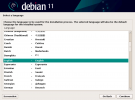
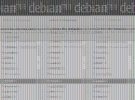
But today i have just gone to do a new installation of Debian 11 in UEFI mode and the GUI and Non GUI installation doesn't show correctly.
Proxmox VE Version: 7.0-14+1
I not sure if there something i have done wrong or missed out in the configuration but i have tried this is BIOS mode and it work fine without any issues, but i would prefer to install it in UEFI mode. Any help would be greatful.
Regards
Ian
I have been using Promox VE for a while now without any issues.
But today i have just gone to do a new installation of Debian 11 in UEFI mode and the GUI and Non GUI installation doesn't show correctly.
Proxmox VE Version: 7.0-14+1
I not sure if there something i have done wrong or missed out in the configuration but i have tried this is BIOS mode and it work fine without any issues, but i would prefer to install it in UEFI mode. Any help would be greatful.
Regards
Ian