Hi everyone,
Setup information:
https://pve.proxmox.com/wiki/Windows_2025_guest_best_practices
Issue encountered:
After installing Windows Server 2025, the following problems appear:
When trying to manually start it, I get:
sfc /scannow completes successfully and reports no issues.
Additional tests performed:
https://www.reddit.com/r/WindowsSer...ows_server_2025_datacenter_event_log_service/
Has anyone experienced this problem or knows how to fix it?
Any help would be greatly appreciated!
Setup information:
- Proxmox VE 9.1.5 cluster running on 3× ProLiant DL360 Gen10 (fresh install)
- Ceph storage with Tentacle 20.2.0 (fresh install)
- Windows Server 2025 installation using the ISO:
26100.32230.260111-0550.lt_release_svc_refresh_SERVER_EVAL_x64FRE_fr-fr.iso (from Microsoft website)
https://pve.proxmox.com/wiki/Windows_2025_guest_best_practices
Issue encountered:
After installing Windows Server 2025, the following problems appear:
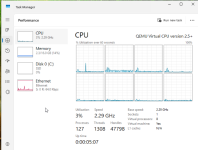
- The Explorer shows up and I can click on apps in the taskbar,
but when I try to open File Explorer or the Start Menu, it crashes and restarts. - The same behavior occurs when I left‑click on the desktop.
When trying to manually start it, I get:
Running "net start eventlog" gives the same error."Event Log Service failed to start due to error 1067"
sfc /scannow completes successfully and reports no issues.
Additional tests performed:
- I tried installing an older build (10.0.26100.1742).
Everything works fine until Windows Update installs the latest updates.
After the reboot, the same issues appear again. - I created a VM using a Windows Server 2019 ISO, and it works perfectly.
https://www.reddit.com/r/WindowsSer...ows_server_2025_datacenter_event_log_service/
Has anyone experienced this problem or knows how to fix it?
Any help would be greatly appreciated!