[SOLVED] Windows Server 2025 Event Log Service fails to start and Explorer crashes repeatedly

SultanOFF

New Member
Feb 26, 2026
4
0
1
Hi everyone,

Setup information:
  • Proxmox VE 9.1.5 cluster running on 3× ProLiant DL360 Gen10 (fresh install)
  • Ceph storage with Tentacle 20.2.0 (fresh install)
  • Windows Server 2025 installation using the ISO:
    26100.32230.260111-0550.lt_release_svc_refresh_SERVER_EVAL_x64FRE_fr-fr.iso (from Microsoft website)
I followed the best practices described here:
https://pve.proxmox.com/wiki/Windows_2025_guest_best_practices

Issue encountered:
After installing Windows Server 2025, the following problems appear:

  • The Explorer shows up and I can click on apps in the taskbar,
    but when I try to open File Explorer or the Start Menu, it crashes and restarts.
  • The same behavior occurs when I left‑click on the desktop.
I attempted to troubleshoot using the Event Log, but the service is stopped.
When trying to manually start it, I get:

"Event Log Service failed to start due to error 1067"
Running "net start eventlog" gives the same error.

sfc /scannow completes successfully and reports no issues.


Additional tests performed:
  • I tried installing an older build (10.0.26100.1742).
    Everything works fine until Windows Update installs the latest updates.
    After the reboot, the same issues appear again.
  • I created a VM using a Windows Server 2019 ISO, and it works perfectly.
I also found another user experiencing the exact same issue with differents software version, reported here on Reddit:
https://www.reddit.com/r/WindowsSer...ows_server_2025_datacenter_event_log_service/

Has anyone experienced this problem or knows how to fix it?
Any help would be greatly appreciated!

 
Hey,

I installed a brand new VM on PVE 9.1.5 with following image:
26100.32230.260111-0550.lt_release_svc_refresh_SERVER_EVAL_x64FRE_de-de.iso

I used virtio driver 271, which for me is the most trustworthy recently. (285 is kinda buggy)
1772136435031.png

My vm config looks like this:
Bash:
root@Venom:~# qm config 999
agent: 1
bios: ovmf
boot: order=scsi0;ide2;ide0;net0
cores: 4
cpu: x86-64-v3
efidisk0: Cache:vm-999-disk-0,efitype=4m,ms-cert=2023w,pre-enrolled-keys=1,size=4M
ide0: local:iso/virtio-win-0.1.271.iso,media=cdrom,size=709474K
ide2: local:iso/26100.32230.260111-0550.lt_release_svc_refresh_SERVER_EVAL_x64FRE_de-de.iso,media=cdrom,size=8022708K
machine: pc-q35-10.1
memory: 4096
meta: creation-qemu=10.1.2,ctime=1772135726
name: TestWindows
net0: virtio=BC:24:11:AD:DE:6B,bridge=Guests,firewall=1
numa: 0
ostype: win11
scsi0: Cache:vm-999-disk-1,discard=on,iothread=1,size=32G
scsihw: virtio-scsi-single
smbios1: uuid=530b212a-c197-4bd2-9f89-df8fe2833de8
sockets: 1
tpmstate0: Cache:vm-999-disk-2,size=4M,version=v2.0
vmgenid: 9d9c71bc-f728-4917-86aa-f91d11bd0c29

I was sadly not able to reproduce your issue on my side.
Could you share your vm configuration? (qm config <vmid>)
Which virtio driver did you use?

Edit: Even after installing all updates everything seems fine.
 
Last edited:
Hello,

Thank you for taking the time to help me with this issue. Here is my VM configuration:

agent: 1
bios: ovmf
boot: order=scsi0;ide0;net0
cores: 4
cpu: x86-64-v4
efidisk0: VM-CEPH-STORAGE:vm-103-disk-0,efitype=4m,ms-cert=2023w,pre-enrolled-keys=1,size=528K
ide0: none,media=cdrom
machine: pc-q35-10.1
memory: 16384
meta: creation-qemu=10.1.2,ctime=1772030698
name: TEST-WINDOWS-2K25
net0: virtio=BC:24:11:A5:40:EC,bridge=infra,firewall=1
numa: 1
ostype: win11
scsi0: VM-CEPH-STORAGE:vm-103-disk-1,aio=threads,cache=writeback,discard=on,iothread=1,size=60G
scsihw: virtio-scsi-single
smbios1: uuid=26606472-4f89-4f6b-bd8f-6ed0539cac1f
sockets: 1
tpmstate0: VM-CEPH-STORAGE:vm-103-disk-2,size=4M,version=v2.0
vmgenid: 830d8feb-965d-4f81-9629-5caa3671496c


I tested both Virtio versions (271 and 285) and the behavior remains the same.

Thanks!
 
Hey,

I don't really see a huge difference here.
Do the VMs behave all the same on every node, or only a specific one? (As Windows 2019 is working properly, I doubt it is related to HW)

The only difference I see are:
- Numa disabled (me), Numa enabled (you) => Your system is a dual cpu system, so enabling it should be the correct choice here.
- scsi0 configured differently. No cache and aio=(default) (me)
- Different Windows .iso
- Different CPU model (I can't try v4, as my cpu is missing some features)

Have you properly installed the qemu-guest-agent and all drivers? (Ran the installer?)

Not really a reason for such behavior...
As this happens on EVERY new install, we have fundamental issue.

Could you maybe try to just use my setup exactly? Maybe even try the another Windows ISO (english for example)?
Maybe your iso is somehow broken.

Cheers :)
 
Hello,

So!

I tried to create a VM with your configuration and, like magic, everything works correctly!
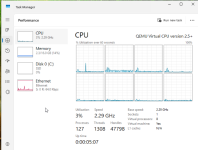
I managed to narrow it down to the virtual CPU type.
As soon as I switch the processor from x86‑64‑v4 to x86‑64‑v3, it fixes the issue.

It still remains strange, because my other VMs (Linux / 2019 / older 2025 builds) work perfectly with x86‑64‑v4…
And my processor is an Intel(R) Xeon(R) Bronze 3204 CPU, which does support AVX‑512.

I’m wondering whether anyone who installed Windows Server 2025 with an x86‑64‑v4 vCPU had the same issue ?
Otherwise, this might be related to a compatibility issue between Proxmox and the Intel 3204.
 
Hey :)

glad to hear you figured it out.
You won't notice a performance degradation by using v3 honestly, AVX-512 is heavily specific.
(Well, depends what you are using the VM for)

I also don't think this is a compatibility issue. I think Windows messed something up again and they need to fix it, as usual.
(Or QEMU releases a workaround fix)
I suspect something with VBS (Virtual-Based-Seucrity) and how they handle CPU-Features.
They discussed this in some manners here as well:

If you think this thread is solves, please mark this thread as solved by editing the original post and selecting the "Solved" prefix.