Hey all,
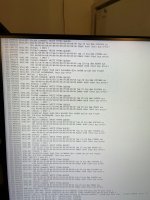
Was pulling my hair out over this for the past 12 hours. Thought it was bad sata/power cables, swapped those out to no avail, so I thought it was a bad SSD, even though SMART score was fine. Went to Best Buy and got a new SSD. Much to my surprise I was getting the same I/O errors. Host bus errors, WRITE DMA EXT failures, initramfs setup errors during install.
Not totally sure if it was the exact same errors you all were facing, but I managed to finally solve/work around it by adding some boot parameters to the GRUB installer, specifically:
intel_iommu=on iommu=pt libata.force=noncq pci=nomsi
This seems to have allowed me to install Proxmox 9.1 finally. I edited grub to save these settings permanently (or until there's a fix).
So, steps I took:
1. Booted from Proxmox installer USB
2. Moved selection to any of the install proxmox options and hit 'e' key.
3. Added
intel_iommu=on iommu=pt libata.force=noncq pci=nomsi directly after the line starting with linux /boot/linux...
4. Hit ctrl + x to launch installer with those commands.
5. Install Proxmox as you normally would.
6. Boot.
7. Edit grub to make grub settings permanent. Same as installer settings, but change this line
GRUB_CMDLINE_LINUX_DEFAULT="quiet"
to
GRUB_CMDLINE_LINUX_DEFAULT="quiet intel_iommu=on iommu=pt libata.force=noncq pci=nomsi"
8. Update GRUB and initramfs:
update-grub
update-initramfs -u -k all
reboot
9. Keep fingers crossed and continue using Proxmox as per usual.
Don't know if this is a solution for everyone with a Z97 board, but I'm posting just in case (and for myself as I will probably not remember any of this after 24 hours). At least I have any extra SSD now.
Relevant Hardware:
- Z97 chipset (GA-Z97X-UD5H-BK)
- Intel i7 4790k
- Samsung 870 EVO
Edit 1/31/206:
Adding
pci=nosmi to grub gave me GPU passthrough issues. Removing it after install seemed to not affect system stability.




 .
.