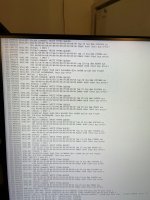
Try to install Proxmox 9.1 on a old linux server, and get lots of disk IO error.

kamanwu

Member
May 7, 2023
17
0
6
The disk is a Samsung SSD 850 EVO 250GB.


When I installed version 9.1, I encountered numerous disk I/O errors (please see the attached image).


I have used smartctl to perform both short and long self-tests, and the SSD did not report any errors.


However, when I installed Proxmox 8.4, there were no issues at all.
 

Attachments

  • 25-12-21 13-03-10 4220-s.jpg
    25-12-21 13-03-10 4220-s.jpg
    712.1 KB · Views: 26
I have just run into the exact same issue. Proxmox 9.1 appears to fail at various spots (mostly in the spot you found, but sometimes when building initramfs). Proxmox 8.4 seems to install fine.

My specs are:
  • Samsung 870 EVO 500 GB (brand new)
  • MSI Z97 PC MATE motherboard
  • i7 4790K not overclocked
  • 16GB GSkill Trident 2133 MHz DDR3
I have swapped SATA cables, reseated RAM, tried different install media, with no luck.
 
could you try with the 6.14 kernel as well, and then open a bugzilla entry with the results (working/broken kernel version and full "journalctl -b" for both would be great!)
 
  • Like
Reactions: Kingneutron
I have just run into the exact same issue. Proxmox 9.1 appears to fail at various spots (mostly in the spot you found, but sometimes when building initramfs). Proxmox 8.4 seems to install fine.

My specs are:
  • Samsung 870 EVO 500 GB (brand new)
  • MSI Z97 PC MATE motherboard
  • i7 4790K not overclocked
  • 16GB GSkill Trident 2133 MHz DDR3
I have swapped SATA cables, reseated RAM, tried different install media, with no luck.

Thanks for letting me know. Based on the information you provided, I think it might be related to the Samsung SSD. For now, I have restored my server to version 8.4. When I have time this holiday season, I plan to install version 9.1 on a laptop that is not in use to see whether I encounter the same issue.
 
I have just run into the exact same issue. Proxmox 9.1 appears to fail at various spots (mostly in the spot you found, but sometimes when building initramfs). Proxmox 8.4 seems to install fine.

My specs are:
  • Samsung 870 EVO 500 GB (brand new)
  • MSI Z97 PC MATE motherboard
  • i7 4790K not overclocked
  • 16GB GSkill Trident 2133 MHz DDR3
I have swapped SATA cables, reseated RAM, tried different install media, with no luck.

I think this issue is related to the Samsung SSD.

I just installed 9.1.1 on a very old laptop with no issues. The disk is a very old Intel SSD: Intel 520 Series.

I think I either need to switch this SSD to my Linux server or wait for 9.2.

If you do find a solution that works on your Samsung 870 EVO 500, please share. Thanks.
 
could you try with the 6.14 kernel as well, and then open a bugzilla entry with the results (working/broken kernel version and full "journalctl -b" for both would be great!)

The issue happens during the Proxmox installation (the installation fails). I’m not sure how to run "journalctl -b" to get the logs.
 
@kamanwu Depending on the installation stage, you could be able to switch to other virtual console with pressing keys Alt F1 or Alt F2 or Alt F3 etc. and receive shell command line.
 
  • Like
Reactions: UdoB
I don't think this is samsung related. More likely related to the z97 board.

I ran into similar issue tonight installing 9.1 to a gigabyte z97n board when using onboard sata as the ssd target. Lots of write errors along the way. I tried with both a samsung evo 850 drive and a seagate 2tb spinner. Both crapped out.

I haven't tried pve 8.4 yet, will experiment with that tomorrow. Based on this thread, I expect it to succeed ;).

Edit, installing 6.14 kernel resolves this issue. Seems to affect onboard sata. Initially installed proxmox 9.1 to external usb sata ssd. Updated to 6.14 (from 6.17 kernel) while still connected to usb. Upon completion, attached drive to onboard sata. Profit

apt install proxmox-kernel-6.14.11-4-pve
proxmox-boot-tool kernel add 6.14.11-4-pve
proxmox-boot-tool kernel pin 6.14.11-4-pve
proxmox-boot-tool kernel list
reboot

There's probably a better/cleaner way of making it the default one but the above works.

Question is, is it really worth the time/effort to fix 6.17 to support 12 year old hardware?
 
Last edited:
I'm wondering if this might be related to the problems with proxmox-kernel-6.17-4-pve - my nodes go into kernel panic on reboot with that one, but they are fine with 6.17.2 - does that make any difference in your case?
 
Just want to confirm that my motherboard is ASUS ROG Maximus VII Gene. Does it use the Z97 chipset as well?
If yes, then it is likely related to the Z97 board.
 
I would say: yes.
Reading the forum more, it seems to be affecting newer platforms as well. Issue appears to be introduced with 6.17.4-1 series. 6.17.2-xxx is good (post 10 of this thread)? That was not the case in my case (z97 board). The pve 9.1 iso includes 6.17.2-1-pve. I had to revert to latest 6.14.11-4 to stop the sata/ata errors and write faults (not to mention smart crc counter increases) and get a successful install.

If one is installing from scratch, this becomes an interesting catch 22 scenario. As the iso comes with the faulty kernel (at least for this hardware), it's impossible to install to an onboard sata device (no nvme slots on this hardware). My workaround was to install to the same drive connected via usb then transfer back to sata after regressing the kernel - post 8.

Will those upgrading to 9.1 (from 9.0) run into similar issues? If this bug is present in one's specific hardware/software configuration, once updated and rebooted, there will be data corruption during any writes (which is what causes the above installation to fail in the first place). Backup, backup, backup, before doing any updates. Maybe even pull the working drives and install/update to other storage first to make sure there's no snafu's.

@kamanwu google says that board is z97 based.
 
Last edited:
  • Like
Reactions: kamanwu
Interesting reading this. I also am using an old m/b, however it is a z77 chipset and I have the similar issues. I previously ran v8.4 on it and it worked fine. Now with v9.1 I get "kernel panic - not syncing: VFS: Unable to mount root fs on unknown block(0,0)"
This is with a 256GB Samsung 830 SSD. The same that had v8.4 installed.
Hoping this will be addressed soon.
Perhaps a dummies guide writeup on the workaround? So folks like me can also join the party on v9.1?
 
Interesting reading this. I also am using an old m/b, however it is a z77 chipset and I have the similar issues. I previously ran v8.4 on it and it worked fine. Now with v9.1 I get "kernel panic - not syncing: VFS: Unable to mount root fs on unknown block(0,0)"
This is with a 256GB Samsung 830 SSD. The same that had v8.4 installed.
Hoping this will be addressed soon.
Perhaps a dummies guide writeup on the workaround? So folks like me can also join the party on v9.1?
Even with kernel 6.14?
 
Even with kernel 6.14?
I have just read the above article and am experiencing problems as described in post.
TBC, I have downloaded the v9.1 from the site and have been attempting to get it to work, but to no avail. As such, I do not know which kernel is in v9.1 - I assume from previous poster the version is 6.17.
For the record, I have been running Ubuntu 24.04.03 with kernel 6.18.1 with zero problems on the self-same hardware. In fact, I have run no problem from 6.16.7 on this kit.
Maybe it is the particular kernel?
 
Last edited: