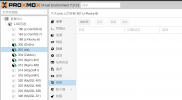
how did that happen?Snapshots of one LXC disappeared, The others are OK, only this one.
/etc/pve/lxc/CTID.conf (CTID = 301 for you)rootfs pointing to, that's where the snapshots are saved.find /path/to/storage -name '*301*' 2>/dev/null should give you the files that have "301" in it, if you find a disk named like vm-301-disk-0@snapshotname that is your snapshot.foo:$ cat /etc/pve/lxc/111.conf
#fedora-33-default_20201115_amd64.tar.xz
arch: amd64
cores: 1
hostname: CT111
memory: 512
net0: name=eth0,bridge=vmbr0,firewall=1,hwaddr=DA:18:16:2B:D5:16,ip=dhcp,type=veth
ostype: fedora
parent: foo
rootfs: local-btrfs:111/vm-111-disk-0.raw,size=4G
swap: 512
unprivileged: 1
[foo]
arch: amd64
cores: 1
hostname: CT111
memory: 512
net0: name=eth0,bridge=vmbr0,firewall=1,hwaddr=DA:18:16:2B:D5:16,ip=dhcp,type=veth
ostype: unmanaged
rootfs: local-btrfs:111/vm-111-disk-0.raw,size=4G
snaptime: 1633942577
swap: 512
unprivileged: 1hi,
how did that happen?
you can check if the snapshot still exists or if it's really deleted.
check your container configuration in/etc/pve/lxc/CTID.conf(CTID = 301 for you)
see which storage isrootfspointing to, that's where the snapshots are saved.
afterwards go to the mountpoint of your storage and look for disks belonging to that CT, for examplefind /path/to/storage -name '*301*' 2>/dev/nullshould give you the files that have "301" in it, if you find a disk named likevm-301-disk-0@snapshotnamethat is your snapshot.
if the disk is still there you can add the missing snapshot into the configuration.
example container configuration with snapshotfoo:
Code:$ cat /etc/pve/lxc/111.conf #fedora-33-default_20201115_amd64.tar.xz arch: amd64 cores: 1 hostname: CT111 memory: 512 net0: name=eth0,bridge=vmbr0,firewall=1,hwaddr=DA:18:16:2B:D5:16,ip=dhcp,type=veth ostype: fedora parent: foo rootfs: local-btrfs:111/vm-111-disk-0.raw,size=4G swap: 512 unprivileged: 1 [foo] arch: amd64 cores: 1 hostname: CT111 memory: 512 net0: name=eth0,bridge=vmbr0,firewall=1,hwaddr=DA:18:16:2B:D5:16,ip=dhcp,type=veth ostype: unmanaged rootfs: local-btrfs:111/vm-111-disk-0.raw,size=4G snaptime: 1633942577 swap: 512 unprivileged: 1
if anything is unclear you can post your container and storage configuration here
$ cat /etc/pve/lxc/301.conf
arch: amd64
cores: 1
hostname: ds
memory: 512
net0: name=eth0,bridge=vmbr10,firewall=1,hwaddr=32:34:7C:94:C6:C9,ip=dhcp,ip6=dhcp,type=veth
ostype: centos
parent: installed
rootfs: vmlvm:vm-301-disk-0,size=1536M
snaptime: 1633845860
swap: 512
unprivileged: 1

[base]
arch: amd64
cores: 1
hostname: DirSrv-1
memory: 512
net0: name=eth0,bridge=vmbr10,firewall=1,hwaddr=32:34:7C:94:C6:C9,ip=dhcp,ip6=dhcp,type=veth
ostype: centos
parent: init
rootfs: vmlvm:vm-301-disk-0,size=1536M
snaptime: 1633847503
swap: 512
unprivileged: 1

[init]
arch: amd64
cores: 1
hostname: z-Rocky-8
memory: 512
net0: name=eth0,bridge=vmbr10,firewall=1,hwaddr=32:34:7C:94:C6:C9,ip=dhcp,ip6=dhcp,type=veth
ostype: centos
parent: base
rootfs: vmlvm:vm-301-disk-0,size=1G
snaptime: 1633846645
swap: 512
unprivileged: 1

[installed]
arch: amd64
cores: 1
hostname: ds
memory: 512
net0: name=eth0,bridge=vmbr10,firewall=1,hwaddr=32:34:7C:94:C6:C9,ip=dhcp,ip6=dhcp,type=veth
ostype: centos
parent: base
rootfs: vmlvm:vm-301-disk-0,size=1536M
snaptime: 1633867522
swap: 512
unprivileged: 1
parent line from the container config and from the [init] snapshotWe use essential cookies to make this site work, and optional cookies to enhance your experience.