Roblox VM detection - can be overcome?

proitprox

New Member
Apr 5, 2025
3
0
1
Hello,

I'm setting up a Win11 VM for gaming use. Unfortunately, Roblox anticheat detects the use of VM's and does not allow the game to work. I have played around with the conf, but nothing seems to be working. I also passed through a GPU which should make it work but hasn't. (I'm a beginner; please tell me anything you need to help.)

Thanks!
 
Hi @proitprox , can you try this?

Configure your virtual machine (VM) to use the "Skylake-Client" CPU model. This model emulates the Intel Skylake client processor, providing a balance between performance and compatibility for workloads that benefit from Skylake-specific features.

Setting the CPU Model to Skylake-Client:
  1. Access the VM Configuration:
    • Log in to the Proxmox web interface.
    • Navigate to the VM you wish to modify.
    • Click on the "Hardware" tab.
  2. Modify the CPU Settings:
    • Locate the "Processor" entry in the hardware list.
    • Click on "Edit" to modify the CPU settings.
    • In the "CPU Model" dropdown menu, select "Skylake-Client."
    • Click "OK" to apply the changes.
  3. Restart the VM:
    • Shut down the VM gracefully from within the guest operating system.
    • Once shut down, click "Start" to power the VM back on.
See if it works.
 
Hi @proitprox, can you try this?

Configure your virtual machine (VM) to use the "Skylake-Client" CPU model. This model emulates the Intel Skylake client processor, providing a balance between performance and compatibility for workloads that benefit from Skylake-specific features.

Setting the CPU Model to Skylake-Client:
  1. Access the VM Configuration:
    • Log in to the Proxmox web interface.
    • Navigate to the VM you wish to modify.
    • Click on the "Hardware" tab.
  2. Modify the CPU Settings:
    • Locate the "Processor" entry in the hardware list.
    • Click on "Edit" to modify the CPU settings.
    • In the "CPU Model" dropdown menu, select "Skylake-Client."
    • Click "OK" to apply the changes.
  3. Restart the VM:
    • Shut down the VM gracefully from within the guest operating system.
    • Once shut down, click "Start" to power the VM back on.
See if it works.
one question - iirc, either vendor ID or CPU would give err43 with a GPU (iommu) passthrough. is this also true for the CPU model? (currently at default/kvm64)
 
Hi @proitprox , what is your GPU model and what is the Proxmox Version you are using?
 
I'm also trying to do the same. I'm using a amd ryzen igpu 5560u as pass through to windows 11 vm and the anti cheat is stopping roblox from working. Any help would be greatly appreciated as I built this vm for the kids to game on.
 
Hello,

I'm setting up a Win11 VM for gaming use. Unfortunately, Roblox anticheat detects the use of VM's and does not allow the game to work. I have played around with the conf, but nothing seems to be working. I also passed through a GPU which should make it work but hasn't. (I'm a beginner; please tell me anything you need to help.)

Thanks!
Yeah, Roblox’s VM detection is definitely frustrating. I tried a bunch of tweaks with passthrough too and no luck. What actually helped me was looking into alternatives — for example, I found https://roblox-apk.modilimitado.io/ useful since you can grab the Roblox APK there and even run it on Windows through an emulator setup. Not perfect, but at least it let me test things without hitting the VM block.
 
Roblox in promox win11 vm is 100% feasible as it currently works for me. However, it would not yield satisfactory results but is acceptable for other purposes. As for your error 43... good luck it took me many days to solve the issue of code 43 involving custom files. It was sad for me because i was able to get roblox running in a vm without the gpu passthrough. Im sure youll be able to solve it with enough determination!
 
Last edited:
Roblox in promox win11 vm is 100% feasible as it currently works for me. However, it would not yield satisfactory results but is acceptable for other purposes. As for your error 43... good luck it took me many days to solve the issue of code 43 involving custom files. It was sad for me because i was able to get roblox running in a vm without the gpu passthrough. Im sure youll be able to solve it with enough determination!
show me your ways..
 
Why on earth people continue to get Roblox and other Gaming stuff inside vms to run? You get reduced performance and an never ending mouse-and-cat chace to avoid banning and often enough get banned nontheless. I thought Gaming is supposed to be a fun pasttime. If Gaming means that I need to do some servermaintenance it's my dayjob with extra stop. Is troubleshooting obscure problems in the space Windows/Hypervisor/Anticheat really that more exciting than the actual game? Don't get me wrong: Everybody can do what he, her or they wants and if such thing is fun or useful for your more power to you. But I really don't get the appeal why this questions are not niche but continue reappearing.
 
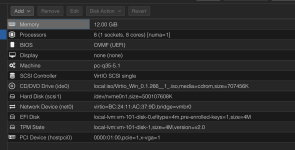
I am simply taking the game to the next level. "Reduced performance"... my friend, you clearly do not know ANYTHING about the setup... BEHOLD! This is the closest thing I can get to gaming in the data center without colocating my desktop.

1787279332997.png
I believe the ROI from all the grinding/satisfaction far exceeds any difficulties with hardware maintenance/other server BS. Update soon....
 
I managed to bypass the VM detection by installing a virtual display driver from https://github.com/VirtualDrivers/Virtual-Display-Driver, following this tutorial. Installing NVIDIA drivers wasn't enough; I didn't need to set the CPU model to anything other than host. I wouldn't even call this a bypass; the software clearly just works as intended once it detects a GPU. I am pleasantly surprised that I don't even have to configure anything other than GPU passthrough.