According to this
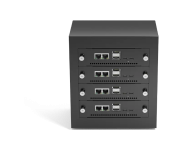
site - It would appear that the MetaComputing AI PC with Framework Laptop 13 is capable of UEFI booting, so I imagine you should be able to install.
Please note I have NO personal experience with this MetaComputing AI PC with Framework Laptop 13 or with the official Proxmox VE ARM image.
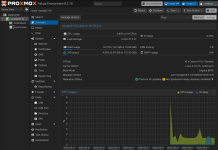
I have bought it and confirmed it is indeed working.
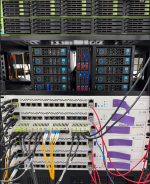
a couple of things to note. it comes with a usb c (for power) and HDMI framework adapters. theres room for 2 more on the chassic. i had to use an USB-A adapter and plug a USB-A dock into that (so i could split the usb proxmox installer dongle and keyboard). i plugged in the ethernet frame.work dongle and it works.
the other thing is it wouldnt detect the nvme drive on installation. i had to run wipefs to get rid of the iso9660 fs_type
root@proxmox:/# wipefs -a /dev/nvme0n1
/dev/nvme0n1: 5 bytes were erased at offset 0x00008001 (iso9660): 43 44 30 30 31
/dev/nvme0n1: 2 bytes were erased at offset 0x000001fe (dos): 55 aa
/dev/nvme0n1: calling ioctl to re-read partition table: Success
root@proxmox:/# lsblk -f
NAME FSTYPE FSVER LABEL UUID FSAVAIL FSUSE% MOUNTPOINTS
loop0 squashfs 4.0
loop1 squashfs 4.0
sda iso9660 PVE 2026-08-04-20-42-24-00 0 100% /cdrom
├─sda1
├─sda2 vfat FAT12 2DAC-81E6
└─sda3
nvme0n1
A few more things to note whats it works. i was able to add it to a cluster that was initialized by an amd64 system.
two i was able to create a VM but i ran into a couple of roadblocks to note
1) i had to set it to host cpu max which aparently is the same as host? if i tried to emulate it broke and would refused to start
2) i had to disable pre-enroll in the EFI Disk (i just recreated the efi disk with it unchecked)
3) i had to run the following commands to get keyboard up down working

Also still trying to go through setup. but well see if anything else comes up.
ok yea installer crashes halfway through. had to run this on the ARM main host
wget
https://deb.debian.org/debian/pool/main/p/pixman/libpixman-1-0_0.46.4-1+b2_arm64.deb
apt install ./libpixman-1-0_0.46.4-1+b2_arm64.deb
installer for the vm failed later. i was getting warnings about /dev/pts but i dont think that was the issue. i rebooted without the cd and it booted up. just something with the security updates maybe. this was ubuntu 20.04 install which is outdated. i will try fresh ubuntu 26 vm and see if i have an issue or not with the installer failing at the end or not.