Proxmox Virtual Environment now available for 64-bit ARM (arm64)!

This may be useful information for some:


Blockbridge : Ultra low latency all-NVME shared storage for Proxmox - https://www.blockbridge.com/proxmox
 
Additional tech-note for ARM platform:


Blockbridge : Ultra low latency all-NVME shared storage for Proxmox - https://www.blockbridge.com/proxmox
 
  • Like
Reactions: Johannes S
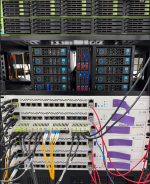
I spent this summer building a custom kernel for the MikroTik CCR2116 router and the RDS2216 server. Both use the Annapurna Labs Alpine AL73400, which is a 16-core 2GHz ARMV8-A processor (used in Amazon Graviton 1), with 16 or 32GB of RAM. I got the PXVirt port working on both platforms, and eventually settled with TrueNAS as a VM on the 2116's (with some NVME->SATA adapters and external drives) and TrueNAS installed on the bare metal on the RDS2216.

Just came across this announcement and thread, and got my Ampere server updated. Then I took a CCR2116 in the lab that had Bookworm staged on it. I upgraded it to Trixie, then installed PVE9.

I'll start testing VM's on it, then I plan to upgrade my cluster of 5 CCR2116's by migrating them from PXVirt (8.x) to PVE9. (Three are running Ceph, which works very well.)

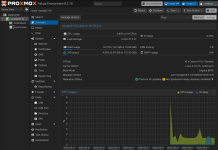
Screenshot 2026-09-21 at 6.18.04 PM.png
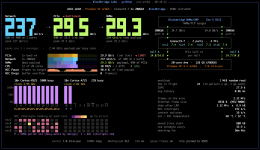
Screenshot 2026-09-21 at 6.21.45 PM.png
 
Last edited:
  • Like
Reactions: Johannes S and UdoB
Welcome to the Proxmox VE 9.2 (ISO 1) installer!
initial setup startup
mounting proc filesystem
mounting sys filesystem
EFI boot mode detected, mounting efivars filesystem
boot comandline: BOOT_IMAGE=/boot/linux26 ro ramdisk_size=16777216 rw quiet splash=silent
loading drivers: i2c_rk3x pwm_rockchip phy_rockchip_usbdp gpio_rockchip pinctrl_rockchip simple_pm_bus 8250_dw fixed ohci_platform phy_rockchip_naneng_combphy arm_smmu_v3 phy_rockchip_inno_usb2 ehci_platform spi_rockchip adc_keys phy_rockchip_samsung_hdptx rtc_efi dw_mmc_rockchip rockchip_thermal dw_wdt sdhci_of_dwcmshc rockchip_dfi rockchip_rng nvmem_rockchip_otp phy_rockchip_snps_pcie3 arm_smccc_trng efi_pstore cpufreq_dt dwc3 scmi_module scmi_transport_smc spi_rockchip_sfc sm4_ce_gcm ghash_ce aes_ce_blk
modprobe: FATAL: Module simple_pm_bus not found in directory /lib/modules/7.0.14-6-pve
modprobe: ERROR: could not insert 'adc_keys': Unknown symbol in module, or unknown parameter (see dmesg)
modprobe: ERROR: could not insert 'dwc3': Unknown symbol in module, or unknown parameter (see dmesg)
modprobe: ERROR: could not insert 'sm4_ce_gcm': No such device
modprobe: FATAL: Module mac_hid not found in directory /lib/modules/7.0.14-6-pve
searching for block device containing the ISO proxmox-ve-9.2-1
with ISO ID '019fce81-cf67-77df-970e-40e427c73a96'
testing again in 1 seconds
testing again in 2 seconds
testing again in 3 seconds
testing again in 4 seconds
testing again in 5 seconds
testing again in 6 seconds
testing again in 7 seconds
testing again in 8 seconds

[ERROR] no device with valid ISO found, please check your installation medium
unable to continue (type exit or CTRL-D to reboot)

my orange pi 5 plus w edk2 uefi
 
щкфтпу
That's the actual issue. How did you create the installer medium?
i conect ttl converter to uart board console
for see hidden process over turn off display
after 2 sec start install display off
i download official ISO ARM64 from proxmox.com
3-4 downloads same file, and use other USB flash..
i not understand what problem
first i find same problem via video out off and edit GRUB linux add line console=tty0
and today i think this no problem, problem about many errors drivers
i ready wait next ISO 9.2.2 i think to resolve problem
 
Last edited:
Does this mean we can now run a vanilla android version without a secondary emulation layer inside the VM ?
 
Hi,


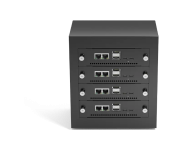
I would like to test the new Proxmox VE 9.2 ARM64 release on a Mixtile Cluster Box populated with Mixtile Blade 3 nodes:


  • Mixtile Cluster Box: https://www.mixtile.com/cluster-box/
  • Mixtile Blade 3
  • Rockchip RK3588 (ARM64 / ARMv8.2-A)
  • 32 GB RAM per node
  • Multiple Blade 3 nodes available, so I can also test PVE clustering

I understand from the announcement that ARMv8-A hardware may work on a best-effort basis, but Proxmox requires the host to boot via UEFI and expose the hardware through ACPI rather than being device-tree-only.


Has anyone already tried Proxmox VE 9.2 ARM64 on the Mixtile Blade 3 or another RK3588-based platform?


In particular, I would like to understand:


  1. Is there a working UEFI/EDK2 + ACPI implementation for the Mixtile Blade 3 that is suitable for Proxmox VE?
  2. Has anyone successfully booted the official Proxmox VE 9.2 ARM64 ISO on RK3588?
  3. Are there any known issues with networking, NVMe/PCIe, eMMC, or KVM virtualization on RK3588 with the Proxmox kernel?
  4. If the official ISO cannot boot directly, would installing Debian 13 ARM64 first and then installing Proxmox VE packages be a viable approach on this hardware?

I have the hardware available and would be happy to help with testing and debugging and provide any required logs.


If this platform is interesting for testing, I can also provide the Proxmox developers with remote IP-KVM access to one of the Mixtile Blade 3 nodes, including virtual media/ISO mounting, so they can boot images, install/test Proxmox VE, and debug the platform directly.


Thanks!
Artem Goncharenko

1790768341503.png
 
  1. Is there a working UEFI/EDK2 + ACPI implementation for the Mixtile Blade 3 that is suitable for Proxmox VE?
  2. Has anyone successfully booted the official Proxmox VE 9.2 ARM64 ISO on RK3588?
  3. Are there any known issues with networking, NVMe/PCIe, eMMC, or KVM virtualization on RK3588 with the Proxmox kernel?
  4. If the official ISO cannot boot directly, would installing Debian 13 ARM64 first and then installing Proxmox VE packages be a viable approach on this hardware?

If you can boot the kernel and load Debian using whatever mechanism you have available (u-boot, TFTP, etc.), it will run. The linked Raspberry Pi tutorial is what I used for the MikroTik routers.
 
  • Like
Reactions: niall.keller
A new article finally showing what a small ARM box running PVE is capable of:


Blockbridge : Ultra low latency all-NVME shared storage for Proxmox - https://www.blockbridge.com/proxmox
 
would this arm board work for proxmox?
According to this site - It would appear that the MetaComputing AI PC with Framework Laptop 13 is capable of UEFI booting, so I imagine you should be able to install.

Please note I have NO personal experience with this MetaComputing AI PC with Framework Laptop 13 or with the official Proxmox VE ARM image.
 
Trying vm with TPM (windows), but it won't start. What this mean?
kvm: -device tpm-tis,tpmdev=tpmdev: 'tpm-tis' is not a valid device model name
 
Trying vm with TPM (windows), but it won't start. What this mean?
Seems it should be tpm-tis-device but proxmox generates "tpm-tis" as option for qemu?

Code:
root@pve-arm01:~# qemu-system-aarch64 -device help | grep -A2 -B2 tpm
name "tmp422", bus i2c-bus
name "tmp423", bus i2c-bus
name "tpm-tis-device", bus System
name "tpm-tis-i2c", bus i2c-bus
name "u2f-passthru", bus usb-bus, desc "QEMU U2F passthrough key"
name "uefi-vars-sysbus", bus System