

Thought I would document this down in case anyone has tried to do this but again had no luck getting answers.
TLDR: Use a VM for anything GPU/pass through related.
The reason I was digging into this first was because I wanted to run a LLM on my local network but without a GUI. I wanted to save any bit of power I had from the GPU/CPU side for the interface + model.
I wanted to achieve this using NVIDIA driver (specifically the 595.58.03) + Docker.
I first blacklisted vifo from taking control of the GPU.
Once done, I then installed the GPU driver manually by going to NVIDIA's website and downloading the drivers manually, change the .run file to an executable and run this on the node (once transferred by FTP, needing a separate way to access here - https://forum.proxmox.com/threads/how-to-connect-by-ftp-to-a-ubuntu-lxc.57686/)
Installed Drivers for GPU: https://www.nvidia.com/en-us/drivers/
Followed instructions from here: https://gist.github.com/ngoc-minh-do/fcf0a01564ece8be3990d774386b5d0c
Installer choices (important)
Kernel module type: MIT/GPL
Sign kernel module: Yes
Use existing key: Yes
Ignore X libraries: Yes (headless host)
Register DKMS module: Yes
Run nvidia-xconfig: No
Once installed, all was working and one part was done with
Now it was a matter of getting the CT to read the GPU and get this into the container.
After trial and error, I have learned it is better to mounting via the config is better.
In this case I needed to find the Identifiers for the GPU and access for it:
From here: https://github.com/en4ble1337/GPU-Passthrough-for-Proxmox-LXC-Container
I would then add this to my config file in
Once done, I rebooted and needed to install the driver once again in the CT:
pct push 1## NVIDIA-Linux-x86_64-595.58.03.run /destination/NVIDIA-Linux-x86_64-595.58.03.run
pct enter 1##
chmod +x NVIDIA-Linux-x86_64-595.58.03.run
sudo ./NVIDIA-Linux-x86_64-595.58.03.run --no-kernel-module
Installer choices (important)
Kernel module type: MIT/GPL
Sign kernel module: Yes
Use existing key: Yes
Ignore X libraries: Yes (headless host)
Register DKMS module: Yes
Run nvidia-xconfig: No
I then ran the same nvidia-smi command and was now working inside of the container, and with docker installed.
All that was left was to test it.
After pulling this on a 24.04 template and appropriate docker install, I was then met with this after pulling a test with
At this point it become a bit much, and learning that there is little difference compared to running a VM with pass-through, I just reverted back the change on vfio.conf and passed throught the GPU manually on a VM running 24.04.
Maybe I screwed something up and just didn't know what I was doing, or maybe I just dont understand the limitations or lack of and could have missed something. Not sure, but within the hour on a VM, i installed 24,04 and the NVIDIA drivers, got docker up and running, and got Open-WebUI working.
Overall: Interesting experiment and I am hoping I either get flack and learn from this, or in this case, tell myself to keep it smarter, not harder for a bare bones difference in performance.
TLDR: Use a VM for anything GPU/pass through related.
The reason I was digging into this first was because I wanted to run a LLM on my local network but without a GUI. I wanted to save any bit of power I had from the GPU/CPU side for the interface + model.
I wanted to achieve this using NVIDIA driver (specifically the 595.58.03) + Docker.
I first blacklisted vifo from taking control of the GPU.
nano /etc/modprobe.d/vfio.conf# options vfio-pci ids=10de:2489,10de:228b disable_vga=1update-initramfs -u -k allupdate-grubrebootOnce done, I then installed the GPU driver manually by going to NVIDIA's website and downloading the drivers manually, change the .run file to an executable and run this on the node (once transferred by FTP, needing a separate way to access here - https://forum.proxmox.com/threads/how-to-connect-by-ftp-to-a-ubuntu-lxc.57686/)
Installed Drivers for GPU: https://www.nvidia.com/en-us/drivers/
chmod +x NVIDIA-Linux-x86_64-595.58.03.runsudo ./NVIDIA-Linux-x86_64-595.58.03.runFollowed instructions from here: https://gist.github.com/ngoc-minh-do/fcf0a01564ece8be3990d774386b5d0c
Installer choices (important)
Kernel module type: MIT/GPL
Sign kernel module: Yes
Use existing key: Yes
Ignore X libraries: Yes (headless host)
Register DKMS module: Yes
Run nvidia-xconfig: No
Once installed, all was working and one part was done with
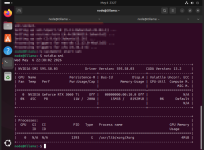
nvidia-smi+-----------------------------------------------------------------------------------------+
| NVIDIA-SMI 595.58.03 Driver Version: 595.58.03 CUDA Version: 13.2 |
+-----------------------------------------+------------------------+----------------------+
| GPU Name Persistence-M | Bus-Id Disp.A | Volatile Uncorr. ECC |
| Fan Temp Perf Pwr:Usage/Cap | Memory-Usage | GPU-Util Compute M. |
| | | MIG M. |
|=========================================+========================+======================|
| 0 NVIDIA GeForce RTX 3060 Ti Off | 00000000:00:10.0 Off | N/A |
| 0% 45C P8 11W / 200W | 15MiB / 8192MiB | 0% Default |
| | | N/A |
+-----------------------------------------+------------------------+----------------------+
+-----------------------------------------------------------------------------------------+
| Processes: |
| GPU GI CI PID Type Process name GPU Memory |
| ID ID Usage |
|=========================================================================================|
| 0 N/A N/A 1393 G /usr/lib/xorg/Xorg 4MiB |
+-----------------------------------------------------------------------------------------+
Now it was a matter of getting the CT to read the GPU and get this into the container.
After trial and error, I have learned it is better to mounting via the config is better.
In this case I needed to find the Identifiers for the GPU and access for it:
From here: https://github.com/en4ble1337/GPU-Passthrough-for-Proxmox-LXC-Container
ls -al /dev/nvidia*
crw-rw-rw- 1 root root 195, 0 Sep 10 10:16 /dev/nvidia0
crw-rw-rw- 1 root root 195, 255 Sep 10 10:16 /dev/nvidiactl
crw-rw-rw- 1 root root 511, 0 Sep 10 10:16 /dev/nvidia-uvm
crw-rw-rw- 1 root root 511, 1 Sep 10 10:16 /dev/nvidia-uvm-tools
/dev/nvidia-caps:
total 0
drwxr-xr-x 2 root root 80 Sep 10 10:16 .
drwxr-xr-x 19 root root 95 20 Sep 10 10:36 ..
cr-------- 1 root root 236, 1 Sep 10 10:16 nvidia-cap1
cr--r--r-- 1 root root 236, 2 Sep 10 10:16 nvidia-cap2
I would then add this to my config file in
/etc/pve/lxc.1##.configunprivileged: 0
lxc.cgroup2.devices.allow: c 195:* rwm
lxc.cgroup2.devices.allow: c 511:* rwm
lxc.cgroup2.devices.allow: c 236:* rwm
lxc.mount.entry: /dev/nvidia0 dev/nvidia0 none bind,optional,create=file
lxc.mount.entry: /dev/nvidiactl dev/nvidiactl none bind,optional,create=file
lxc.mount.entry: /dev/nvidia-uvm dev/nvidia-uvm none bind,optional,create=file
lxc.mount.entry: /dev/nvidia-uvm-tools dev/nvidia-uvm-tools none bind,optional,create=file
lxc.mount.entry: /usr/bin/nvidia-smi usr/bin/nvidia-smi none bind,ro,create=file
Once done, I rebooted and needed to install the driver once again in the CT:
pct push 1## NVIDIA-Linux-x86_64-595.58.03.run /destination/NVIDIA-Linux-x86_64-595.58.03.run
pct enter 1##
chmod +x NVIDIA-Linux-x86_64-595.58.03.run
sudo ./NVIDIA-Linux-x86_64-595.58.03.run --no-kernel-module
Installer choices (important)
Kernel module type: MIT/GPL
Sign kernel module: Yes
Use existing key: Yes
Ignore X libraries: Yes (headless host)
Register DKMS module: Yes
Run nvidia-xconfig: No
I then ran the same nvidia-smi command and was now working inside of the container, and with docker installed.
All that was left was to test it.
After pulling this on a 24.04 template and appropriate docker install, I was then met with this after pulling a test with
docker run --rm --gpus all nvidia/cuda:13.1.2-cudnn-runtime-ubuntu24.04 nvidia-smitext id="err1"
failed to create task for container
error running prestart hook #0
nvidia-container-cli: mount error
failed to add device rules
bpf_prog_query(BPF_CGROUP_DEVICE) failed: operation not permitted
At this point it become a bit much, and learning that there is little difference compared to running a VM with pass-through, I just reverted back the change on vfio.conf and passed throught the GPU manually on a VM running 24.04.
Maybe I screwed something up and just didn't know what I was doing, or maybe I just dont understand the limitations or lack of and could have missed something. Not sure, but within the hour on a VM, i installed 24,04 and the NVIDIA drivers, got docker up and running, and got Open-WebUI working.
Overall: Interesting experiment and I am hoping I either get flack and learn from this, or in this case, tell myself to keep it smarter, not harder for a bare bones difference in performance.
Last edited: