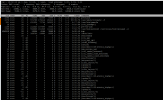
arc_summary. According to top 4GB of those 8GB are using for caching. And that's a good thing. Free RAM is wasted RAM.Both the nodes are identical,Hi tejasthakur,
You could try sorting the processes in top by memory usage, by pressing the > or < key (the key will switch from sorting on one column to sorting on another column). You could install `htop` for an interface that is a bit friendlier (if you press > then, it will give you a list of columns you can sort by).
With only a screenshot it is very difficult for anyone to say more than you already know: "Yes, memory is used".
What is "q device" ? Which filesystem do you use? Are both nodes equal in hardware (same amount of RAM, same size/amount of storage)?
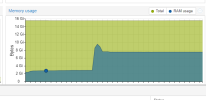
Yes I recently configured the ZFS replication and the percentage is around 50%My guess would be you are using ZFS for replication? ZFS by default uses up to 50% of your hosts RAM for caching. So its normal that 50% of your RAM is in use even when not running a single guest. You could check thatwitharc_summary. According to top 4GB of those 8GB are using for caching. And that's a good thing. Free RAM is wasted RAM.
Thanks! I was not familiar with the abbreviationthe q device is a quorum device which is helpful in case of failover
https://pve.proxmox.com/wiki/Raspberry_Pi_as_third_node
We use essential cookies to make this site work, and optional cookies to enhance your experience.