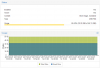
I want to get the following info as in screenshot:
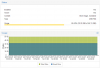
For now, I only know about the command 'pvesh get /storage' which gives me the following info:
[
{
"content" : "images,rootdir",
"digest" : "b6b926339dcd532a2a6e2d8a145ba4cc6c95363d",
"storage" : "local-lvm",
"thinpool" : "data",
"type" : "lvmthin",
"vgname" : "pve"
},
{
"content" : "backup,vztmpl,iso",
"digest" : "b6b926339dcd532a2a6e2d8a145ba4cc6c95363d",
"path" : "/var/lib/vz",
"storage" : "local",
"type" : "dir"
}
]
For now, I only know about the command 'pvesh get /storage' which gives me the following info:
[
{
"content" : "images,rootdir",
"digest" : "b6b926339dcd532a2a6e2d8a145ba4cc6c95363d",
"storage" : "local-lvm",
"thinpool" : "data",
"type" : "lvmthin",
"vgname" : "pve"
},
{
"content" : "backup,vztmpl,iso",
"digest" : "b6b926339dcd532a2a6e2d8a145ba4cc6c95363d",
"path" : "/var/lib/vz",
"storage" : "local",
"type" : "dir"
}
]