Error creating OCI container

nullable

New Member
Nov 20, 2025
6
0
1
Hey!

Got this funny response when creating an oci container in Proxmox 9.1.1

"Formatting '/mnt/pve/Store4/images/101/vm-101-disk-0.raw', fmt=raw size=8589934592 preallocation=off
Creating filesystem with 2097152 4k blocks and 524288 inodes
Filesystem UUID: be563e9d-1bfb-49c0-b917-82be562b609a
Superblock backups stored on blocks:
32768, 98304, 163840, 229376, 294912, 819200, 884736, 1605632
Detected OCI archive
TASK ERROR: unable to create CT 101 - Error while extracting OCI image: Unknown layer digest sha256:256f393e029fa2063d8c93720da36a74a032bed3355a2bc3e313ad12f8bde9d1 found in rootfs.diff_ids: Unknown layer digest sha256:256f393e029fa2063d8c93720da36a74a032bed3355a2bc3e313ad12f8bde9d1 found in rootfs.diff_ids
"

The image is hosted on docker hub and loads just fine in both docker & podman.
Proxmox downloaded and extracted to a tar file, but I can't start it.

[Update]
FYI: I copied the tar to another box with podman installed, loaded and started the container there without any issues.

Any ideas?
 
Last edited:
that means the OCI image is either invalid or uses some part of the OCI image format spec that we don't support yet, without more details about its contents we probably can't help you..
 
Hi nullable,
you can probably try to copy the image manually with skopeo.
Which should be used under the hood.

Code:
mkdir ./skop
skopeo copy docker://docker.io/rancher/cowsay:latest dir:./skop

And check if it provides you more verbosity.

BR, Lucas

Edit: It actually does not look like a error during the pull process
 
Last edited:
Hi nullable,
you can probably try to copy the image manually with skopeo.
Which should be used under the hood.

Code:
mkdir ./skop
skopeo copy docker://docker.io/rancher/cowsay:latest dir:./skop

And check if it provides you more verbosity.

BR, Lucas

Edit: It actually does not look like a error during the pull process
Thanks very much for the suggestion. I ran it successfully, the image was downloaded and extracted with no issues.
Much appreciated, thanks.
 
found the issue, thanks!
 
filed https://bugzilla.proxmox.com/show_bug.cgi?id=7058 for tracking, please subscribe there to follow further developments ;) this would likely need to be fixed in an external dependency of ours..
Hi Fabian.
I get some of the same error.

I have tried to pull some different images
  • cloudflare/cloudflared:latest
  • netbirdio/netbird:latest
  • linuxserver/grocy:latest
  • koenkk/zigbee2mqtt:latest
I could pull the files to both a NFS share and to a local CT templates directory. Both is converted without any issues. My NFS storage is a Synology NAS.
1) A installation from the local ct directory works fine, and the CT goes online.
2) A installation from the NFS storage is used If I instead tries to create a CT with the file on my NFS share, then I get the error message below.

If I then tries a regular CT with Debian 13 it actually works fine.
I have tried to validate the permissions on Datacenter - Storage. And that is the same.

"TASK ERROR: unable to create CT 100 - Error while parsing OCI image: IO error: Permission denied (os error 13): IO error: Permission denied (os error 13): Permission denied (os error 13)"
 
that's a totally different issue - the container extraction/initialization happens as unprivileged user, and your NFS server doesn't allow unprivileged access.
 
@fabian: I faced the same a similar Error when trying to setup a Container based on fedora-coreos

https://quay.io/repository/fedora/fedora-coreos?tab=tags

Specifically the Image: quay.io/fedora/fedora-coreos:stable

Unsure what is going on at the unpack Stage with the File /usr/lib64/llvm18/lib/libRemarks.so, since the Error gives:

Code:
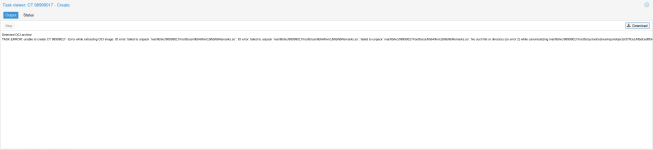
Detected OCI archive
TASK ERROR: unable to create CT 98000015 - Error while extracting OCI image: IO error: failed to unpack `/var/lib/lxc/98000015/rootfs/usr/lib64/llvm18/lib/libRemarks.so`: IO error: failed to unpack `/var/lib/lxc/98000015/rootfs/usr/lib64/llvm18/lib/libRemarks.so`: failed to unpack `/var/lib/lxc/98000015/rootfs/usr/lib64/llvm18/lib/libRemarks.so`: No such file or directory (os error 2) while canonicalizing /var/lib/lxc/98000015/rootfs/sysroot/ostree/repo/objects/37/fce149bdced8fd4c4216247f9efd3ee131e86b1fd7a73bbe1ad5fa19f2743e.file

Output of pveversion -v:
Code:
proxmox-ve: 9.1.0 (running kernel: 6.17.2-2-pve)
pve-manager: 9.1.2 (running version: 9.1.2/9d436f37a0ac4172)
proxmox-kernel-helper: 9.0.4
proxmox-kernel-6.17.4-1-pve-signed: 6.17.4-1
proxmox-kernel-6.17: 6.17.4-1
proxmox-kernel-6.17.2-2-pve-signed: 6.17.2-2
proxmox-kernel-6.14.11-4-pve-signed: 6.14.11-4
proxmox-kernel-6.14: 6.14.11-4
proxmox-kernel-6.8.12-13-pve-signed: 6.8.12-13
proxmox-kernel-6.8: 6.8.12-13
proxmox-kernel-6.8.8-4-pve-signed: 6.8.8-4
proxmox-kernel-6.5.13-6-pve-signed: 6.5.13-6
proxmox-kernel-6.5: 6.5.13-6
amd64-microcode: 3.20250311.1
ceph: 19.2.3-pve2
ceph-fuse: 19.2.3-pve2
corosync: 3.1.9-pve2
criu: 4.1.1-1
frr-pythontools: 10.4.1-1+pve1
ifupdown: residual config
ifupdown2: 3.3.0-1+pmx11
libjs-extjs: 7.0.0-5
libproxmox-acme-perl: 1.7.0
libproxmox-backup-qemu0: 2.0.1
libproxmox-rs-perl: 0.4.1
libpve-access-control: 9.0.5
libpve-apiclient-perl: 3.4.2
libpve-cluster-api-perl: 9.0.7
libpve-cluster-perl: 9.0.7
libpve-common-perl: 9.1.3
libpve-guest-common-perl: 6.0.2
libpve-http-server-perl: 6.0.5
libpve-network-perl: 1.2.4
libpve-rs-perl: 0.11.4
libpve-storage-perl: 9.1.0
libspice-server1: 0.15.2-1+b1
lvm2: 2.03.31-2+pmx1
lxc-pve: 6.0.5-3
lxcfs: 6.0.4-pve1
novnc-pve: 1.6.0-3
proxmox-backup-client: 4.1.0-1
proxmox-backup-file-restore: 4.1.0-1
proxmox-backup-restore-image: 1.0.0
proxmox-firewall: 1.2.1
proxmox-kernel-helper: 9.0.4
proxmox-mail-forward: 1.0.2
proxmox-mini-journalreader: 1.6
proxmox-offline-mirror-helper: 0.7.3
proxmox-widget-toolkit: 5.1.5
pve-cluster: 9.0.7
pve-container: 6.0.18
pve-docs: 9.1.1
pve-edk2-firmware: not correctly installed
pve-esxi-import-tools: 1.0.1
pve-firewall: 6.0.4
pve-firmware: 3.17-2
pve-ha-manager: 5.0.8
pve-i18n: 3.6.6
pve-qemu-kvm: 10.1.2-4
pve-xtermjs: 5.5.0-3
qemu-server: 9.1.3
smartmontools: 7.5-2~bpo13+1
spiceterm: 3.4.1
swtpm: 0.8.0+pve3
vncterm: 1.9.1
zfsutils-linux: 2.3.4-pve1
 
that's yet another issue I think. I will take a closer look!
 
  • Like
Reactions: silverstone
seems to work for me (as in - I don't get that error, I haven't verified further) - could you provide more details about the container configuration?
 
seems to work for me (as in - I don't get that error, I haven't verified further) - could you provide more details about the container configuration?
What would you like to know exactly ?

Unfortunately it's been a while :(.

If a container Creation fails (like this one did to me), everything gets aborted & erased. So I don't even know exactly where & what I was trying to create it :(. In this Regards, Proxmox VE is not very smart unfortuntely :(.
 
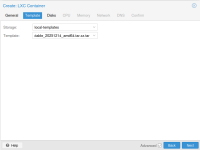
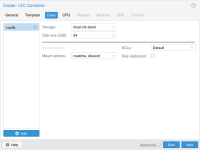
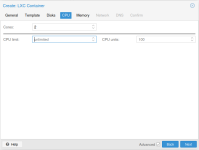
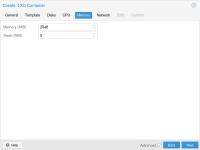
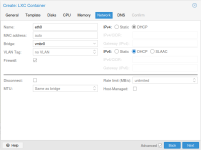
what kind of settings do you choose when creating the container? could you try re-downloading the OCI template?
 
what kind of settings do you choose when creating the container? could you try re-downloading the OCI template?
Still Error.

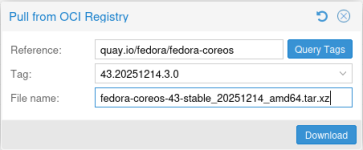
Now I tried downloading the OCI that's marked as stable Release:

https://quay.io/repository/fedora/fedora-coreos?tab=tags&tag=43.20251214.3.0

(on the right Side, behind the Popup, there is a small Green Line with 2 Dots / Images from 6 Days ago)

Still results in Error though.

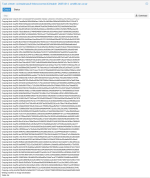
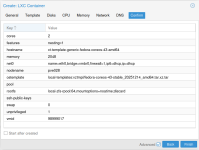
See attached Logs and Screenshots.

I also tried to download the latest testing-devel Image:

https://quay.io/repository/fedora/fedora-coreos?tab=tags&tag=43.20260111.20.0

That also fails.

Finally I tried with the default Storage Settings, i.e. without noatime and discard Options for the rootfs Filesystem, but that still won't help.

Still Error :( .
 

Attachments

  • 01.png
    01.png
    17.9 KB · Views: 5
  • 02.png
    02.png
    333.2 KB · Views: 4
  • 03.png
    03.png
    21.6 KB · Views: 5
  • 04.png
    04.png
    29.3 KB · Views: 4
  • 05.png
    05.png
    19.8 KB · Views: 4
  • 06.png
    06.png
    19.8 KB · Views: 5
  • 07.png
    07.png
    42.8 KB · Views: 4
  • 08.png
    08.png
    20.1 KB · Views: 4
  • 09.png
    09.png
    47.5 KB · Views: 5
  • 10.png
    10.png
    33 KB · Views: 5