Hey!
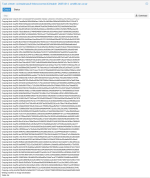
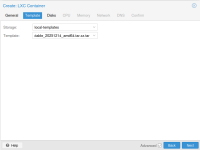
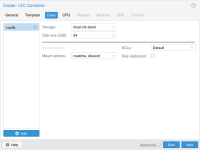
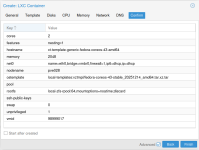
Got this funny response when creating an oci container in Proxmox 9.1.1
"Formatting '/mnt/pve/Store4/images/101/vm-101-disk-0.raw', fmt=raw size=8589934592 preallocation=off
Creating filesystem with 2097152 4k blocks and 524288 inodes
Filesystem UUID: be563e9d-1bfb-49c0-b917-82be562b609a
Superblock backups stored on blocks:
32768, 98304, 163840, 229376, 294912, 819200, 884736, 1605632
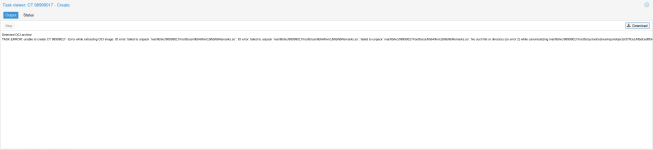
Detected OCI archive
TASK ERROR: unable to create CT 101 - Error while extracting OCI image: Unknown layer digest sha256:256f393e029fa2063d8c93720da36a74a032bed3355a2bc3e313ad12f8bde9d1 found in rootfs.diff_ids: Unknown layer digest sha256:256f393e029fa2063d8c93720da36a74a032bed3355a2bc3e313ad12f8bde9d1 found in rootfs.diff_ids
"
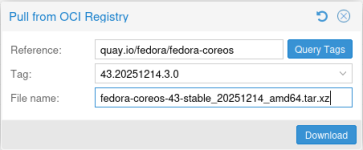
The image is hosted on docker hub and loads just fine in both docker & podman.
Proxmox downloaded and extracted to a tar file, but I can't start it.
[Update]
FYI: I copied the tar to another box with podman installed, loaded and started the container there without any issues.
Any ideas?
Got this funny response when creating an oci container in Proxmox 9.1.1
"Formatting '/mnt/pve/Store4/images/101/vm-101-disk-0.raw', fmt=raw size=8589934592 preallocation=off
Creating filesystem with 2097152 4k blocks and 524288 inodes
Filesystem UUID: be563e9d-1bfb-49c0-b917-82be562b609a
Superblock backups stored on blocks:
32768, 98304, 163840, 229376, 294912, 819200, 884736, 1605632
Detected OCI archive
TASK ERROR: unable to create CT 101 - Error while extracting OCI image: Unknown layer digest sha256:256f393e029fa2063d8c93720da36a74a032bed3355a2bc3e313ad12f8bde9d1 found in rootfs.diff_ids: Unknown layer digest sha256:256f393e029fa2063d8c93720da36a74a032bed3355a2bc3e313ad12f8bde9d1 found in rootfs.diff_ids
"
The image is hosted on docker hub and loads just fine in both docker & podman.
Proxmox downloaded and extracted to a tar file, but I can't start it.
[Update]
FYI: I copied the tar to another box with podman installed, loaded and started the container there without any issues.
Any ideas?
Last edited:


 this would likely need to be fixed in an external dependency of ours..
 .
.