CT migration fails

stats

Well-Known Member
Mar 6, 2017
45
1
48
Hello,

I have a Proxmox VE cluster with 3 nodes. When I try to migrate CT, It fails to start CT on target node. but after I got the error, I can start it manually. What is the problem?

Jun 28 08:37:37 shutdown CT 112
Jun 28 08:37:37 # lxc-stop -n 112 --timeout 180
Jun 28 08:37:38 # lxc-wait -n 112 -t 5 -s STOPPED
Jun 28 08:37:39 starting migration of CT 112 to node 'pxmx03' (172.16.0.12)
Jun 28 08:37:39 volume 'pxsvm01:112/vm-112-disk-1.raw' is on shared storage 'pxsvm01'
Jun 28 08:37:39 start final cleanup
Jun 28 08:37:40 start container on target node
Jun 28 08:37:40 # /usr/bin/ssh -o 'BatchMode=yes' root@172.16.0.12 pct start 112
Jun 28 08:38:07 command 'systemctl start lxc@112' failed: exit code 1
Jun 28 08:38:07 Job for lxc@112.service failed. See 'systemctl status lxc@112.service' and 'journalctl -xn' for details.
Jun 28 08:38:07 ERROR: command '/usr/bin/ssh -o 'BatchMode=yes' root@172.16.0.12 pct start 112' failed: exit code 255
Jun 28 08:38:07 ERROR: migration finished with problems (duration 00:00:31)
TASK ERROR: migration problems

root@pxmx02:~# systemctl status lxc@112.service
lxc@112.service - LXC Container: 112
Loaded: loaded (/lib/systemd/system/lxc@.service; disabled)
Drop-In: /usr/lib/systemd/system/lxc@.service.d
mqpve-reboot.conf
Active: failed (Result: exit-code) since Wed 2017-06-28 08:37:39 JST; 1min 35s ago
Docs: man:lxc-start
man:lxc
Process: 1268 ExecStopPost=/usr/share/lxc/lxc-pve-reboot-trigger %i (code=exited, status=0/SUCCESS)
Process: 340 ExecStart=/usr/bin/lxc-start -n %i (code=exited, status=0/SUCCESS)
Main PID: 345 (code=exited, status=1/FAILURE)

Jun 28 08:37:17 pxmx02 systemd[1]: Started LXC Container: 112.
Jun 28 08:37:39 pxmx02 systemd[1]: lxc@112.service: main process exited, co...RE
Jun 28 08:37:39 pxmx02 systemd[1]: Unit lxc@112.service entered failed state.
Hint: Some lines were ellipsized, use -l to show in full.


root@pxmx02:~# journalctl -xn
-- Logs begin at Mon 2017-06-19 09:02:29 JST, end at Wed 2017-06-28 08:39:12 JST
Jun 28 08:38:02 pxmx02 pmxcfs[2524]: [status] notice: RRDC update error /var/lib
Jun 28 08:38:06 pxmx02 pmxcfs[2524]: [status] notice: received log
Jun 28 08:38:07 pxmx02 pmxcfs[2524]: [status] notice: received log
Jun 28 08:38:07 pxmx02 pvedaemon[996]: migration problems
Jun 28 08:38:07 pxmx02 pvedaemon[93850]: <satoshi@softagency.co.jp> end task UPI
Jun 28 08:38:58 pxmx02 sshd[1734]: Accepted publickey for root from 172.16.100.1
Jun 28 08:38:58 pxmx02 sshd[1734]: pam_unix(sshd:session): session opened for us
Jun 28 08:39:12 pxmx02 rrdcached[2437]: queue_thread_main: rrd_update_r (/var/li
 
Pleas can you run systemctl status using the -l flag, so that we can see the whole error message?
 
root@pxmx02:~# systemctl -l status lxc@112.service
lxc@112.service - LXC Container: 112
Loaded: loaded (/lib/systemd/system/lxc@.service; disabled)
Drop-In: /usr/lib/systemd/system/lxc@.service.d
└─pve-reboot.conf
Active: failed (Result: exit-code) since Wed 2017-06-28 13:18:52 JST; 1min 24s ago
Docs: man:lxc-start
man:lxc
Process: 97621 ExecStopPost=/usr/share/lxc/lxc-pve-reboot-trigger %i (code=exited, status=0/SUCCESS)
Process: 97835 ExecStart=/usr/bin/lxc-start -n %i (code=exited, status=1/FAILURE)
Main PID: 96612 (code=exited, status=1/FAILURE)

Jun 28 13:18:52 pxmx02 lxc-start[97835]: lxc-start: tools/lxc_start.c: main: 366 The container failed to start.
Jun 28 13:18:52 pxmx02 lxc-start[97835]: lxc-start: tools/lxc_start.c: main: 368 To get more details, run the container in foreground mode.
Jun 28 13:18:52 pxmx02 lxc-start[97835]: lxc-start: tools/lxc_start.c: main: 370 Additional information can be obtained by setting the --logfile and --logpriority options.
Jun 28 13:18:52 pxmx02 systemd[1]: lxc@112.service: control process exited, code=exited status=1
Jun 28 13:18:52 pxmx02 systemd[1]: Failed to start LXC Container: 112.
Jun 28 13:18:52 pxmx02 systemd[1]: Unit lxc@112.service entered failed state.
 
root@pxmx01:~# cat /etc/pve/storage.cfg
dir: local
disable
path /var/lib/vz
content iso,vztmpl,backup
maxfiles 1
shared 0

lvmthin: local-lvm
disable
vgname pve
thinpool data
content rootdir,images

nfs: svm01
server 172.17.2.3
path /mnt/pve/svm01
export /vol1
options vers=3
content images,iso,rootdir,vztmpl,backup
maxfiles 1

nfs: pxsvm01
server 172.17.2.100
path /mnt/pve/pxsvm01
export /vol1
options vers=3
content rootdir,iso,images,backup,vztmpl
maxfiles 1

nfs: pxsvm02
server 172.17.2.101
path /mnt/pve/pxsvm02
export /vol1
options vers=3
content rootdir,iso,images,backup,vztmpl
maxfiles 1
 
root@pxmx01:~# pvesm status
pxsvm01 nfs 1 3060164224 79947264 2980216960 3.11%
pxsvm02 nfs 1 3060164224 652864 3059511360 0.52%
svm01 nfs 1 99614720 619712 98995008 1.12%

root@pxmx02:~# pvesm status
pxsvm01 nfs 1 3060164224 79946560 2980217664 3.11%
pxsvm02 nfs 1 3060164224 652864 3059511360 0.52%
svm01 nfs 1 99614720 619712 98995008 1.12%

root@pxmx03:~# pvesm status
pxsvm01 nfs 1 3060164224 79947264 2980216960 3.11%
pxsvm02 nfs 1 3060164224 652864 3059511360 0.52%
svm01 nfs 1 99614720 619712 98995008 1.12%
 
root@pxmx02:~# lxc-start -n 112 -F
systemd 229 running in system mode. (+PAM +AUDIT +SELINUX +IMA +APPARMOR +SMACK +SYSVINIT +UTMP +LIBCRYPTSETUP +GCRYPT +GNUTLS +ACL +XZ -LZ4 +SECCOMP +BLKID +ELFUTILS +KMOD -IDN)
Detected virtualization lxc.
Detected architecture x86-64.

Welcome to Ubuntu 16.04.2 LTS!

Set hostname to <sgblog>.
Failed to install release agent, ignoring: No such file or directory
[ OK ] Reached target User and Group Name Lookups.
[ OK ] Reached target Remote File Systems (Pre).
Failed to reset devices.list on /user.slice: Operation not permitted
[ OK ] Created slice User and Session Slice.
[ OK ] Listening on Journal Socket.
[ OK ] Started Forward Password Requests to Wall Directory Watch.
[ OK ] Listening on Journal Socket (/dev/log).
[ OK ] Reached target Remote File Systems.
[ OK ] Listening on Syslog Socket.
[ OK ] Listening on /dev/initctl Compatibility Named Pipe.
Failed to reset devices.list on /system.slice: Operation not permitted
[ OK ] Created slice System Slice.
Failed to reset devices.list on /system.slice/ufw.service: Operation not permitted
Starting Uncomplicated firewall...
Failed to reset devices.list on /system.slice/systemd-remount-fs.service: Operation not permitted
Starting Remount Root and Kernel File Systems...
[ OK ] Reached target Slices.
Failed to reset devices.list on /system.slice/dev-hugepages.mount: Operation not permitted
Mounting Huge Pages File System...
Failed to reset devices.list on /system.slice/system-container\x2dgetty.slice: Operation not permitted
[ OK ] Created slice system-container\x2dgetty.slice.
Failed to reset devices.list on /system.slice/resolvconf.service: Operation not permitted
Starting Nameserver information manager...
[ OK ] Reached target Swap.
[ OK ] Listening on Journal Audit Socket.
Failed to reset devices.list on /system.slice/systemd-journald.service: Operation not permitted
Starting Journal Service...
[ OK ] Reached target Encrypted Volumes.
Failed to reset devices.list on /system.slice/proc-stat.mount: Operation not permitted
Failed to reset devices.list on /system.slice/sys-fs-fuse-connections.mount: Operation not permitted
Failed to reset devices.list on /system.slice/sys-devices-virtual-net.mount: Operation not permitted
Failed to reset devices.list on /system.slice/proc-sysrq\x2dtrigger.mount: Operation not permitted
Failed to reset devices.list on /system.slice/dev-lxc-tty2.mount: Operation not permitted
Failed to reset devices.list on /system.slice/proc-uptime.mount: Operation not permitted
Failed to reset devices.list on /system.slice/proc-swaps.mount: Operation not permitted
Failed to reset devices.list on /system.slice/sys-kernel-debug.mount: Operation not permitted
Failed to reset devices.list on /system.slice/dev-lxc-console.mount: Operation not permitted
Failed to reset devices.list on /system.slice/-.mount: Operation not permitted
Failed to reset devices.list on /system.slice/proc-diskstats.mount: Operation not permitted
Failed to reset devices.list on /system.slice/proc-meminfo.mount: Operation not permitted
Failed to reset devices.list on /system.slice/proc-sys-net.mount: Operation not permitted
Failed to reset devices.list on /system.slice/proc-cpuinfo.mount: Operation not permitted
Failed to reset devices.list on /system.slice/dev-lxc-tty1.mount: Operation not permitted
Failed to reset devices.list on /system.slice/dev-mqueue.mount: Operation not permitted
Failed to reset devices.list on /init.scope: Operation not permitted
[ OK ] Started Remount Root and Kernel File Systems.
Failed to reset devices.list on /system.slice/systemd-random-seed.service: Operation not permitted
Starting Load/Save Random Seed...
[ OK ] Reached target Local File Systems (Pre).
[ OK ] Started Dispatch Password Requests to Console Directory Watch.
[ OK ] Reached target Local File Systems.
Failed to reset devices.list on /system.slice/plymouth-read-write.service: Operation not permitted
Starting Tell Plymouth To Write Out Runtime Data...
Failed to reset devices.list on /system.slice/apparmor.service: Operation not permitted
Starting LSB: AppArmor initialization...
Failed to reset devices.list on /system.slice/system-getty.slice: Operation not permitted
[ OK ] Created slice system-getty.slice.
Failed to reset devices.list on /system.slice/systemd-remount-fs.service: Operation not permitted
[ OK ] Started Uncomplicated firewall.
[ OK ] Started Load/Save Random Seed.
[ OK ] Mounted Huge Pages File System.
Failed to reset devices.list on /system.slice/ufw.service: Operation not permitted
Failed to reset devices.list on /system.slice/systemd-random-seed.service: Operation not permitted
[ OK ] Started Nameserver information manager.
[ OK ] Reached target Network (Pre).
[ OK ] Started Journal Service.
Starting Flush Journal to Persistent Storage...
[ OK ] Started Tell Plymouth To Write Out Runtime Data.
[ OK ] Started Flush Journal to Persistent Storage.
Starting Create Volatile Files and Directories...
[ OK ] Started LSB: AppArmor initialization.
Starting Raise network interfaces...
[ OK ] Started Create Volatile Files and Directories.
[ OK ] Reached target System Time Synchronized.
Starting Update UTMP about System Boot/Shutdown...
[ OK ] Started Update UTMP about System Boot/Shutdown.
[ OK ] Reached target System Initialization.
[ OK ] Listening on UUID daemon activation socket.
[ OK ] Listening on D-Bus System Message Bus Socket.
[ OK ] Reached target Sockets.
[ OK ] Started Daily Cleanup of Temporary Directories.
[ OK ] Reached target Paths.
[ OK ] Reached target Basic System.
[ OK ] Started Regular background program processing daemon.
Starting Accounts Service...
Starting Permit User Sessions...
Starting LSB: daemon to balance interrupts for SMP systems...
[ OK ] Started D-Bus System Message Bus.
Starting Login Service...
[ OK ] Started Daily apt activities.
[ OK ] Reached target Timers.
Starting LSB: Set the CPU Frequency Scaling governor to "ondemand"...
Starting System Logging Service...
[ OK ] Started Permit User Sessions.
Starting Daily apt activities...
[ OK ] Started LSB: daemon to balance interrupts for SMP systems.
[ OK ] Started Login Service.
[ OK ] Started LSB: Set the CPU Frequency Scaling governor to "ondemand".
[ OK ] Started Accounts Service.
[ OK ] Started System Logging Service.
[FAILED] Failed to start Raise network interfaces.
See 'systemctl status networking.service' for details.
[ OK ] Reached target Network.
Starting OpenBSD Secure Shell server...
[ OK ] Started Unattended Upgrades Shutdown.
Starting MySQL Community Server...
[ OK ] Reached target Network is Online.
Starting /etc/rc.local Compatibility...
Starting LSB: data collector for Treasure Data...
Starting LSB: Apache2 web server...
[ OK ] Started /etc/rc.local Compatibility.
Starting Hold until boot process finishes up...
Starting Terminate Plymouth Boot Screen...
[ OK ] Started Hold until boot process finishes up.
[ OK ] Started Container Getty on /dev/pts/1.
[ OK ] Started Console Getty.
[ OK ] Started Container Getty on /dev/pts/0.
[ OK ] Reached target Login Prompts.
[ OK ] Started Terminate Plymouth Boot Screen.
[ OK ] Started OpenBSD Secure Shell server.
[ OK ] Started LSB: data collector for Treasure Data.
[ OK ] Started MySQL Community Server.
Starting LSB: Postfix Mail Transport Agent...
[ OK ] Started LSB: Postfix Mail Transport Agent.
[ OK ] Reached target Mail Transport Agent.
[ OK ] Started LSB: Apache2 web server.
[ OK ] Reached target Multi-User System.
[ OK ] Reached target Graphical Interface.
Starting Update UTMP about System Runlevel Changes...
[ OK ] Started Update UTMP about System Runlevel Changes.

Ubuntu 16.04.2 LTS sgblog console

sgblog login:
 
Hello

The host machine was disappeared after lxc-start command. lxc-start still exists on process list. How can I fix it.
root@pxmx02:~# ps ax | grep lxc-start
24368 ? S 0:00 lxc-start -n 112 -F
44556 pts/4 S+ 0:00 grep lxc-start

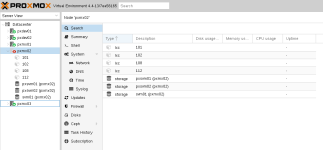
pxmx2-disappeared.png
 
The container runs in the console (-F is foreground mode), So you should be able to login and power it off?
 
Kill its init process (its monitor is currently in a state where it just waits for it to die).
First find the processes with `ps fax` (use these options to get a tree view of hte processes), then you'll find something like:
Code:
22044 ?        S      0:00 lxc-start -n 112 -F
22138 ?        Ss     0:00  \_ /sbin/init
22553 ?        S      0:00      \_ upstart-udev-bridge --daemon
22636 ?        Ss     0:00      \_ /lib/systemd/systemd-udevd --daemon
... more stuff
The process right after lxc-start is the container's init process. Give it a SIGINT (`kill -INT 22138` in this case).
(You could also kill lxc-start, but that's usually less "nice" for the container).
 
It always stops on starting container at 'command 'systemctl start lxc@xxxx' failed: exit code 1'.
but starting manually is no problem. Can you show more logs inside process of the command?