

Contents of storage assets "gone"

mGrytbak

New Member
Feb 11, 2014
2
0
1
Røros, Norway
Hi!

Im having som minor/major issues with my proxmox installastion.

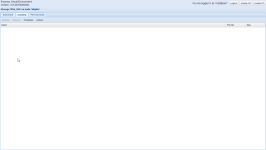
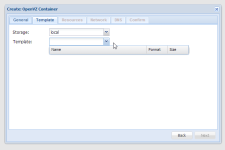
Im not really sure when this happened, but i know for sure that the problem still exist. Suddenly the contents of my storage assets stopped showing up in the GUI. I have 2 NFS shares in addition to the standard "local" drive. The contents still exist, and if i f.ex download a new template the files gets downloaded as usual. I cant choose any template/ISO when creating a new VM/CT either.
CHN9qXy.png QUCEHe4.png
 
Hi!

Im having som minor/major issues with my proxmox installastion.

Im not really sure when this happened, but i know for sure that the problem still exist. Suddenly the contents of my storage assets stopped showing up in the GUI. I have 2 NFS shares in addition to the standard "local" drive. The contents still exist, and if i f.ex download a new template the files gets downloaded as usual. I cant choose any template/ISO when creating a new VM/CT either.
Hi,
any info in the logfiles?
Are all storages healthy? (e.g. an "sync" and "df -h" runs without trouble?

Any dead storages in /etc/pve/storage.cfg ?

Udo
 
I cant really find anything special in the logs other that normal tasks and stuff i would consider as non-relevant. (it is possible that there is something, but since i dont know when this happened i dont really know what to look for :S)

Sync and df -h runs as it should.

Not 100% sure, but nothing looks dead here:


dir: local
path /var/lib/vz
shared
content images,iso,vztmpl,rootdir
maxfiles 0

nfs: NAS_Backup
path /mnt/pve/NAS_Backup
server 192.168.1.15
export /c/backup
options vers=3
content backup
maxfiles 100

nfs: NAS_ISO
path /mnt/pve/NAS_ISO
server 192.168.1.15
export /c/ISO
options vers=3
content iso,vztmpl
maxfiles 4
 
dir: local
path /var/lib/vz
shared

you marked local storage a shared. local storage is local, not shared - please unclick shared here.

also, you run 3.0 which is outdated. update to latest stable 3.1.