Hi All,
Trying to get a basic cluster setup working between 2 nodes... third will be added later. All the servers are connected to 10.250.10.0/24 network. The nodes joined the cluster without any issues. Am able to ping the nodes and the nodes able to ping each other with a constant RTT of below 1ms. Network connection seem to be all good. I am currently running Proxmox 7.2 Bare Metal on Dell R210 and a R220 connected to a physical VyOS router.
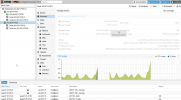
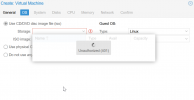
After the nodes joined the cluster i can see both nodes in the GUI and am able to install VM on the first node without any issues. When i select the second node in the GUI it starts showing me 401 issues. The setup is super basic so am not sure what would cause this issue.
Am a beginner if it comes to the Proxmox CLI so if any output wil help solving the issue please issue the full cli so I can provide the information asap.
Thanks!
Arpanet
Trying to get a basic cluster setup working between 2 nodes... third will be added later. All the servers are connected to 10.250.10.0/24 network. The nodes joined the cluster without any issues. Am able to ping the nodes and the nodes able to ping each other with a constant RTT of below 1ms. Network connection seem to be all good. I am currently running Proxmox 7.2 Bare Metal on Dell R210 and a R220 connected to a physical VyOS router.
After the nodes joined the cluster i can see both nodes in the GUI and am able to install VM on the first node without any issues. When i select the second node in the GUI it starts showing me 401 issues. The setup is super basic so am not sure what would cause this issue.
Am a beginner if it comes to the Proxmox CLI so if any output wil help solving the issue please issue the full cli so I can provide the information asap.
Thanks!
Arpanet