[SOLVED] Boot freeze on bios screen on Proxmox 7.1 VE

dept

New Member
Mar 7, 2022
3
1
3
36
Odessa
dept.com.ua
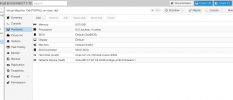
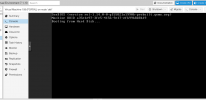
I need help. I have updated my Proxmox VE from 6.2 to 7.1 Have two nodes in cluster. First node was updated, second one still 6 version. On 6 version all good, but on my first node that was updated my VMs not starting. Bellow screenshots:
1646674527744.png
1646674545776.png

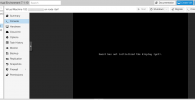
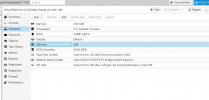
I try to start it with GUI and with command line with qm start 108. The result is same. When I try to change BIOS in Hardware to UEFI and add the EFI Drive the system is freeze on this screen:
1646674572366.png
1646674591433.png


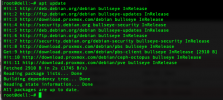
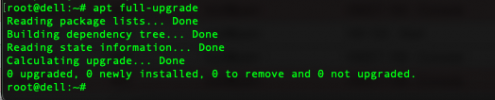
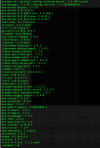
The system is up to date:
1646674611653.png
1646674627036.png

My Proxmox conf:
1646674642179.png

I also try 'apt reinstall pve-manager' but the result the same.
 
The first thing that catches me on your last screenshot:
The pve-5.13 kernel, which is the current one for the PVE 7.1 release is not installed and therefore you are still running the old pve-5.4 kernel.

Don't know how this could happen and if it even is the culprit of your problem.

With my little knowledge, I do not want to suggest you anything (e.g. install pve-5.13 manually) what may brick your system completely.

Sorry that my post is not more helpful. :confused:
But maybe it is a hint in the right direction?
 
  • Like
Reactions: dept
The first thing that catches me on your last screenshot:
The pve-5.13 kernel, which is the current one for the PVE 7.1 release is not installed and therefore you are still running the old pve-5.4 kernel.

Don't know how this could happen and if it even is the culprit of your problem.

With my little knowledge, I do not want to suggest you anything (e.g. install pve-5.13 manually) what may brick your system completely.

Sorry that my post is not more helpful. :confused:
But maybe it is a hint in the right direction?
Yes, I checked that. The problem was with pve kernel. I updated it manually and rebooted the server. All of my VM already started and reachable.
Thank a lot!
 
  • Like
Reactions: Neobin