Migrate to a new cluster

Lucian Lazar

Well-Known Member
Apr 23, 2018
31
6
48
43
Romania
ecoit.ro
Hi all,
We are currently running an outdated PVE cluster (version 6.4) consisting of 5 nodes. All VMs and containers are using an external NFS share for both disk storage and backups, mounted at /mnt/pve/NFS.
We’ve recently acquired 2 new nodes, and instead of adding them to the existing cluster, we plan to build a fresh cluster running PVE 8.3.
Our proposed migration strategy is as follows:

1. Remove one node from the old cluster, leaving the minimum 3 nodes required to form the new PVE 8.3 cluster.
2. Mount the same NFS storage on the new cluster using the same path and name (/mnt/pve/NFS), in parallel with the old cluster which will continue to access it during the migration.
3. Shut down one VM or container at a time on the old cluster.
4. Copy the corresponding VM/CT configuration file to the new cluster, keeping the same VMID and storage path.
5. Start the VM/CT on the new cluster.
6. Ensure that the same VM/CT will not be started again on the old cluster to avoid conflicts.

Would this approach be viable? In particular, point #2 raises some concerns — is it safe to mount the same NFS storage on two separate clusters simultaneously, assuming that no VM/CT is active on both at the same time?
Backup and restore is not an option, unfortunately the disks are very big and the downtime would be too much.

Thank you in advance for your input!
 
is it safe to mount the same NFS storage on two separate clusters simultaneously, assuming that no VM/CT is active on both at the same time?
AFAIK this is safe. Best would be to remove the VM/CT config file from /etc/pve of the old cluster.

You may encounter some issues with the virtual hardware version on the new cluster. VMs (especially Windows) may be picky.
 
Thank you, so it is safe even if the same mount point is mounted and active at the same time on both clusters?. Good. Removing the VM/CT config file it is sufficient from /etc/pve/xx/100.conf or must be removed from some other paths too?
Thank you again.
 
One last question, isn't there some kind of lock or issues with pmxcfs that proxmox uses when scanning storage? Just want to be extra cautious before attempting to mount the same storage id and path to 2 clusters.
 
Last edited:
I've done this a few times already without issues regarding the storage. You must be absolutely careful that the VM isn't started in both clusters at the same time, though. Make sure no "start on boot" or HA configs are in place, so the VM doesn't start automatically for some reason. Also that no backup will be run for that VM (backup starts QEMU to read the disks and you don't want any kind of access from both clusters at once). If needed, even detach the drives from the VM.

AFAIR, PVE 6.4 already had the option to set QEMU version in VM "system" configuration, so virtual hardware doesn't change when using the VM in different / updated QEMU version.
 
I've done this a few times already without issues regarding the storage. You must be absolutely careful that the VM isn't started in both clusters at the same time, though. Make sure no "start on boot" or HA configs are in place, so the VM doesn't start automatically for some reason. Also that no backup will be run for that VM (backup starts QEMU to read the disks and you don't want any kind of access from both clusters at once). If needed, even detach the drives from the VM.

AFAIR, PVE 6.4 already had the option to set QEMU version in VM "system" configuration, so virtual hardware doesn't change when using the VM in different / updated QEMU version.
Thank you, will try with a test VM just to be sure. Nice thing about backups, it is one thing that i could probably have missed!
 
  • Like
Reactions: Johannes S
Hello. Sorry for bringing up an older topic, but I have similar situation.

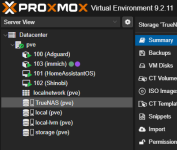
I have a proxmox running on Dell Optiplex 5060 tower, I have a few VMs and containers on it, some of them are using external TrueNAS machine for storage. It is completely up-to-date and running Proxmox VE 9.2.11 at the moment.
I would like to get rid of tower and build a new cluster from 4 x Dell Optiplex 5050 micros that I already have.
Sorry for dumb question, but where do I start?
Do I build a completely new cluster first, and do migration after?
I would like to mention that this is a homelab, not production.

And do I need to have 2 SSDs in each 5050micro? As of right now, I have 1 SSD installed in each machine. All SSDs are matching and are 500Gb.

Thank you.
 
Last edited:
Others may chime in, but I think I see three paths forward for this:
- Add the 5050 micros to the existing 5060 tower, migrate the VMs, then remove the 5060
- Set up a new 5050 micro cluster, then use PDM to migrate the VMs from the 5060 to the 5050 cluster
- Use PBS to back up the VMs on the 5060, then restore them to the 5050 micros

Personally, I think I like the PBS method for you because it doesn't look like you're using it currently, and you really should be.

The PDM method also seems like it would be a good option.

PVE clustering is slightly annoying with regard to adding/removing hosts, so I'd probably skip the first method I listed, but it should still work.

With regard to your storage question, I could imagine a few interesting scenarios, such as a SATA/NVMe RAID1 mirror for the OS and VMs, partitioning some space for Ceph, and of course I typically suggest having some swap space to cover for the unexpected memory usage to avoid the dreaded OOM killer.
 
I would like to get rid of tower and build a new cluster from 4 x Dell Optiplex 5050 micros that I already have.
- Add the 5050 micros to the existing 5060 tower, migrate the VMs, then remove the 5060
This is the way.

The PDM method also seems like it would be a good option.
You can do this but it serves no real purpose; the storage is shared.

PVE clustering is slightly annoying with regard to adding/removing hosts, so I'd probably skip the first method I listed, but it should still work.
Curious- what is the friction? adding and removing nodes is straight forward.
 
yeah I dont see anything in those links to suggest difficulty.

and the only thing that changes for local vm migration is that the target will have to be on a clustered storage- which is still easiest handled via storage migration in cluster.
 
I wouldn't have suggested that path if it was going to be a major problem. But plenty of people have had issues with adding/removing hosts and as stated in the documentation, there are specific requirements and limitations as well that can catch people out. So just be aware of all that.

Now that PDM is available, you can avoid all that and just migrate from your old cluster to new cluster without having them to mingle.

PBS is great because you'll have backups available to assist with your migrations as well.
 
As a proof of concept, I did go ahead and set up my three-node "test" OptiPlex Micro cluster with one 512GB NVMe consumer SSD and one 800GB Enterprise SATA SSD, mirrored boot, EFI, ZFS and swap partitions, then used the remaining space on each drive for Ceph and created two pools: NVMe and SSD. Of course the typical problem with these micros is the single 1G link per host, but Ceph speeds are fine and I'm using the localize option as well as compression. The consumer NVMe SSDs I used are MLC with some SLC but no DRAM cache.

For home lab, I think you would need to contemplate various factors such as SSD endurance, impacts of single NIC and/or 1G versus 10G, HA or not, and perhaps Ceph versus ZFS replication. These are definitely harder decisions due to the small chassis with extremely limited expansion options.
 
  • Like
Reactions: Johannes S
For home lab, I think you would need to contemplate various factors such as SSD endurance, impacts of single NIC and/or 1G versus 10G, HA or not, and perhaps Ceph versus ZFS replication. These are definitely harder decisions due to the small chassis with extremely limited expansion options.
Related reading ( including the discussion, not everybody agreed with all of Udos points) by @UdoB https://forum.proxmox.com/threads/fabu-can-i-use-ceph-in-a-_very_-small-cluster.159671/
 
  • Like
Reactions: UdoB
I suppose I've derailed the topic with the Ceph comment...

Ceph was one step forward, two steps backwards for my production cluster, so I also stopped using it and only use ZFS replication currently. But I did want to run it somewhere, so:

For the Micro test cluster, I already had plans to rebuild it once I got my hands on some NVMe SSDs, which finally happened after a recent "dumpster dive". The new configuration was chosen as a proof of concept, as mentioned, and answered some questions for me.

Specifically, here are some take-aways based on my experience:
- For "micro" setups with the typical 1xNVMe and 1xSATA layout, be aware that PVE setup doesn't allow ZFS RAID1 with different sized drives. So install as ZFS RAID0 to the first drive, then add the mirror later.
- Using unpartitioned space on a drive for Ceph isn't mentioned too often and isn't recommended, but for smaller installs and home labs it's an option if you really want to learn/test/use Ceph and don't have dedicated drives available.
- Swap is critical, especially for small setups with limited memory. Ceph does use a fair amount of memory, but from what I saw, it's only a handful of GBs per node. Again, you do NOT want to run out of memory, so swap is critical.
- A single 1G NIC works surprisingly well for Ceph for home lab. Use the localize option to keep reads off the network. Saturating Ceph with repairs/writes didn't actually cause any VMs to die, but expect high latency spikes for writes.
- Be sure to check Ceph health regularly or set up alerting. After multiple shutdown/startup cycles, I noticed that frequently Ceph would not start on a random node and I had to manually intervene. If you miss this and one more node goes down due to some other issue, your Ceph storage is now read-only and your VMs will crash.
 
Last edited:
  • Like
Reactions: Johannes S