Hello,
I've been having stalls on PVE as well. I'm a new Proxmox user and I never installed it on the desktop I'm using. In my setup I have a PVE on a desktop with i5 Intel, 16GB RAM, an consumer ssd where I install pve, LXCs, VMS and PBS as an LXC and a WD Red 6TB HDD. PBS has 2 cores and 2GB RAM. Backups are stored in 6TB HDD. I have verification ON. To troubleshoot the stalls I started a backup a frequent backup schedule of 3VMs.
The kernel I was using
6.17.4-1-pve . After seeing this post I moved back to kernel
6.14.11-4-pve But I still experience the same stalls. I will try the test kernel and report back.
Bash:
proxmox-boot-tool kernel list
Manually selected kernels:
None.
Automatically selected kernels:
6.14.11-4-pve
6.17.4-1-pve

Pinned kernel:
6.14.11-4-pve
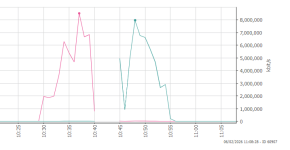
Stalls happen especially during or after backups. When it happens PVE, VMs, LXCs are unreachable, cannot be pinged. Caps Lock doesn't work. The connected monitor over HDMI doesn't receive signal.
list-boots:
Bash:
-1 f6f11f11cbaf4512b6f3ccaadd7f423b Sat 2026-01-03 00:43:56 +03 Sat 2026-01-03 16:40:59 +03
journalctl until the crash happens:
Bash:
Oca 03 16:40:51 pve kernel: veth114i0: entered allmulticast mode
Oca 03 16:40:51 pve kernel: veth114i0: entered promiscuous mode
Oca 03 16:40:51 pve kernel: eth0: renamed from vethgEWLqB
Oca 03 16:40:51 pve pvescheduler[1469364]: INFO: Finished Backup of VM 114 (00:00:18)
Oca 03 16:40:52 pve pvescheduler[1469364]: INFO: Starting Backup of VM 1001 (lxc)
Oca 03 16:40:52 pve kernel: audit: type=1400 audit(1767447652.091:19408): apparmor="DENIED" operation="mount" class="mount" info="failed flags match" error=-13 profile="lxc-1001_</var/lib/lxc>" name="/run/systemd/namespace-ngqfa5/" pid=>
Oca 03 16:40:52 pve kernel: vmbr0: port 7(veth1001i0) entered disabled state
Oca 03 16:40:52 pve kernel: veth1001i0 (unregistering): left allmulticast mode
Oca 03 16:40:52 pve kernel: veth1001i0 (unregistering): left promiscuous mode
Oca 03 16:40:52 pve kernel: vmbr0: port 7(veth1001i0) entered disabled state
Oca 03 16:40:52 pve kernel: audit: type=1400 audit(1767447652.389:19409): apparmor="STATUS" operation="profile_remove" profile="/usr/bin/lxc-start" name="lxc-1001_</var/lib/lxc>" pid=1473070 comm="apparmor_parser"
Oca 03 16:40:52 pve kernel: fwbr114i0: port 2(veth114i0) entered blocking state
Oca 03 16:40:52 pve kernel: fwbr114i0: port 2(veth114i0) entered forwarding state
Oca 03 16:40:53 pve kernel: EXT4-fs (loop5): unmounting filesystem e89cf519-de30-4fa8-8bc4-3c21f4280ecc.
Oca 03 16:40:53 pve systemd[1]: pve-container@1001.service: Deactivated successfully.
Oca 03 16:40:53 pve systemd[1]: pve-container@1001.service: Consumed 706ms CPU time, 94.1M memory peak.
Oca 03 16:40:53 pve kernel: loop5: detected capacity change from 0 to 8388608
Oca 03 16:40:53 pve kernel: EXT4-fs (loop5): mounted filesystem e89cf519-de30-4fa8-8bc4-3c21f4280ecc r/w with ordered data mode. Quota mode: none.
Oca 03 16:40:53 pve iptag[839]: = LXC 105: IP tag [1.105] unchanged
Oca 03 16:40:54 pve pvedaemon[1460770]: VM 113 qga command failed - VM 113 qga command 'guest-ping' failed - got timeout
Oca 03 16:40:56 pve iptag[839]: = LXC 114: IP tag [1.121] unchanged
Oca 03 16:40:57 pve iptag[839]: = LXC 1001: No IP detected, tags unchanged
Oca 03 16:40:57 pve iptag[839]: ✓ Completed processing LXC containers
Oca 03 16:40:57 pve iptag[839]: ℹ Processing 2 virtual machine(s) sequentially
Oca 03 16:40:58 pve kernel: audit: type=1400 audit(1767447658.848:19410): apparmor="DENIED" operation="create" class="net" info="failed protocol match" error=-13 profile="docker-default" pid=1277 comm="agent" family="unix" sock_type="st>
Oca 03 16:40:59 pve iptag[839]: = VM 112: IP tag [1.107] unchanged
task list from the PBS UI:
View attachment 94579
proxmox-backup-manager task list:
View attachment 94582
Task log is below. However stalls don't happen always at the same stage of the backup process.
Bash:
pvenode task log UPID:pve:00166BB4:00578C0E:69591C39:vzdump::root@pam:
INFO: starting new backup job: vzdump 1001 114 104 --storage pbs-unencrypted-datastore1 --notification-mode notification-system --quiet 1 --fleecing 0 --mode stop --notes-template '{{cluster}}, {{guestname}}, {{node}}, {{vmid}}'
INFO: Starting Backup of VM 104 (lxc)
INFO: Backup started at 2026-01-03 16:40:09
INFO: status = running
INFO: backup mode: stop
INFO: ionice priority: 7
INFO: CT Name: tstui
INFO: including mount point rootfs ('/') in backup
INFO: stopping virtual guest
INFO: creating Proxmox Backup Server archive 'ct/104/2026-01-03T13:40:09Z'
INFO: set max number of entries in memory for file-based backups to 1048576
INFO: run: lxc-usernsexec -m u:0:100000:65536 -m g:0:100000:65536 -- /usr/bin/proxmox-backup-client backup --crypt-mode=encrypt --keyfd=11 pct.conf:/var/tmp/vzdumptmp1469364_104/etc/vzdump/pct.conf root.pxar:/mnt/vzsnap0 --include-dev /mnt/vzsnap0/./ --skip-lost-and-found --exclude=/tmp/?* --exclude=/var/tmp/?* --exclude=/var/run/?*.pid --backup-type ct --backup-id 104 --backup-time 1767447609 --entries-max 1048576 --repository root@pam@pbs.***.net:pbs-unencrypted-datastore1
INFO: Starting backup: ct/104/2026-01-03T13:40:09Z
INFO: Client name: pve
INFO: Starting backup protocol: Sat Jan  3 16:40:11 2026
INFO: Using encryption key from file descriptor..
INFO: Encryption key fingerprint: 7f:a1:42:c8:a3:b3:ed:e8
INFO: Downloading previous manifest (Sat Jan  3 16:20:09 2026)
INFO: Upload config file '/var/tmp/vzdumptmp1469364_104/etc/vzdump/pct.conf' to 'root@pam@pbs.***.net:8007:pbs-unencrypted-datastore1' as pct.conf.blob
INFO: Upload directory '/mnt/vzsnap0' to 'root@pam@pbs.***.net:8007:pbs-unencrypted-datastore1' as root.pxar.didx
INFO: root.pxar: had to backup 86.922 MiB of 4.335 GiB (compressed 22.363 MiB) in 18.18 s (average 4.782 MiB/s)
INFO: root.pxar: backup was done incrementally, reused 4.25 GiB (98.0%)
INFO: Uploaded backup catalog (1.691 MiB)
INFO: Duration: 18.75s
INFO: End Time: Sat Jan  3 16:40:30 2026
INFO: adding notes to backup
INFO: restarting vm
INFO: guest is online again after 23 seconds
INFO: Finished Backup of VM 104 (00:00:23)
INFO: Backup finished at 2026-01-03 16:40:32
INFO: Starting Backup of VM 114 (lxc)
INFO: Backup started at 2026-01-03 16:40:33
INFO: status = running
INFO: backup mode: stop
INFO: ionice priority: 7
INFO: CT Name: turnkeyFM
INFO: including mount point rootfs ('/') in backup
INFO: stopping virtual guest
INFO: creating Proxmox Backup Server archive 'ct/114/2026-01-03T13:40:33Z'
INFO: set max number of entries in memory for file-based backups to 1048576
INFO: run: lxc-usernsexec -m u:0:100000:65536 -m g:0:100000:65536 -- /usr/bin/proxmox-backup-client backup --crypt-mode=encrypt --keyfd=11 pct.conf:/var/tmp/vzdumptmp1469364_114/etc/vzdump/pct.conf root.pxar:/mnt/vzsnap0 --include-dev /mnt/vzsnap0/./ --skip-lost-and-found --exclude=/tmp/?* --exclude=/var/tmp/?* --exclude=/var/run/?*.pid --backup-type ct --backup-id 114 --backup-time 1767447633 --entries-max 1048576 --repository root@pam@pbs.***.net:pbs-unencrypted-datastore1
INFO: Starting backup: ct/114/2026-01-03T13:40:33Z
INFO: Client name: pve
INFO: Starting backup protocol: Sat Jan  3 16:40:35 2026
INFO: Using encryption key from file descriptor..
INFO: Encryption key fingerprint: 7f:a1:42:c8:a3:b3:ed:e8
INFO: Downloading previous manifest (Sat Jan  3 16:20:36 2026)
INFO: Upload config file '/var/tmp/vzdumptmp1469364_114/etc/vzdump/pct.conf' to 'root@pam@pbs.***.net:8007:pbs-unencrypted-datastore1' as pct.conf.blob
INFO: Upload directory '/mnt/vzsnap0' to 'root@pam@pbs.***.net:8007:pbs-unencrypted-datastore1' as root.pxar.didx
INFO: root.pxar: had to backup 83.119 MiB of 2.053 GiB (compressed 18.343 MiB) in 12.82 s (average 6.483 MiB/s)
INFO: root.pxar: backup was done incrementally, reused 1.972 GiB (96.0%)
INFO: Uploaded backup catalog (2.083 MiB)
INFO: Duration: 13.64s
INFO: End Time: Sat Jan  3 16:40:49 2026
INFO: adding notes to backup
INFO: restarting vm
INFO: guest is online again after 18 seconds
INFO: Finished Backup of VM 114 (00:00:18)
INFO: Backup finished at 2026-01-03 16:40:51
INFO: Starting Backup of VM 1001 (lxc)
INFO: Backup started at 2026-01-03 16:40:52
INFO: status = running
INFO: backup mode: stop
INFO: ionice priority: 7
INFO: CT Name: pve-scripts-local
INFO: including mount point rootfs ('/') in backup
INFO: stopping virtual guest
INFO: creating Proxmox Backup Server archive 'ct/1001/2026-01-03T13:40:52Z'
INFO: set max number of entries in memory for file-based backups to 1048576
INFO: run: lxc-usernsexec -m u:0:100000:65536 -m g:0:100000:65536 -- /usr/bin/proxmox-backup-client backup --crypt-mode=encrypt --keyfd=11 pct.conf:/var/tmp/vzdumptmp1469364_1001/etc/vzdump/pct.conf root.pxar:/mnt/vzsnap0 --include-dev /mnt/vzsnap0/./ --skip-lost-and-found --exclude=/tmp/?* --exclude=/var/tmp/?* --exclude=/var/run/?*.pid --backup-type ct --backup-id 1001 --backup-time 1767447652 --entries-max 1048576 --repository root@pam@pbs.***.net:pbs-unencrypted-datastore1
INFO: Starting backup: ct/1001/2026-01-03T13:40:52Z
INFO: Client name: pve
INFO: Starting backup protocol: Sat Jan  3 16:40:53 2026
INFO: Using encryption key from file descriptor..
INFO: Encryption key fingerprint: 7f:a1:42:c8:a3:b3:ed:e8
INFO: Downloading previous manifest (Sat Jan  3 16:20:55 2026)
INFO: Upload config file '/var/tmp/vzdumptmp1469364_1001/etc/vzdump/pct.conf' to 'root@pam@pbs.***.net:8007:pbs-unencrypted-datastore1' as pct.conf.blob
INFO: Upload directory '/mnt/vzsnap0' to 'root@pam@pbs.***.net:8007:pbs-unencrypted-datastore1' as root.pxar.didx
proxmox-backup-manager task logs are below but don't show much info:
Bash:
proxmox-backup-manager task log "UPID:proxmox-backup-server:00000119:00001185:00000280:69591C4E:verify:pbs\x2dunencrypted\x2ddatastore1\x3act-104-69591C39:root@pam:"
Automatically verifying newly added snapshot
verify pbs-unencrypted-datastore1:ct/104/2026-01-03T13:40:09Z
  check pct.conf.blob
  check root.pxar.didx
Error: task failed (status unknown)

proxmox-backup-manager task log "UPID:proxmox-backup-server:00000119:00001185:00000282:69591C61:verify:pbs\x2dunencrypted\x2ddatastore1\x3act-114-69591C51:root@pam:"
Automatically verifying newly added snapshot
verify pbs-unencrypted-datastore1:ct/114/2026-01-03T13:40:33Z
  check pct.conf.blob
  check root.pxar.didx
Error: task failed (status unknown)

proxmox-backup-manager task log  "UPID:proxmox-backup-server:00000119:00001185:00000283:69591C65:backup:pbs\x2dunencrypted\x2ddatastore1\x3act-1001:root@pam:"
Error: task failed (status unknown)
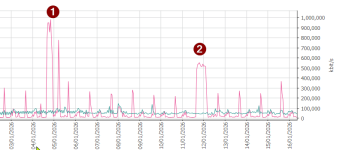
I run iostat and vmstat continuously to see any issues. The HDD utilization goes crazy but not sure if it can be a cause to stop whole system.
As I said my stalls happen both on
6.17.4-1-pve and
6.14.11-4-pve below are from 6.17.4-1-pve . But perf script didn't show much on pve:
Bash:
cat /proc/sys/net/ipv4/tcp_rmem
4096    131072  33554432

perf record -a -e tcp:tcp_rcvbuf_grow sleep 30 ; perf script
[ perf record: Woken up 1 times to write data ]
[ perf record: Captured and wrote 0,623 MB perf.data ]


rm: cannot remove 'dump.pcap': No such file or directory
[1] 6501
tcpdump: your-interface: No such device exists
(No such device exists)
SHA256 speed: 469.70 MB/s
Compression speed: 438.59 MB/s
Decompress speed: 722.22 MB/s
AES256/GCM speed: 2484.33 MB/s
Verify speed: 280.96 MB/s
┌───────────────────────────────────┬────────────────────┐
│ Name                              │ Value              │
╞═══════════════════════════════════╪════════════════════╡
│ TLS (maximal backup upload speed) │ not tested         │
├───────────────────────────────────┼────────────────────┤
│ SHA256 checksum computation speed │ 469.70 MB/s (23%)  │
├───────────────────────────────────┼────────────────────┤
│ ZStd level 1 compression speed    │ 438.59 MB/s (58%)  │
├───────────────────────────────────┼────────────────────┤
│ ZStd level 1 decompression speed  │ 722.22 MB/s (60%)  │
├───────────────────────────────────┼────────────────────┤
│ Chunk verification speed          │ 280.96 MB/s (37%)  │
├───────────────────────────────────┼────────────────────┤
│ AES256 GCM encryption speed       │ 2484.33 MB/s (68%) │
└───────────────────────────────────┴────────────────────┘
[1]+  Exit 1                  tcpdump port 8007 -i $iface -w dump.pcap
tcpdump: no process found
8
I'm not sure if this issue is because of a faulty HW (RAM -though I run memtest several times-, HDD/SSD, CPU, PSU or mainboard) or SW. But I'd appreciate any help to troubleshoot more or solve the issue.
Many thanks in advance!