Win Srv 2022 Guest does not properly shut down during backup.

yunmkfed

Member
Sep 2, 2023
96
14
13
www.alanbonnici.com
I have a monthly backup of all VMs in my homelab. The backup works but every month one particular VM (Windows Server 2022, 128G Drive C, 4T Drive D, 16G RAM) hangs during the restart process and remains in a hung state.

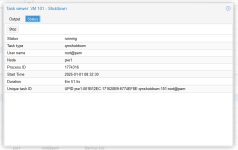
In Task viewer I have the following error:

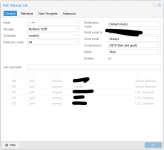
Screenshot 2024-12-01 113336.png

I would appreciate any guidance on how to diagnose the problem.
 
Last edited:
where hang ? screenshot of console help.
is backup done to PBS ?
pve version ?
kernel version ?
host rebooted if updated ?

(why Win2k in title ?! remove it)
 
Last edited:
Proxmox VE 8.3.0 / kernel: 6.8.12-2-pve

The VM recovers if it is stopped and then restarted.

The Backup is scheduled under the Datacentre/Backup
Backup is done to a connected USB disk. There is ample space and 4 other VMs work OK.
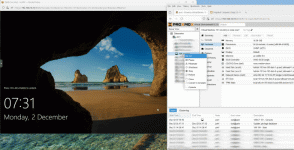
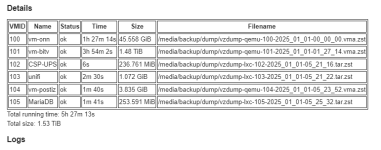
Screenshot 2024-12-01 114614.png

This is the backup log of VM101 (with the tail and start of other VMs

Code:
INFO: pruned 2 backup(s) not covered by keep-retention policy
INFO: Finished Backup of VM 100 (01:50:48)
INFO: Backup finished at 2024-12-01 01:50:49
INFO: Starting Backup of VM 101 (qemu)
INFO: Backup started at 2024-12-01 01:50:49
INFO: status = running
INFO: backup mode: stop
INFO: ionice priority: 7
INFO: VM Name: vm-bitv
INFO: include disk 'scsi0' 'hdd-dir:101/vm-101-disk-1.qcow2' 128G
INFO: include disk 'scsi1' 'hdd-dir:101/vm-101-disk-0.qcow2' 4T
INFO: include disk 'efidisk0' 'local:101/vm-101-disk-0.qcow2' 528K
INFO: include disk 'tpmstate0' 'local-zfs:vm-101-disk-0' 4M
INFO: stopping virtual guest
INFO: creating vzdump archive '/media/backup/dump/vzdump-qemu-101-2024_12_01-01_50_49.vma.zst'
INFO: starting kvm to execute backup task
swtpm_setup: Not overwriting existing state file.
INFO: attaching TPM drive to QEMU for backup
INFO: started backup task '01127d89-8756-424e-8be7-a9f9e13e3b3f'
INFO: resuming VM again after 28 seconds
INFO:   0% (4.1 MiB of 4.1 TiB) in 3s, read: 1.4 MiB/s, write: 25.3 KiB/s
INFO:   1% (42.2 GiB of 4.1 TiB) in 5m 55s, read: 122.9 MiB/s, write: 122.5 MiB/s
INFO:   2% (84.5 GiB of 4.1 TiB) in 13m 34s, read: 94.3 MiB/s, write: 94.2 MiB/s
INFO:   3% (126.8 GiB of 4.1 TiB) in 18m 49s, read: 137.6 MiB/s, write: 137.6 MiB/s
INFO:   4% (169.0 GiB of 4.1 TiB) in 25m 48s, read: 103.1 MiB/s, write: 102.8 MiB/s
INFO:   5% (211.2 GiB of 4.1 TiB) in 35m 59s, read: 70.7 MiB/s, write: 70.6 MiB/s
INFO:   6% (253.5 GiB of 4.1 TiB) in 43m 53s, read: 91.4 MiB/s, write: 90.9 MiB/s
INFO:   7% (295.8 GiB of 4.1 TiB) in 50m 41s, read: 106.1 MiB/s, write: 105.9 MiB/s
INFO:   8% (337.9 GiB of 4.1 TiB) in 55m 19s, read: 155.2 MiB/s, write: 155.0 MiB/s
INFO:   9% (380.2 GiB of 4.1 TiB) in 59m 43s, read: 164.0 MiB/s, write: 163.7 MiB/s
INFO:  10% (422.4 GiB of 4.1 TiB) in 1h 4m 24s, read: 153.9 MiB/s, write: 153.8 MiB/s
INFO:  11% (464.7 GiB of 4.1 TiB) in 1h 9m 5s, read: 154.1 MiB/s, write: 154.0 MiB/s
INFO:  12% (507.0 GiB of 4.1 TiB) in 1h 13m 49s, read: 152.4 MiB/s, write: 152.3 MiB/s
INFO:  13% (549.2 GiB of 4.1 TiB) in 1h 18m 21s, read: 158.7 MiB/s, write: 158.1 MiB/s
INFO:  14% (591.4 GiB of 4.1 TiB) in 1h 23m 2s, read: 153.9 MiB/s, write: 153.8 MiB/s
INFO:  15% (633.7 GiB of 4.1 TiB) in 1h 27m 37s, read: 157.6 MiB/s, write: 157.5 MiB/s
INFO:  16% (675.9 GiB of 4.1 TiB) in 1h 32m 2s, read: 162.9 MiB/s, write: 162.8 MiB/s
INFO:  17% (718.2 GiB of 4.1 TiB) in 1h 36m 31s, read: 161.2 MiB/s, write: 161.1 MiB/s
INFO:  18% (760.4 GiB of 4.1 TiB) in 1h 41m 10s, read: 154.9 MiB/s, write: 154.7 MiB/s
INFO:  19% (802.6 GiB of 4.1 TiB) in 1h 46m 41s, read: 130.6 MiB/s, write: 130.5 MiB/s
INFO:  20% (844.8 GiB of 4.1 TiB) in 1h 51m 52s, read: 138.9 MiB/s, write: 138.7 MiB/s
INFO:  21% (887.1 GiB of 4.1 TiB) in 1h 58m 4s, read: 116.2 MiB/s, write: 115.9 MiB/s
INFO:  22% (929.4 GiB of 4.1 TiB) in 2h 4m 14s, read: 117.2 MiB/s, write: 117.1 MiB/s
INFO:  23% (971.6 GiB of 4.1 TiB) in 2h 9m 20s, read: 141.4 MiB/s, write: 141.3 MiB/s
INFO:  24% (1013.8 GiB of 4.1 TiB) in 2h 14m 18s, read: 144.9 MiB/s, write: 143.5 MiB/s
INFO:  25% (1.0 TiB of 4.1 TiB) in 2h 19m 9s, read: 148.9 MiB/s, write: 148.8 MiB/s
INFO:  26% (1.1 TiB of 4.1 TiB) in 2h 23m 2s, read: 185.6 MiB/s, write: 181.7 MiB/s
INFO:  27% (1.1 TiB of 4.1 TiB) in 2h 26m 49s, read: 190.3 MiB/s, write: 190.3 MiB/s
INFO:  28% (1.2 TiB of 4.1 TiB) in 2h 31m 50s, read: 143.6 MiB/s, write: 143.6 MiB/s
INFO:  29% (1.2 TiB of 4.1 TiB) in 2h 37m 1s, read: 138.9 MiB/s, write: 138.9 MiB/s
INFO:  30% (1.2 TiB of 4.1 TiB) in 2h 41m 35s, read: 157.9 MiB/s, write: 157.9 MiB/s
INFO:  31% (1.3 TiB of 4.1 TiB) in 2h 46m 30s, read: 146.6 MiB/s, write: 146.4 MiB/s
INFO:  32% (1.3 TiB of 4.1 TiB) in 2h 52m 41s, read: 116.6 MiB/s, write: 116.6 MiB/s
INFO:  33% (1.4 TiB of 4.1 TiB) in 2h 57m 36s, read: 146.6 MiB/s, write: 146.6 MiB/s
INFO:  34% (1.4 TiB of 4.1 TiB) in 3h 2m 16s, read: 154.4 MiB/s, write: 154.3 MiB/s
INFO:  35% (1.4 TiB of 4.1 TiB) in 3h 6m 57s, read: 154.3 MiB/s, write: 154.3 MiB/s
INFO:  36% (1.5 TiB of 4.1 TiB) in 3h 11m 38s, read: 205.8 MiB/s, write: 146.8 MiB/s
INFO:  37% (1.6 TiB of 4.1 TiB) in 3h 11m 41s, read: 23.2 GiB/s, write: 0 B/s
INFO:  39% (1.6 TiB of 4.1 TiB) in 3h 11m 44s, read: 23.2 GiB/s, write: 0 B/s
INFO:  41% (1.7 TiB of 4.1 TiB) in 3h 11m 47s, read: 22.8 GiB/s, write: 0 B/s
INFO:  42% (1.8 TiB of 4.1 TiB) in 3h 11m 50s, read: 17.5 GiB/s, write: 0 B/s
INFO:  43% (1.8 TiB of 4.1 TiB) in 3h 12m 5s, read: 1.5 GiB/s, write: 0 B/s
INFO:  44% (1.8 TiB of 4.1 TiB) in 3h 12m 36s, read: 1.4 GiB/s, write: 0 B/s
INFO:  45% (1.9 TiB of 4.1 TiB) in 3h 13m 12s, read: 1.2 GiB/s, write: 0 B/s
INFO:  46% (1.9 TiB of 4.1 TiB) in 3h 14m 8s, read: 766.8 MiB/s, write: 0 B/s
INFO:  47% (1.9 TiB of 4.1 TiB) in 3h 14m 39s, read: 1.4 GiB/s, write: 0 B/s
INFO:  48% (2.0 TiB of 4.1 TiB) in 3h 14m 42s, read: 21.5 GiB/s, write: 0 B/s
INFO:  50% (2.1 TiB of 4.1 TiB) in 3h 14m 45s, read: 23.5 GiB/s, write: 0 B/s
INFO:  51% (2.1 TiB of 4.1 TiB) in 3h 14m 48s, read: 22.8 GiB/s, write: 0 B/s
INFO:  52% (2.2 TiB of 4.1 TiB) in 3h 14m 51s, read: 15.8 GiB/s, write: 0 B/s
INFO:  54% (2.3 TiB of 4.1 TiB) in 3h 14m 54s, read: 22.6 GiB/s, write: 0 B/s
INFO:  55% (2.3 TiB of 4.1 TiB) in 3h 15m 8s, read: 1.3 GiB/s, write: 0 B/s
INFO:  56% (2.3 TiB of 4.1 TiB) in 3h 15m 37s, read: 2.1 GiB/s, write: 0 B/s
INFO:  58% (2.4 TiB of 4.1 TiB) in 3h 15m 40s, read: 22.8 GiB/s, write: 0 B/s
INFO:  59% (2.5 TiB of 4.1 TiB) in 3h 15m 43s, read: 23.6 GiB/s, write: 0 B/s
INFO:  61% (2.5 TiB of 4.1 TiB) in 3h 15m 46s, read: 22.0 GiB/s, write: 0 B/s
INFO:  62% (2.6 TiB of 4.1 TiB) in 3h 15m 49s, read: 23.2 GiB/s, write: 0 B/s
INFO:  64% (2.7 TiB of 4.1 TiB) in 3h 15m 52s, read: 23.6 GiB/s, write: 0 B/s
INFO:  66% (2.7 TiB of 4.1 TiB) in 3h 15m 55s, read: 23.1 GiB/s, write: 0 B/s
INFO:  67% (2.8 TiB of 4.1 TiB) in 3h 16m 5s, read: 3.1 GiB/s, write: 0 B/s
INFO:  68% (2.8 TiB of 4.1 TiB) in 3h 16m 35s, read: 1.4 GiB/s, write: 0 B/s
INFO:  69% (2.8 TiB of 4.1 TiB) in 3h 17m 4s, read: 1.5 GiB/s, write: 0 B/s
INFO:  70% (2.9 TiB of 4.1 TiB) in 3h 17m 31s, read: 1.6 GiB/s, write: 0 B/s
INFO:  71% (3.0 TiB of 4.1 TiB) in 3h 17m 34s, read: 23.6 GiB/s, write: 0 B/s
INFO:  73% (3.0 TiB of 4.1 TiB) in 3h 17m 37s, read: 23.1 GiB/s, write: 0 B/s
INFO:  75% (3.1 TiB of 4.1 TiB) in 3h 17m 40s, read: 23.1 GiB/s, write: 0 B/s
INFO:  76% (3.2 TiB of 4.1 TiB) in 3h 17m 43s, read: 23.5 GiB/s, write: 0 B/s
INFO:  78% (3.2 TiB of 4.1 TiB) in 3h 17m 46s, read: 22.1 GiB/s, write: 0 B/s
INFO:  79% (3.3 TiB of 4.1 TiB) in 3h 17m 49s, read: 21.8 GiB/s, write: 0 B/s
INFO:  81% (3.4 TiB of 4.1 TiB) in 3h 17m 52s, read: 21.6 GiB/s, write: 0 B/s
INFO:  82% (3.4 TiB of 4.1 TiB) in 3h 17m 55s, read: 21.2 GiB/s, write: 0 B/s
INFO:  84% (3.5 TiB of 4.1 TiB) in 3h 17m 58s, read: 21.7 GiB/s, write: 0 B/s
INFO:  85% (3.5 TiB of 4.1 TiB) in 3h 18m 1s, read: 21.9 GiB/s, write: 0 B/s
INFO:  87% (3.6 TiB of 4.1 TiB) in 3h 18m 4s, read: 22.0 GiB/s, write: 0 B/s
INFO:  89% (3.7 TiB of 4.1 TiB) in 3h 18m 7s, read: 21.4 GiB/s, write: 0 B/s
INFO:  90% (3.7 TiB of 4.1 TiB) in 3h 18m 10s, read: 21.7 GiB/s, write: 0 B/s
INFO:  92% (3.8 TiB of 4.1 TiB) in 3h 18m 13s, read: 21.3 GiB/s, write: 0 B/s
INFO:  93% (3.9 TiB of 4.1 TiB) in 3h 18m 16s, read: 21.9 GiB/s, write: 0 B/s
INFO:  95% (3.9 TiB of 4.1 TiB) in 3h 18m 19s, read: 21.8 GiB/s, write: 0 B/s
INFO:  96% (4.0 TiB of 4.1 TiB) in 3h 18m 22s, read: 21.9 GiB/s, write: 0 B/s
INFO:  97% (4.0 TiB of 4.1 TiB) in 3h 18m 47s, read: 416.1 MiB/s, write: 47.8 MiB/s
INFO:  98% (4.0 TiB of 4.1 TiB) in 3h 25m 27s, read: 108.8 MiB/s, write: 107.7 MiB/s
INFO:  99% (4.1 TiB of 4.1 TiB) in 3h 26m 1s, read: 1.6 GiB/s, write: 138.5 MiB/s
INFO: 100% (4.1 TiB of 4.1 TiB) in 3h 26m 5s, read: 7.6 GiB/s, write: 107.2 MiB/s
INFO: backup is sparse: 2.60 TiB (62%) total zero data
INFO: transferred 4.13 TiB in 12365 seconds (349.8 MiB/s)
INFO: archive file size: 1.48TB
INFO: adding notes to backup
INFO: prune older backups with retention: keep-last=3
INFO: removing backup 'MyBook-10TB:backup/vzdump-qemu-101-2024_08_01-08_54_50.vma.zst'
INFO: removing backup 'MyBook-10TB:backup/vzdump-qemu-101-2024_09_01-00_52_22.vma.zst'
INFO: pruned 2 backup(s) not covered by keep-retention policy
INFO: Finished Backup of VM 101 (03:32:28)
INFO: Backup finished at 2024-12-01 05:23:17
INFO: Starting Backup of VM 102 (lxc)
INFO: Backup started at 2024-12-01 05:23:17


Thanks
 
Your backup seems to be good. (I guess you have also tested a restore at some point).

Probably it is the shutdown/stop command to the VM that is not correctly shutting/powering down the VM.

If, while running the VM normally, you choose to shutdown the VM from the PVE GUI (with the Shutdown drop-down Stop in the upper right-hand corner) does it completely stop running gracefully?

You may consider using the Suspend mode for that VM's backup mode instead of Stop.


Your thread-title is very misleading!
 
I adjusted the thread title. My choice is that 4 other VMs work well and none of them are Win Server 2022. 3 are Ubuntu and Debian and one is Win Server 2016. More than happy to adjust the title if it can help others find it (suggestions welcome).

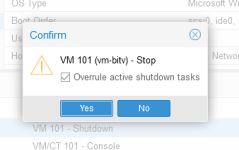
I don't think I ever attempted to shutdown from with Proxmox. I got to the option and have an unchecked checkbox that reads "Overrule active shutdown tasks". To simulate what backup does, should this be checked?

I have restored the VM without problems.
My choice of stop over suspend is because:
  1. I do not mind the downtime
  2. I consider the STOP method the simplest and by extrapolation the safest method.
  3. The fact that the machine does not recover when using the STOP option should not mean that this option should not be used.
 
Last edited:
I don't think I ever attempted to shutdown from with Proxmox. I got to the option and have an unchecked checkbox that reads "Overrule active shutdown tasks". To simulate what backup does, should this be checked?
Assuming this VM is fresh-booted-running, and no backups have as of yet been attempted - you can leave it unchecked.
I'm guessing it is not going to shutdown gracefully immediately - & your problem is not linked to the backups.

I do not mind the downtime
Suspend involves the same downtime. Your other 2 points are completely valid. I'm just trying to help analyze the issue/workaround.
 
I'm guessing it is not going to shutdown gracefully immediately - & your problem is not linked to the backups.
it seems OP shutdown from PVE because hang occured during reboot initiated within guest.
as VM hang, gracefully shutdown from PVE can't be honored.
a screenshot of console would have helped, perhaps the next time.
 
Thanks for the interest.

I've recorded the shutdown event and it worked.

I would like to point out that yesterday I modified the machine as follows:
  • Set to to i440fx [it was originally q35]
  • Set the version to 9.0 [It was originally 8.1]
Today I shut down from the console and it worked as expected.
 

Attachments

  • Proxmox-118459.gif
    Proxmox-118459.gif
    799.8 KB · Views: 7
Today I shut down from the console and it worked as expected.
For some reason you don't implicitly say that it didn't shut down before the changes you made. But I am guessing that is the case.
It is as I thought linked to ACPI/BIOS not functioning correctly with that specific Windows VM. The changes you've made have that covered.

Most likely your backup procedure & VM startup; will also proceed correctly. Report back.
 
I have an automated backup process that runs monthly (the one I opened this case on). I think it is better to let it run as scheduled rather than simulate it on a single machine.

I will report in a few weeks time when it runs as scheduled - I think it will reflect what really takes place.
 
Last month I promised to share an update on the recovery of a VM after a scheduled backup. Problem Machine (VM 101) did not recover

Below is the email I received from the Proxmox backup service:

proxmox backup - a.PNG

All the other VMs recover except 101. The logs (which I can share) report that they have been completed successfully. They consist of 2 x Windows and 4 x Linux (OS and Containers). All VM's except VM 102 (Linux) are in a run state when the backup starts.

When I log into Proxmox VM 101 is shown as running although attempts to log into the VM from Console or RD fails. If I right click to shutdown the machine Proxmox doesn't manage (screen shot below is after approx 7 minutes).

proxmox backup.PNG

Eventually I am prompted to force shutdown. Clicking yes does turn off the machine.
proxmox backup - 2.PNG

proxmox backup - 3.PNG

The machine now boots OK but when I log into Windows I am told that the machine did not shut down properly.

Thanks.
 
Is useful to know that there is a bug where qemu guest agent is enabled in vm configuration but vm don't have qemu system guest agent installed and running shutdown don't work, because don't fallback to ACPI one.
The fix was applied but not released yet and a workaround is to be sure qemu guest agent is installed and running or if not possible install it or have issue disable in vm configuration to have at least ACPI shutdown working.

From experience I have seen many cases where the qemu guest agent service on vm windows crashes so you should see if it is actually active at the time of shutdown.

There are also be other cases where shutdown may not work (even ACPI shutdown) based on specific configurations in the system (mainly on windows vm, but not only).
 
Is useful to know that there is a bug where qemu guest agent is enabled in vm configuration but vm don't have qemu system guest agent installed and running shutdown don't work, because don't fallback to ACPI one.
The fix was applied but not released yet and a workaround is to be sure qemu guest agent is installed and running or if not possible install it or have issue disable in vm configuration to have at least ACPI shutdown working.

From experience I have seen many cases where the qemu guest agent service on vm windows crashes so you should see if it is actually active at the time of shutdown.

There are also be other cases where shutdown may not work (even ACPI shutdown) based on specific configurations in the system (mainly on windows vm, but not only).
If I go into task manager of the Windows VM I find it listed
Screenshot 2025-01-21 165230.png

The fix you shared seems to address my issue. Would you know when it will be out or how I could apply it. My backups are monthly and the next one is schedule 1st February. I have changed the backup from Stop to Suspend but I would put it back to Stop to try this out.

Thanks
 
Was released in qemu-server 8.3.4: https://github.com/proxmox/qemu-server/commit/d55f7ced324c366a945e457c2ac5d5659493eef2
With qemu-server >= 8.3.4 if have QGA setting (on vm settings) enabled and service is not running (inside the vm) should fallback to ACPI shutdown and you should see also a warning

EDIT:
note (if not already know): with ACPI shutdown there can be settings in the o.s. that avoid it running, for example policy on windows, so to use it a settings change may be needed.
 
Last edited:
@Fantu how do I find out the version of Qemu server my proxmox is on (I am presuming that this is at the proxmox level and not the VM itself).

When I log into the console and type
Code:
kvm --version
I get the following:

Code:
QEMU emulator version 9.0.2 (pve-qemu-kvm_9.0.2-4)
Copyright (c) 2003-2024 Fabrice Bellard and the QEMU Project developers

Furthermore in Services QEMU service appears to be running:
1737638295716.png

I had enabled ACPI way back.

Thanks
 
Last edited:
qemu-server is another package, check installed version with:
Code:
dpkg -l qemu-server

EDIT:
note, when update proxmox specific packages may not have the right deps setted (as I saw in tests of some years ago), so in major of case is better to do "apt full-upgrade"/"apt-get dist-upgrade" to decrease the risks

upgrade or downgrade of single package is better do only with some cases is really needed (e.s. workaround or debug) and taking a look in git of related packages
 
Last edited:
The monthly backlup took place. As I have shared this time round I set it to snapshot. The results are not encouraging.

For starters the subject reads: vzdump backup status (pve1.homenet.local): backup successful
I think the subject should, at a glance, describe how the process went. If the process triggers an error / warning the subject should adjust accordingly.

Below is a summary at the backup of the problem vm

Code:
101: 2025-02-01 00:00:03 INFO: Starting Backup of VM 101 (qemu)
101: 2025-02-01 00:00:03 INFO: status = running
101: 2025-02-01 00:00:03 INFO: VM Name: vm-bitv
101: 2025-02-01 00:00:03 INFO: include disk 'scsi0' 'hdd-dir:101/vm-101-disk-1.qcow2' 128G
101: 2025-02-01 00:00:03 INFO: include disk 'scsi1' 'hdd-dir:101/vm-101-disk-0.qcow2' 4T
101: 2025-02-01 00:00:03 INFO: include disk 'efidisk0' 'local:101/vm-101-disk-0.qcow2' 528K
101: 2025-02-01 00:00:03 INFO: include disk 'tpmstate0' 'local-zfs:vm-101-disk-0' 4M
101: 2025-02-01 00:00:03 INFO: backup mode: snapshot
101: 2025-02-01 00:00:03 INFO: ionice priority: 7
101: 2025-02-01 00:00:03 INFO: creating vzdump archive '/media/backup/dump/vzdump-qemu-101-2025_02_01-00_00_03.vma.zst'
101: 2025-02-01 00:00:03 INFO: attaching TPM drive to QEMU for backup
101: 2025-02-01 00:00:03 INFO: issuing guest-agent 'fs-freeze' command
101: 2025-02-01 00:00:10 INFO: issuing guest-agent 'fs-thaw' command
101: 2025-02-01 00:03:10 ERROR: VM 101 qmp command 'guest-fsfreeze-thaw' failed - got timeout
101: 2025-02-01 00:03:10 INFO: started backup task 'e89ebb7e-3541-43e5-a81d-acaf266b0c56'
101: 2025-02-01 00:03:10 INFO: resuming VM again
101: 2025-02-01 00:03:13 INFO:   0% (27.6 GiB of 4.1 TiB) in 3s, read: 9.2 GiB/s, write: 9.1 GiB/s
.
.
.
101: 2025-02-01 03:40:19 INFO: backup is sparse: 2.59 TiB (62%) total zero data
101: 2025-02-01 03:40:19 INFO: transferred 4.13 TiB in 13029 seconds (332.0 MiB/s)
101: 2025-02-01 03:40:19 INFO: archive file size: 1.48TB
101: 2025-02-01 03:40:19 INFO: adding notes to backup
101: 2025-02-01 03:40:19 INFO: prune older backups with retention: keep-last=3
101: 2025-02-01 03:40:19 INFO: removing backup 'MyBook-10TB:backup/vzdump-qemu-101-2024_11_01-02_13_55.vma.zst'
101: 2025-02-01 03:42:53 INFO: pruned 1 backup(s) not covered by keep-retention policy
101: 2025-02-01 03:42:53 INFO: Finished Backup of VM 101 (03:42:50)

The line: 101: 2025-02-01 00:03:10 ERROR: VM 101 qmp command 'guest-fsfreeze-thaw' failed - got timeout is concerning.

Furthermore when I attempt to log into the VM using RD I enter the credentials but I am presented with a black screen. Attempting to log in using the console brings up the popup to inform me that the machine was not shut down properly,

I can't understand what is so wrong with this machine and am happy to work with someone to resolve this situation.

Thanks
 
Last edited: