Latest activity
-
CHey everyone! I've put together a community fork featuring several enhancements that may be of interest to those working with custom QEMU configurations. Please note that it has not been fully tested yet. With this fork, you can use custom OVMF...
-
HHi there, first of all, this tutorial is mainly addressed to beginners. As usual with Linux based OS, you can do nearly anything you want. This is only one solution and it does not claim to be the best. There are thousands of others ways, that...
-
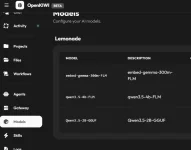
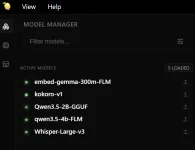
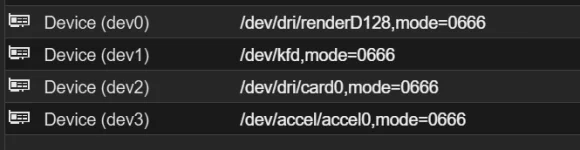
Ddecebal posted the thread PVE kernel v7 on AMD Strix Point HX370 with LXCs running ai, agents, ha in Proxmox VE: Installation and configuration.Hello everyone, wanted to share a very positive experience finally getting a HX370 with 64GB of RAM working as I hoped when building it 6 months ago. Major kudos to all the devs involved. The result is a controlled multi-agentic tool (OpenKIWI)...
-
-
ZZilch510 posted the thread Intel e1000 compatibility with Windows NT 4.0? in Proxmox VE: Installation and configuration.Is it possible to get the Intel e1000 NIC working in Windows NT 4.0 Server? I've been messing around for a good amont of hours, trying an original Intel CD I found on archive.org and PRONT4.EXE - archived from a dead Intel link. Unfortunately I...
-
IIsThisThingOn replied to the thread All ZFS Pools Showing as 97% Full in PVE.@LBP321 you DM me with a question. Please don't, I won't answer questions via DM. To me that is against the whole point of a forum. You asked me where to find the volblock size. The answer to your question is just a google search away. zfs get...
-
Ttchaikov replied to the thread Ceph - VM with high IO wait.The CRUSH map knows where each OSD is (zone, host, root). The `localize` policy uses that topology to compute distances. But the client (the QEMU/librbd process running on your PVE node) is not in the CRUSH map — it's external to the cluster. The...
-
Uuser973249 replied to the thread Upload custom cert via Proxmox API?.Thanks. After using the right search terms it seems there is /was? some easier method than creating a token and issuing the REST command from the node itself (1 step less): pvenode cert set <cert> [<key>] [--force] [--restart] Found via...
-
Rrubix posted the thread Attachments Causes Outgoing Rejection in Mail Gateway: Installation and configuration.Using PMG as a smart host, the issue in running into it the scan on attachments on 10023 which causes a reinjection, when I remove the content filter scan, pmg acts as a transparent host and it works fine without being able to apply any filtering...
-
EI thought it was quirky that Proxmox offers all these LXC containers, but they do not have Turnkey for their native-support monitoring systems, Grafana and InfluxDB. That really seems like a footgun to me. WTH? I wanted to see this Metric Server...
-
 UdoB replied to the thread replace harddrive in zfs raid.Btw: "WD40EFAX" is a SHINGLED disk. It may be problematic to use it with ZFS...
 -
UdoB replied to the thread replace harddrive in zfs raid.Replacing a drive from where you boot up requires some additional specific steps. For example the partition table is different from a pure ZFS pool member. It is documented here...
-
TThierryIT69 replied to the thread Using PBS with a Unifi NAS ??.I might have found where the pb can be: When the shared is umounted: root@pbs:/mnt# ls -l total 0 drwxr-xr-x 3 root root 23 Mar 21 09:11 datastore drwxrwx--- 2 backup backup 6 Mar 20 12:33 nfs When the share is mounted: root@pbs:/mnt# ls...
-
Glad to hear. For automated snapshots I use this (via crontab): https://github.com/Corsinvest/cv4pve-autosnap My backups are scheduled via PVE. I recommend PBS as target here.
-
UdoB replied to the thread Using PBS with a Unifi NAS ??.I do not know what "988:988" stands for in your setup - but it is not the usual "backup" id. For me it helped to set the "backup" user as the owner: chown -R backup:backup /mnt/nfs . For an NFS mounted folder with the name "dsa" on a PBS I can...
-
 @SteveITS: for krbd, `cache=writeback`/`cache=none` has completely different semantics. With librbd (the QEMU RBD block driver), those options control whether librbd's own write-back cache (`rbd_cache`) is enabled — that's what my earlier post...
 -
EevolutionxD reacted to bsmithuk's post in the thread max Cstate=1 fixed freezing on VE 8.X but Version 9+ upgrade/fresh seems to bring the issue back (2400GE) with
 Like.
Just chiming in to say I equally had these issues, I had 3 x Intel NUCs in an Akasa case and had no issues with Proxmox 8 but then I updated to 9 and I started having these weird 'lock ups' where the NUCs were still on but became unresponsive...
Like.
Just chiming in to say I equally had these issues, I had 3 x Intel NUCs in an Akasa case and had no issues with Proxmox 8 but then I updated to 9 and I started having these weird 'lock ups' where the NUCs were still on but became unresponsive... -
EevolutionxD reacted to Koseph's post in the thread max Cstate=1 fixed freezing on VE 8.X but Version 9+ upgrade/fresh seems to bring the issue back (2400GE) with Like.
So I made the cardinal sin of form posting of forgetting to come back after the burn in test went well... I found that I had not actually updated to the latest bios on both, so I gave that a shot. Once I updated to the latest, everything was...
-
In general network storage isn't a good fit for PBS see https://forum.proxmox.com/threads/datastore-performance-tester-for-pbs.148694/ and https://pbs.proxmox.com/docs/system-requirements.html#recommended-server-system-requirements Is your NAS...
-
Hhamborghini_mercy replied to the thread [SOLVED] LXC Backup Error 70: Write Error.Thank you for pointing that out. I only wanted to back up the bootdisk (16GB), not the 1TB mount HDD. All I had to do was click on the LXC -> Resources -> Mount Point -> Edit button on ribbon -> Uncheck Backup.
-
Ttchaikov replied to the thread Ceph - VM with high IO wait.Probably, the cleanest solution for per-node config in a PVE cluster is `crush_location_hook`: a script that outputs the correct location based on the hostname. You set the hook path once in the shared ceph.conf, then deploy the script to each...