Latest activity
-
Ffettmasta replied to the thread VMware to Proxmox Migration - SCSI Controller.And this process is done while having the controller set as VIrtIO SCSI Single for the VM in question?
-
Ddfiorenza replied to the thread VMware to Proxmox Migration - SCSI Controller.We do the following: Remove VM Tools and power down Import the VM leaving the disks as SATA Create a 1GB SCSI disk Power on the VM, install the Guest Tools and Agent. Power down, Remove / Delete the 1GB SCSI Disk Detach the OS Disk (SATA)...
-
Rrobertlukan replied to the thread VMware to Proxmox Migration - SCSI Controller.You cannot boot Virtio SCSI, initially. If you have multiple drives, select at least one of the to be SCSI(not bootable!) and boot disk needs to be SATA, others really does not matter. If you have only one disk, you need to add a "fake" disk...
-
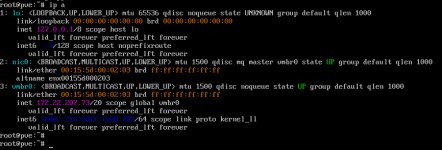
Xx_quer posted the thread ProxMox über Webinterface nicht erreichbar (läuft als VM unter Hyper-V) in Proxmox VE (Deutsch/German).Hallo Community, ich bin gerade dabei mich in ProxMox einzuarbeiten. Dazu habe ich in Hyper-V eine entspreche VM augesetzt. Die Installation verlief problemlos. Ich konnte danach auch über das Webinterface zugreifen und ProxMox updaten. Nun...
-
-
SSundayDIY posted the thread VirGL GPU (virtio-gl) with SPICE client in Proxmox VE: Installation and configuration.Am I supposed to be able to use the remote SPICE viewer client to connect to a Proxmox VM that uses the VirGL GPU (virtio-gl) GPU? The VM is running fine. Acceleration works fine, powered by the iGPU. SPICE seems to be the default console...
-
FFingerlessGloves replied to the thread automated install via PXE boot.I ended up writing my own process, by looking at how the init script works. I just need to finish the README n stuff and I'll throw it on my Github, but effectively what it does is. Could be useful for others. Create a custom initrd.img -...
-
Ffettmasta replied to the thread VMware to Proxmox Migration - SCSI Controller.We did install virtio drivers and qemu guest on these windows hosts before they were migrated to Proxmox, I can boot PVSCSI with scsi disks, just not virtio scsi single. That is my only issue
-
Ffettmasta replied to the thread VMware to Proxmox Migration - SCSI Controller.Just to clarify step (2), we should select one drive to be SCSI (not the boot drive...?) and everything else SATA? So boot drive would be SATA?
-
 bbgeek17 replied to the thread [SOLVED] Web GUI Inaccessible to All but 1 Computer.Have you tried to login from physical console with the same password? Are you sure you don't have two PVE nodes running by accident? Since you already tried to restart pveproxy, try to stop it - did the GUI stop responding for all hosts? When you...
 -
33dbruce replied to the thread No spin-down via hd-idle after upgrade to 9.1.5.Not sure I understand what you mean exactly. The two harddisks (at /dev/sda and /dev/sdb) form a ZFS mirror and the respective pool contains several datasets which are mounted at /mnt/<poolname>/<datasetname> EDIT: And to expand a bit further...
-
Mmatt69 reacted to dondizzurp's post in the thread [GUIDE] Install Home Assistant OS in a VM with
 Like.
So just like my other guide, this is more for my own records so I can come back and refer to it. I know there are scripts for these things, but I prefer doing them manually so I can learn along the way. Maybe it can help someone else in the...
Like.
So just like my other guide, this is more for my own records so I can come back and refer to it. I know there are scripts for these things, but I prefer doing them manually so I can learn along the way. Maybe it can help someone else in the... -
Rrobertlukan replied to the thread VMware to Proxmox Migration - SCSI Controller.1. You need to install virtio drivers before migrating a VM. Unfortunately, this will still not allow to boot a VM if boot disk is SCSI. 2. The easiest way is to select one existing drive(at least one) to be SCSI and others to be SATA, but not...
-
OOnslow replied to the thread No spin-down via hd-idle after upgrade to 9.1.5.Hi, @3dbruce Hard to tell without at least knowing the directory the disk(s?) are mounted.
-
Aaloanwolf replied to the thread Intermittent Timeouts Between PVE and PBS.I have reason to believe that the USB drive could be the culprit. I set up a temporary SMB share to another device in the network, and it seems to be working just fine with that.
-
Ggoxxy replied to the thread automated install via PXE boot.https://github.com/SlothCroissant/proxmox-auto-installer-server I think this should take care of what you are trying to do.
-
Aaloanwolf posted the thread [SOLVED] Web GUI Inaccessible to All but 1 Computer in Proxmox VE: Installation and configuration.I have a standalone PVE server that has been working fine for the last week or so. I just tried to log into the web GUI from another device, and it kept telling me my password was wrong (I was doing a copy/paste) and eventually the web GUI and...
-
OOnslow replied to the thread input/output error.Welcome, @radoslav . In the logs and in /proc/mdstat , for the beginning :)
-
MMcJameson replied to the thread [SOLVED] No such logical volume pve/data.Hi @fiona , thanks for the quick reply. Here ist the info you asked for: root@pve-universe-server:~# zpool list NAME SIZE ALLOC FREE CKPOINT EXPANDSZ FRAG CAP DEDUP HEALTH ALTROOT Universe-Storage 21.8T 13.8T 8.06T...
-
-
Ffettmasta posted the thread VMware to Proxmox Migration - SCSI Controller in Proxmox VE: Installation and configuration.Hello, We are currently testing migrating our VMware Dev environment to Proxmox, we are using Veeam to migrate VMs and all seems to work well, the one thing that has been hit or miss for me is changing the SCSI Controller from VMware PVSCSI to...
-
GGilberto Ferreira reacted to cipwurzel's post in the thread [SOLVED] Ceph & output discards (queue drops) on switchport with Like.
Flow control was active on the NIC but not on the switch. Enabling flowcontrol for both direction solved the problem: flowcontrol receive on flowcontrol send on Port Send FlowControl Receive FlowControl RxPause TxPause...