

Hi,
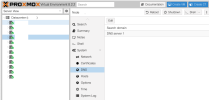
I wonder where it is, it hides the property when there are no specific DNS servers in the proxmox GUI (System -> DNS)
-
apt cannot resolve any domain
even though all other commands work without any problems from the console
but! of course, entries in /etc/resolv.conf are added manually
I wonder where it is, it hides the property when there are no specific DNS servers in the proxmox GUI (System -> DNS)
-
apt cannot resolve any domain
Code:
~# apt-get update
Ign:1 http://ftp.debian.org/debian bookworm InRelease
Ign:2 http://download.proxmox.com/debian/pve bookworm InRelease
Ign:3 http://security.debian.org bookworm-security InRelease
[...]
Err:1 http://ftp.debian.org/debian bookworm InRelease
  Temporary failure resolving 'ftp.debian.org'
Err:3 http://security.debian.org bookworm-security InRelease
  Temporary failure resolving 'security.debian.org'
Err:2 http://download.proxmox.com/debian/pve bookworm InRelease
  Temporary failure resolving 'download.proxmox.com'
Err:9 http://deb.debian.org/debian bookworm InRelease
  Temporary failure resolving 'deb.debian.org'
even though all other commands work without any problems from the console
Code:
~# host ftp.debian.org
ftp.debian.org is an alias for debian.map.fastlydns.net.
debian.map.fastlydns.net has address 146.75.122.132
debian.map.fastlydns.net has IPv6 address 2a04:4e42:8d::644

~# host security.debian.org
security.debian.org has address 151.101.194.132
security.debian.org has address 151.101.2.132
[...]

~# ping security.debian.org
PING security.debian.org (151.101.194.132) 56(84) bytes of data.
64 bytes from 151.101.194.132 (151.101.194.132): icmp_seq=1 ttl=56 time=17.6 ms
64 bytes from 151.101.194.132 (151.101.194.132): icmp_seq=2 ttl=56 time=17.6 ms
^C
--- security.debian.org ping statistics ---
but! of course, entries in /etc/resolv.conf are added manually
Code:
~# cat /etc/resolv.conf
nameserver 1.1.1.1
nameserver 8.8.8.8
