Which privilege is needed to enable/disable HA for a VM?

eMarcus

New Member
Jul 31, 2025
4
1
3
Hello!

For specific resource pools, I delegated VM management to some user groups. I gave these groups a combination of the roles:
PVEVMAdmin
PVEDatastoreAdmin
PVEPoolUser

With these roles, the user can manage his VMs himself. However, the only thing he can't do is to add VMs to HA.

Which privilege do I need to give to the users, so that they are able to add or remove VMs from HA?

Thanks,
Marcus.
 
Hi!

To create HA resources (i.e., add VMs/containers to the HA stack), a user needs the Sys.Console permission on path /, see the POST request description in [0]. The permissions for the HA stack are very coarse grained at the moment, but there is a Bugzilla entry for the feature request to add more granular permissions in the future if you're interested [1].

Be aware that Sys.Console is quite powerful, so make sure what it allows users to do.

[0] https://pve.proxmox.com/pve-docs/api-viewer/index.html#/cluster/ha/resources
[1] https://bugzilla.proxmox.com/show_bug.cgi?id=4597
 
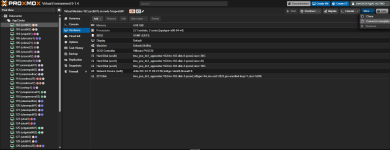
I tried to give the user the Sys.Console permission on Root level, but he still can't see the HA Option in the More menu of a VM:

Bild.png

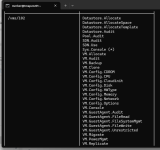
When I do a pveum user permissions <username> I get the following permissions for the VM with the ID 102:

1771423367634.png

What else could I check / should I do to enable the user to manage HA for his VMs?

any ideas appreciated!
Marcus.
 
What else could I check / should I do to enable the user to manage HA for his VMs?
In total, the HA stack requires users to have Sys.Audit on / to view the HA status and view the HA resources and HA rules, and requires users to have Sys.Console on / to edit the latter two.

It's important that it is the ACL path / as there's no fine-grained permissions for the HA stack yet so that users can only configure certain HA resources, which they have access to. The same applies for HA rules, especially if users have only access to a subset of guests that are used in them.