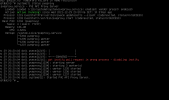
When installing proxmox no site online

kevin2001

New Member
Dec 29, 2021
6
0
1
24
Good evening everyone,
i have a small question i just installed proxmox via the iso only now that the server is ready the ssh says i have to go to an ip which is my ip from my dedicated server to get there on proxmox only got to my site I reffused a connection I have already reinstalled proxmox 5 times and I think I checked everything only my proxmox does not come online someone has a solution for this,
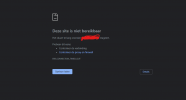
 

Attachments

  • Screenshot 2021-12-29 203611.png
    Screenshot 2021-12-29 203611.png
    22.8 KB · Views: 9
Verify please that you really use "https:" (not "http:") with ":8006" at the end of your URL.
If that both is right you can check if the pveproxy service is running: systemctl status pveproxy
 
Last edited:
Verify please that you really use "https:" (not "http:") with ":8006" at the end of your URL.
If that both is right you can check if the pveproxy service is running: systemctl status pveproxy
i use http i have no ssl installed
 
Atleast here PVE requires https and using http will return a "ERR_EMPTY_RESPONSE" error.
 
You can also run ss -tlpn to check that the pveproxy is really listening on port 8006. Also make sure there is no firewall blocking access to port 8006 (especially because you are accessing it from a remote network).
 
Last edited:
i only have acces to a idrac any idea how to intall ufw
You can also run ss -tlpn to check that the pveproxy is really listening on port 8006. Also make sure there is no firewall blocking access to port 8006 (especially because you are accessing it from a remote network).
 
You can also run ss -tlpn to check that the pveproxy is really listening on port 8006. Also make sure there is no firewall blocking access to port 8006 (especially because you are accessing it from a remote network).
the hosting provider found the issue internet port A is broken there will be a replace tomorrow