Hey @ll,
first of all, big "thank you" to the proxmox-tean for 2.1.
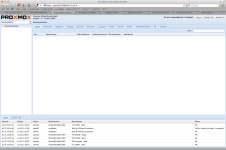
i have a problem after update from 2.1/f9b0f63a to 2.1/be112d89. at the webinterface all the config are gone. at the console u can see all of it.
my cluster has 5 nodes.
Version: 6.2.0
Config Version: 7
Cluster Name: DMZ
Cluster Id: 12236
Cluster Member: Yes
Cluster Generation: 272
Membership state: Cluster-Member
Nodes: 5
Expected votes: 5
Total votes: 5
Node votes: 1
Quorum: 3
Active subsystems: 5
Flags:
Ports Bound: 0
Node name: svpm02
Node ID: 3
Multicast addresses: 239.192.47.251
Node addresses: 192.168.38.60
Node Sts Inc Joined Name
1 M 272 2012-07-25 12:35:18
2 M 272 2012-07-25 12:35:18
3 M 272 2012-07-25 12:35:18
4 M 272 2012-07-25 12:35:18
5 M 272 2012-07-25 12:35:18
root@svpm02:~# ls -la /etc/pve
total 10
drwxr-x--- 2 root www-data 0 Jan 1 1970 .
drwxr-xr-x 83 root root 4096 Jul 25 12:37 ..
-rw-r----- 1 root www-data 451 Jun 5 10:39 authkey.pub
-rw-r----- 1 root www-data 434 Jun 25 17:00 cluster.conf
-rw-r----- 1 root www-data 289 Jun 18 08:18 cluster.conf.new
-rw-r----- 1 root www-data 384 Jun 25 17:00 cluster.conf.old
-r--r----- 1 root www-data 9038 Jan 1 1970 .clusterlog
-rw-r----- 1 root www-data 13 Jun 5 10:37 datacenter.cfg
-rw-r----- 1 root www-data 2 Jan 1 1970 .debug
-rw-r----- 1 root www-data 150 Jun 29 15:51 domains.cfg
lrwxr-x--- 1 root www-data 0 Jan 1 1970 local -> nodes/svpm02
-r--r----- 1 root www-data 435 Jan 1 1970 .members
drwxr-x--- 2 root www-data 0 Jun 5 10:39 nodes
lrwxr-x--- 1 root www-data 0 Jan 1 1970 openvz -> nodes/svpm02/openvz
drwx------ 2 root www-data 0 Jun 5 10:39 priv
-rw-r----- 1 root www-data 1533 Jun 5 10:39 pve-root-ca.pem
-rw-r----- 1 root www-data 1675 Jun 5 10:39 pve-www.key
lrwxr-x--- 1 root www-data 0 Jan 1 1970 qemu-server -> nodes/svpm02/qemu-server
-r--r----- 1 root www-data 6088 Jan 1 1970 .rrd
-rw-r----- 1 root www-data 879 Jul 24 09:17 storage.cfg
-rw-r----- 1 root www-data 666 Jul 24 14:43 user.cfg
-r--r----- 1 root www-data 378 Jan 1 1970 .version
-r--r----- 1 root www-data 1625 Jan 1 1970 .vmlist
-rw-r----- 1 root www-data 423 Jul 10 10:57 vzdump.cron
pve-manager: 2.1-12 (pve-manager/2.1/be112d89)
running kernel: 2.6.32-13-pve
proxmox-ve-2.6.32: 2.1-72
pve-kernel-2.6.32-11-pve: 2.6.32-66
pve-kernel-2.6.32-13-pve: 2.6.32-72
lvm2: 2.02.95-1pve2
clvm: 2.02.95-1pve2
corosync-pve: 1.4.3-1
openais-pve: 1.1.4-2
libqb: 0.10.1-2
redhat-cluster-pve: 3.1.92-2
resource-agents-pve: 3.9.2-3
fence-agents-pve: 3.1.8-1
pve-cluster: 1.0-27
qemu-server: 2.0-45
pve-firmware: 1.0-17
libpve-common-perl: 1.0-28
libpve-access-control: 1.0-24
libpve-storage-perl: 2.0-26
vncterm: 1.0-2
vzctl: 3.0.30-2pve5
vzprocps: 2.0.11-2
vzquota: 3.0.12-3
pve-qemu-kvm: 1.1-6
ksm-control-daemon: 1.1-1
What did I do wrong?
first of all, big "thank you" to the proxmox-tean for 2.1.
i have a problem after update from 2.1/f9b0f63a to 2.1/be112d89. at the webinterface all the config are gone. at the console u can see all of it.
my cluster has 5 nodes.
Version: 6.2.0
Config Version: 7
Cluster Name: DMZ
Cluster Id: 12236
Cluster Member: Yes
Cluster Generation: 272
Membership state: Cluster-Member
Nodes: 5
Expected votes: 5
Total votes: 5
Node votes: 1
Quorum: 3
Active subsystems: 5
Flags:
Ports Bound: 0
Node name: svpm02
Node ID: 3
Multicast addresses: 239.192.47.251
Node addresses: 192.168.38.60
Node Sts Inc Joined Name
1 M 272 2012-07-25 12:35:18
2 M 272 2012-07-25 12:35:18
3 M 272 2012-07-25 12:35:18
4 M 272 2012-07-25 12:35:18
5 M 272 2012-07-25 12:35:18
root@svpm02:~# ls -la /etc/pve
total 10
drwxr-x--- 2 root www-data 0 Jan 1 1970 .
drwxr-xr-x 83 root root 4096 Jul 25 12:37 ..
-rw-r----- 1 root www-data 451 Jun 5 10:39 authkey.pub
-rw-r----- 1 root www-data 434 Jun 25 17:00 cluster.conf
-rw-r----- 1 root www-data 289 Jun 18 08:18 cluster.conf.new
-rw-r----- 1 root www-data 384 Jun 25 17:00 cluster.conf.old
-r--r----- 1 root www-data 9038 Jan 1 1970 .clusterlog
-rw-r----- 1 root www-data 13 Jun 5 10:37 datacenter.cfg
-rw-r----- 1 root www-data 2 Jan 1 1970 .debug
-rw-r----- 1 root www-data 150 Jun 29 15:51 domains.cfg
lrwxr-x--- 1 root www-data 0 Jan 1 1970 local -> nodes/svpm02
-r--r----- 1 root www-data 435 Jan 1 1970 .members
drwxr-x--- 2 root www-data 0 Jun 5 10:39 nodes
lrwxr-x--- 1 root www-data 0 Jan 1 1970 openvz -> nodes/svpm02/openvz
drwx------ 2 root www-data 0 Jun 5 10:39 priv
-rw-r----- 1 root www-data 1533 Jun 5 10:39 pve-root-ca.pem
-rw-r----- 1 root www-data 1675 Jun 5 10:39 pve-www.key
lrwxr-x--- 1 root www-data 0 Jan 1 1970 qemu-server -> nodes/svpm02/qemu-server
-r--r----- 1 root www-data 6088 Jan 1 1970 .rrd
-rw-r----- 1 root www-data 879 Jul 24 09:17 storage.cfg
-rw-r----- 1 root www-data 666 Jul 24 14:43 user.cfg
-r--r----- 1 root www-data 378 Jan 1 1970 .version
-r--r----- 1 root www-data 1625 Jan 1 1970 .vmlist
-rw-r----- 1 root www-data 423 Jul 10 10:57 vzdump.cron
pve-manager: 2.1-12 (pve-manager/2.1/be112d89)
running kernel: 2.6.32-13-pve
proxmox-ve-2.6.32: 2.1-72
pve-kernel-2.6.32-11-pve: 2.6.32-66
pve-kernel-2.6.32-13-pve: 2.6.32-72
lvm2: 2.02.95-1pve2
clvm: 2.02.95-1pve2
corosync-pve: 1.4.3-1
openais-pve: 1.1.4-2
libqb: 0.10.1-2
redhat-cluster-pve: 3.1.92-2
resource-agents-pve: 3.9.2-3
fence-agents-pve: 3.1.8-1
pve-cluster: 1.0-27
qemu-server: 2.0-45
pve-firmware: 1.0-17
libpve-common-perl: 1.0-28
libpve-access-control: 1.0-24
libpve-storage-perl: 2.0-26
vncterm: 1.0-2
vzctl: 3.0.30-2pve5
vzprocps: 2.0.11-2
vzquota: 3.0.12-3
pve-qemu-kvm: 1.1-6
ksm-control-daemon: 1.1-1
What did I do wrong?