Unable to upgrade to 7.0-13

atwillia

Member
Nov 11, 2021
3
0
6
65
I recently downloaded Proxmox and am running 7.0-11. I want to install Windows 11 as a guest OS but it appears that I need to upgrade to 7.0-13 in order to get TPM. Unfortunately, I can't figure out how to do that. I've tried using the "Upgrade" option in the Updates tab but it comes back and says "Your system is up to date". I then tried using the CLI and performed an apt-get update followed by apt-dist-upgrade. Those commands appeared to be doing some updating, but when I reboot and run pveversion, I still get "7.0-11/63d82f4e".

I'm brand new to Proxmox so I suspect there's something I'm missing. Any help will be greatly appreciated!!
 
Hi Tom,

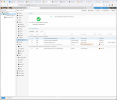
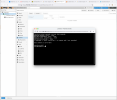
Thanks for the quick response! I checked and my repositories look the same as the ones in the video (please see first screenshot) but I still get the same message (second screenshot). Any other thoughts?

Thanks!


Screen Shot 2021-11-11 at 6.50.15 AM.pngScreen Shot 2021-11-11 at 6.54.32 AM.png
 
hi,

I checked and my repositories look the same as the ones in the video (please see first screenshot) but I still get the same message (second screenshot). Any other thoughts?
you have enterprise repo enabled, see message from @tom above:
the enterprise repo will receive TPM in a few days


though if you want it now, you can enable the pve-no-subscription or pvetest repo and perform upgrades.
 
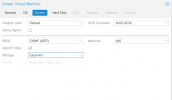
Was TPM removed from 7.0-14+1? It seems to be missing

UPDATE: I updated Proxmox but I did not start a new browser session so I did not see all the options. I think....LOL...since they magically showed up with a new browser window.


Screen Shot 2021-11-15 at 5.18.58 PM.png
 
Last edited: