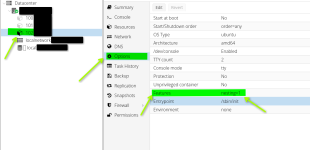
systemd 255.4-1ubuntu8 running in system mode (+PAM +AUDIT +SELINUX +APPARMOR +IMA +SMACK +SECCOMP +GCRYPT -GNUTLS +OPENSSL +ACL +BLKID +CURL +ELFUTILS +FIDO2 +IDN2 -IDN +IPTC +KMOD +LIBCRYPTSETUP +LIBFDISK +PCRE2 -PWQUALITY +P11KIT +QRENCODE +TPM2 +BZIP2 +LZ4 +XZ +ZLIB +ZSTD -BPF_FRAMEWORK -XKBCOMMON +UTMP +SYSVINIT default-hierarchy=unified)
Detected virtualization lxc.
Detected architecture x86-64.
Welcome to Ubuntu 24.04 LTS!
Read-only bind remount failed, ignoring: Permission denied
Queued start job for default target graphical.target.
[ OK ] Created slice system-container\x2d…ce - Slice /system/container-getty.
[ OK ] Created slice system-modprobe.slice - Slice /system/modprobe.
[ OK ] Created slice system-postfix.slice - Slice /system/postfix.
[ OK ] Created slice user.slice - User and Session Slice.
[ OK ] Started systemd-ask-password-conso…equests to Console Directory Watch.
[ OK ] Started systemd-ask-password-wall.…d Requests to Wall Directory Watch.
[ OK ] Reached target cryptsetup.target - Local Encrypted Volumes.
[ OK ] Reached target integritysetup.targ… Local Integrity Protected Volumes.
[ OK ] Reached target remote-cryptsetup.target - Remote Encrypted Volumes.
[ OK ] Reached target remote-fs.target - Remote File Systems.
[ OK ] Reached target remote-veritysetup.… - Remote Verity Protected Volumes.
[ OK ] Reached target slices.target - Slice Units.
[ OK ] Reached target swap.target - Swaps.
[ OK ] Reached target veritysetup.target - Local Verity Protected Volumes.
[ OK ] Listening on syslog.socket - Syslog Socket.
[ OK ] Listening on systemd-initctl.socke…- initctl Compatibility Named Pipe.
[ OK ] Listening on systemd-journald-dev-…socket - Journal Socket (/dev/log).
[ OK ] Listening on systemd-journald.socket - Journal Socket.
[ OK ] Listening on systemd-networkd.socket - Network Service Netlink Socket.
Mounting dev-hugepages.mount - Huge Pages File System...
Starting keyboard-setup.service - Set the console keyboard layout...
Starting nftables.service - nftables...
Starting systemd-journald.service - Journal Service...
Starting systemd-network-generator…k units from Kernel command line...
Starting systemd-remount-fs.servic…unt Root and Kernel File Systems...
nftables.service: Failed to set up mount namespacing: Permission denied
Starting systemd-sysctl.service - Apply Kernel Variables...
Starting systemd-tmpfiles-setup-de… Device Nodes in /dev gracefully...
[ OK ] Mounted dev-hugepages.mount - Huge Pages File System.
nftables.service: Main process exited, code=exited, status=226/NAMESPACE
nftables.service: Failed with result 'exit-code'.
[FAILED] Failed to start nftables.service - nftables.
See 'systemctl status nftables.service' for details.
[ OK ] Finished systemd-network-generator…ork units from Kernel command line.
[ OK ] Finished systemd-remount-fs.servic…mount Root and Kernel File Systems.
[ OK ] Finished keyboard-setup.service - Set the console keyboard layout.
[ OK ] Finished systemd-sysctl.service - Apply Kernel Variables.
[ OK ] Started systemd-journald.service - Journal Service.
Starting systemd-journal-flush.ser…sh Journal to Persistent Storage...
[ OK ] Finished systemd-tmpfiles-setup-de…ic Device Nodes in /dev gracefully.
Starting systemd-tmpfiles-setup-de…eate Static Device Nodes in /dev...
[ OK ] Finished systemd-tmpfiles-setup-de…Create Static Device Nodes in /dev.
[ OK ] Reached target local-fs-pre.target…Preparation for Local File Systems.
[ OK ] Reached target local-fs.target - Local File Systems.
[ OK ] Listening on systemd-sysext.socket…tension Image Management (Varlink).
Starting apparmor.service - Load AppArmor profiles...
Starting console-setup.service - Set console font and keymap...
Starting ufw.service - Uncomplicated firewall...
[ OK ] Finished ufw.service - Uncomplicated firewall.
[ OK ] Finished console-setup.service - Set console font and keymap.
[ OK ] Reached target network-pre.target - Preparation for Network.
Starting systemd-networkd.service - Network Configuration...
[FAILED] Failed to start systemd-networkd.service - Network Configuration.
See 'systemctl status systemd-networkd.service' for details.
[DEPEND] Dependency failed for systemd-netw… Wait for Network to be Configured.
Starting systemd-networkd.service - Network Configuration...
[FAILED] Failed to start systemd-networkd.service - Network Configuration.
See 'systemctl status systemd-networkd.service' for details.
Starting systemd-networkd.service - Network Configuration...
[ OK ] Finished systemd-journal-flush.ser…lush Journal to Persistent Storage.
Starting systemd-tmpfiles-setup.se…e Volatile Files and Directories...
[FAILED] Failed to start systemd-networkd.service - Network Configuration.
See 'systemctl status systemd-networkd.service' for details.
Starting systemd-networkd.service - Network Configuration...
[ OK ] Finished systemd-tmpfiles-setup.se…ate Volatile Files and Directories.
Starting systemd-resolved.service - Network Name Resolution...
[ OK ] Reached target time-set.target - System Time Set.
Starting systemd-update-utmp.servi…ord System Boot/Shutdown in UTMP...
[FAILED] Failed to start systemd-networkd.service - Network Configuration.
See 'systemctl status systemd-networkd.service' for details.
Starting systemd-networkd.service - Network Configuration...
[FAILED] Failed to start systemd-resolved.service - Network Name Resolution.
See 'systemctl status systemd-resolved.service' for details.
Starting systemd-resolved.service - Network Name Resolution...
[ OK ] Finished systemd-update-utmp.servi…ecord System Boot/Shutdown in UTMP.
[FAILED] Failed to start systemd-networkd.service - Network Configuration.
See 'systemctl status systemd-networkd.service' for details.
[FAILED] Failed to start systemd-networkd.service - Network Configuration.
See 'systemctl status systemd-networkd.service' for details.
[FAILED] Failed to start systemd-resolved.service - Network Name Resolution.
See 'systemctl status systemd-resolved.service' for details.
Starting systemd-resolved.service - Network Name Resolution...
[FAILED] Failed to start systemd-resolved.service - Network Name Resolution.
See 'systemctl status systemd-resolved.service' for details.
Starting systemd-resolved.service - Network Name Resolution...
[FAILED] Failed to start systemd-resolved.service - Network Name Resolution.
See 'systemctl status systemd-resolved.service' for details.
Starting systemd-resolved.service - Network Name Resolution...
[FAILED] Failed to start systemd-resolved.service - Network Name Resolution.
See 'systemctl status systemd-resolved.service' for details.
[FAILED] Failed to start systemd-resolved.service - Network Name Resolution.
See 'systemctl status systemd-resolved.service' for details.
[ OK ] Reached target network.target - Network.
[ OK ] Reached target network-online.target - Network is Online.
[ OK ] Reached target nss-lookup.target - Host and Network Name Lookups.
[FAILED] Failed to start apparmor.service - Load AppArmor profiles.
See 'systemctl status apparmor.service' for details.
[ OK ] Reached target sysinit.target - System Initialization.
[ OK ] Started postfix-resolvconf.path - …v.conf updates and restart postfix.
[ OK ] Started apt-daily.timer - Daily apt download activities.
[ OK ] Started apt-daily-upgrade.timer - …y apt upgrade and clean activities.
[ OK ] Started dpkg-db-backup.timer - Daily dpkg database backup timer.
[ OK ] Started e2scrub_all.timer - Period…Metadata Check for All Filesystems.
[ OK ] Started logrotate.timer - Daily rotation of log files.
[ OK ] Started man-db.timer - Daily man-db regeneration.
[ OK ] Started motd-news.timer - Message of the Day.
[ OK ] Started sysstat-collect.timer - Ru…y accounting tool every 10 minutes.
[ OK ] Started sysstat-summary.timer - Ge… of yesterday's process accounting.
[ OK ] Started systemd-tmpfiles-clean.tim…y Cleanup of Temporary Directories.
[ OK ] Reached target paths.target - Path Units.
[ OK ] Reached target timers.target - Timer Units.
[ OK ] Listening on dbus.socket - D-Bus System Message Bus Socket.
[ OK ] Listening on ssh.socket - OpenBSD Secure Shell server socket.
[ OK ] Listening on uuidd.socket - UUID daemon activation socket.
[ OK ] Reached target sockets.target - Socket Units.
[ OK ] Reached target basic.target - Basic System.
Starting systemd-logind.service - User Login Management...
[ OK ] Started cron.service - Regular background program processing daemon.
Starting dbus.service - D-Bus System Message Bus...
[ OK ] Started dmesg.service - Save initial kernel messages after boot.
Starting networkd-dispatcher.servi…cher daemon for systemd-networkd...
[ OK ] Started postfix-resolvconf.service…stfix chroot and restarts postfix..
Starting
postfix@-.service - Postf…ail Transport Agent (instance -)...
Starting rsyslog.service - System Logging Service...
Starting ssh.service - OpenBSD Secure Shell server...
Starting sysstat.service - Resets System Activity Logs...
Starting systemd-user-sessions.service - Permit User Sessions...
[ OK ] Started dbus.service - D-Bus System Message Bus.
[FAILED] Failed to start systemd-logind.service - User Login Management.
See 'systemctl status systemd-logind.service' for details.
[ OK ] Finished systemd-user-sessions.service - Permit User Sessions.
[ OK ] Started console-getty.service - Console Getty.
[ OK ] Started
container-getty@1.service - Container Getty on /dev/tty1.
[ OK ] Started
container-getty@2.service - Container Getty on /dev/tty2.
[ OK ] Reached target getty.target - Login Prompts.
Starting dpkg-db-backup.service - …ily dpkg database backup service...
Starting systemd-logind.service - User Login Management...
Starting logrotate.service - Rotate log files...
[ OK ] Finished sysstat.service - Resets System Activity Logs.
[ OK ] Started ssh.service - OpenBSD Secure Shell server.
[FAILED] Failed to start systemd-logind.service - User Login Management.
See 'systemctl status systemd-logind.service' for details.
Starting systemd-logind.service - User Login Management...
[FAILED] Failed to start systemd-logind.service - User Login Management.
See 'systemctl status systemd-logind.service' for details.
Starting systemd-logind.service - User Login Management...
[FAILED] Failed to start systemd-logind.service - User Login Management.
See 'systemctl status systemd-logind.service' for details.
Starting systemd-logind.service - User Login Management...
[FAILED] Failed to start logrotate.service - Rotate log files.
See 'systemctl status logrotate.service' for details.
[FAILED] Failed to start systemd-logind.service - User Login Management.
See 'systemctl status systemd-logind.service' for details.
[FAILED] Failed to start systemd-logind.service - User Login Management.
See 'systemctl status systemd-logind.service' for details.
[ OK ] Finished dpkg-db-backup.service - Daily dpkg database backup service.
[ OK ] Started rsyslog.service - System Logging Service.
[ OK ] Started networkd-dispatcher.servic…atcher daemon for systemd-networkd.
[ OK ] Started
postfix@-.service - Postfix Mail Transport Agent (instance -).
Starting postfix.service - Postfix Mail Transport Agent...
[ OK ] Finished postfix.service - Postfix Mail Transport Agent.
[ OK ] Reached target multi-user.target - Multi-User System.
[ OK ] Reached target graphical.target - Graphical Interface.
Starting systemd-update-utmp-runle…- Record Runlevel Change in UTMP...
[ OK ] Finished systemd-update-utmp-runle…e - Record Runlevel Change in UTMP.