[SOLVED] Trying to restore backup - no space left on device

andre85

Member
Apr 16, 2024
30
1
8
Hi.

I'm trying to restore a backup of a container. Unfortunately it continuously fails.
It throws numerous errors like this:
Code:
tar: ./root/vaultwarden_mysql: Cannot mkdir: No space left on device

I've restored an older backup, which did work fine - but it doesn't contain all the necessary changes I've done in the past weeks.
But I noticed one thing: the harddrive of the successful backup is almost full.
So I believe that due to my recent changes, the HDD just filled too much and now the restore fails.

Is there any way to overcome this?
The configuration of the backup shows as following:
Code:
arch: amd64
cores: 1
features: nesting=1
hostname: webpages-docker
memory: 1024
net0: name=eth0,bridge=vmbr0,firewall=1,gw=192.168.178.1,hwaddr=BC:24:11:17:F7:CA,ip=192.168.178.201/24,type=veth
onboot: 1
ostype: debian
rootfs: local-lvm:vm-201-disk-0,size=10G
startup: order=6
swap: 512
unprivileged: 1

Can I somehow alter this, so it restores with a 20G drive rather than the 10G?

I'd appreciate any help!

Thanks
André
 
you can pass "--rootfs local-lvm:20" to "pct restore" to override the config entry from the backup. but please make sure you actually have enough space for that before trying!
 
I reinstall my proxmox. Everything removed
Here is what I get when restoring from backup

Code:
recovering backed-up configuration from 'CriticalBackup:backup/ct/116/2025-01-20T05:24:44Z'
  Logical volume "vm-100-disk-0" created.
Creating filesystem with 39321600 4k blocks and 9830400 inodes
Filesystem UUID: 1f68f426-73da-453b-b4a2-9d93fb89f317
Superblock backups stored on blocks:
    32768, 98304, 163840, 229376, 294912, 819200, 884736, 1605632, 2654208,
    4096000, 7962624, 11239424, 20480000, 23887872
restoring 'CriticalBackup:backup/ct/116/2025-01-20T05:24:44Z' now..
Error: error extracting archive - encountered unexpected error during extraction: error at entry "en-US.pak": failed to extract file: failed to copy file contents: No space left on device (os error 28)
  Logical volume "vm-100-disk-0" successfully removed.
TASK ERROR: unable to restore CT 100 - command 'lxc-usernsexec -m u:0:100000:65536 -m g:0:0:1 -m g:1:100000:65536 -- /usr/bin/proxmox-backup-client restore '--crypt-mode=none' ct/116/2025-01-20T05:24:44Z root.pxar /var/lib/lxc/100/rootfs --allow-existing-dirs --repository root@pam@192.168.1.13:Backup' failed: exit code 255

Which command I need to run with --rootfs local-lvm:20?

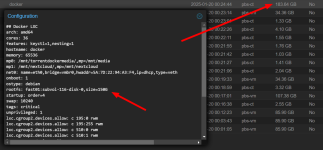
The size of backup is larger than in config
1737490428379.png
 
Last edited:
you need to pass in the storage and size for the rootfs (and also the other mountpoints in this case) when calling `pct restore`. or you resize the original container's rootfs, take another backup, and restore that.
 
  • Like
Reactions: Kingneutron
I have the same problem but can’t solve it myself:


  1. I have a container with an InfluxDB whose root filesystem should be 8 GB in size.
  2. For whatever reason, the backup is 12.5 GB.
  3. Restoring the normal backup via PBS didn’t work.
  4. In the console I used pct restore with the extra flag --rootfs zfstankname:20 to get the backup copied back first.
  5. Unfortunately, all the buckets in the InfluxDB are now empty. :-(

Does anyone have an idea how I can bring the container back to life with its contents?
 
where the influxdb buckets maybe on a separate mountpoint that was excluded from the backup and you did an in-place restore?