PVE: VM backup to NFS share on Truenas: backup succeeds, but comment and log creation fail

ldebolle

New Member
Jan 25, 2026
5
0
1
Hi,
I'm new to proxmox and I'm currently testing a setup to move from VMWare to Proxmox.
The proxmox server is an HP Gen11 Microserver

Backup to CIFS share didn't work properly and a Google-search came up with the suggestion to move to NFS.
I created an NFS share on a dedicated 'Truenas Core' NAS

It took some iterations, but I could finally mount the NFS Share in proxmox and use it for backups.
It took a while to find out that the MapAll User needed to be set to 'root'


A backup job starts correctly now, but finishes with warnings:

Code:
INFO: starting new backup job: vzdump 103 --mode snapshot --compress zstd --notification-mode notification-system --storage NAS_NFS --fleecing 0 --notes-template '{{guestname}}' --node proxmox1 --all 0
INFO: Starting Backup of VM 103 (qemu)
INFO: Backup started at 2026-01-25 14:05:14
INFO: status = stopped
INFO: backup mode: stop
INFO: ionice priority: 7
INFO: VM Name: BackupTest
INFO: include disk 'scsi0' 'local-lvm:vm-103-disk-0' 1G
INFO: creating vzdump archive '/mnt/pve/NAS_NFS/dump/vzdump-qemu-103-2026_01_25-14_05_14.vma.zst'
INFO: starting kvm to execute backup task
INFO: started backup task '11c01b37-112a-4e14-8950-c2e5c9cccc82'
INFO: 100% (1.0 GiB of 1.0 GiB) in 1s, read: 1.0 GiB/s, write: 0 B/s
INFO: backup is sparse: 1.00 GiB (100%) total zero data
INFO: transferred 1.00 GiB in 1 seconds (1.0 GiB/s)
INFO: stopping kvm after backup task
INFO: archive file size: 36KB
INFO: adding notes to backup
WARN: unable to add notes - unable to open file '/mnt/pve/NAS_NFS/dump/vzdump-qemu-103-2026_01_25-14_05_14.vma.zst.notes.tmp.59028' - Operation not permitted
INFO: Finished Backup of VM 103 (00:00:02)
INFO: Backup finished at 2026-01-25 14:05:16
cp: cannot create regular file '/mnt/pve/NAS_NFS/dump/vzdump-qemu-103-2026_01_25-14_05_14.log': Operation not permitted
INFO: Backup job finished successfully
INFO: notified via target `mail-to-root`
TASK WARNINGS: 1

The backup archive files exist on the NAS and can be opened by proxmox
The backup is small as it is a dummy VM, with no OS,... The result is the same for a real functional VM
The log files exist, but are 0-length
"vi-ing" the log file from the console gives a warning that a ".swp" file exists (as well as an ".swo" file)
creating (touching) the failing files from the console works

Searching the internet and the forum did not provide and solutions or clues...

Did anyone experience a similar issue or does someone have a clue?

Thank you for any suggestions,
Best regards,
Luc
 
Hi,
CIFS should have worked, but well, if you can set up a NFS export, that's fine as well. Can you show us the storage.cfg part about the NFS mount? Maybe also findmnt -u /mnt/pve/NAS_NFS ?
Can you check the permissions on /mnt/pve/NAS_NFS/ and /mnt/pve/NAS_NFS/dump ?

Also, on the NAS setup, make sure that root squash is disengaged, or squashed to a user that has right permissions on the exported dir.
 
Last edited:
Good morning Gilou,

Please find the info below.

Code:
storage.cfg:
nfs: NAS_NFS
        export /mnt/sphere/Backups/proxmox
        path /mnt/pve/NAS_NFS
        server 192.168.13.22
        content snippets,rootdir,iso,images,vztmpl,backup,import
        prune-backups keep-all=1

root@proxmox1:/mnt/pve# findmnt -u /mnt/pve/NAS_NFS
TARGET SOURCE FSTYPE OPTIONS
/mnt/pve/NAS_NFS
       192.168.13.22:/mnt/sphere/Backups/proxmox
              nfs    rw,relatime,vers=3,rsize=131072,wsize=131072,namlen=255,hard,fatal_neterrors=none,proto=tcp,timeo=600,retrans=2,sec=sys,mountaddr=192.168.13.22,mountvers=3,mountport=826,mountproto=udp,local_lock=none,addr=192.168.13.22
              
Permissions NAS_NFS:
root@proxmox1:/mnt/pve# ls -l
total 12
drwx------ 8 1004 1002 8 Jan 25 09:09 NAS_NFS

Permissions NAS_NFS/dump
root@proxmox1:/mnt/pve/NAS_NFS# ls -l
total 38
drwx------ 3 root 1002 6 Jan 26 11:05 dump

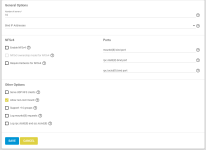
NFS configuration in Truenas:

1769423312034.png

Share configuration in Truenas:
1769423396341.png

Thank you already for taking interest!

Best regards,
Luc
 
So, I'd just maproot (user) to root (IIRC mapall doesn't apply to root in TrueNAS, and I don't think it's a good idea to map to root anyway..), and fix the permissions (chown -R root: /mnt/pve/NAS_NFS once re-mounted). You don't need non-root mounts, as Proxmox will mount as root anyway, unless you use it for something else..

if your NAS is used for other stuff, you might want might want to consider a better strategy like having a specific user for that export, and map root to it, while making sure that user has appropriate rights on the NAS side.
 
Thank you Gilou,

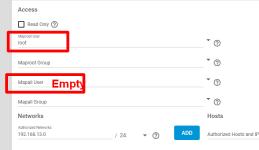
As per the suggestions, I have set the Maproot User to 'root' (NAS side):
1769428887925.png

and changed the permissions of the proxmox directory after the mount:
Code:
root@proxmox1:~# chown -R root: /mnt/pve/NAS_NFS/
root@proxmox1:~# cd /mnt/pve/
root@proxmox1:/mnt/pve# ls -l
total 12
drwx------ 8 root root 8 Jan 25 09:09 NAS_NFS
root@proxmox1:/mnt/pve#

unfortunately the result is the same:

Code:
INFO: archive file size: 36KB
INFO: adding notes to backup
WARN: unable to add notes - unable to open file '/mnt/pve/NAS_NFS/dump/vzdump-qemu-103-2026_01_26-14_24_39.vma.zst.notes.tmp.4157' - Operation not permitted
INFO: Finished Backup of VM 103 (00:00:01)
INFO: Backup finished at 2026-01-26 14:24:40
cp: cannot create regular file '/mnt/pve/NAS_NFS/dump/vzdump-qemu-103-2026_01_26-14_24_39.log': Operation not permitted
INFO: Backup job finished successfully

I am puzzled by the fact that the archive is written correctly, but the writing of the comment and log files generate the error.
Would they be written by another process/user ?
 
Permissions:
Code:
root@proxmox1:~# ls -l /mnt/pve/NAS_NFS/
total 38
drwx------ 3 root root 6 Jan 26 14:35 dump

The drive has enough space I presume:
Code:
root@proxmox1:~# df -h /mnt/pve/NAS_NFS/
Filesystem                                 Size  Used Avail Use% Mounted on
192.168.13.22:/mnt/sphere/Backups/proxmox  5.0T  1.3T  3.8T  26% /mnt/pve/NAS_NFS
 
Hi Gilou,

files in the dump directory:
Code:
root@proxmox1:/mnt/pve/NAS_NFS/dump# ls -al
total 64817139
drwx------ 3 root root          32 Jan 27 19:36 .
drwx------ 8 root root           8 Jan 25 09:09 ..
-rwx------ 1 1001 root        6953 Jan 27 19:37 vzdump-qemu-100-2026_01_27-19_42_12.log
-rwx------ 1 1001 root  3742788243 Jan 27 19:36 vzdump-qemu-100-2026_01_27-19_42_12.vma.zst
-rwx------ 1 1001 root          33 Jan 27 19:36 vzdump-qemu-100-2026_01_27-19_42_12.vma.zst.notes
drwx------ 2 root root           3 Jan 25 11:43 vzdump-qemu-101-2026_01_25-11_56_00.tmp
-rwx------ 1 root root  2436759552 Jan 25 11:46 vzdump-qemu-101-2026_01_25-11_56_00.vma.dat
-rwx------ 1 root root           0 Jan 27 17:56 vzdump-qemu-103-2026_01_27-18_09_08.log
-rwx------ 1 root root       74487 Jan 27 17:56 vzdump-qemu-103-2026_01_27-18_09_08.vma.zst
-rwx------ 1 root root           0 Jan 27 17:58 vzdump-qemu-103-2026_01_27-18_11_30.log
-rwx------ 1 root root       73753 Jan 27 17:58 vzdump-qemu-103-2026_01_27-18_11_30.vma.zst
-rwx------ 1 root root           0 Jan 27 18:02 vzdump-qemu-103-2026_01_27-18_14_45.log
-rwx------ 1 root root       74365 Jan 27 18:02 vzdump-qemu-103-2026_01_27-18_14_45.vma.zst
-rwx------ 1 root root           0 Jan 27 18:24 vzdump-qemu-103-2026_01_27-18_37_25.log
-rwx------ 1 root root       74191 Jan 27 18:24 vzdump-qemu-103-2026_01_27-18_37_25.vma.zst
-rwx------ 1 root root           0 Jan 27 18:33 vzdump-qemu-103-2026_01_27-18_46_30.log
-rwx------ 1 root root       73932 Jan 27 18:33 vzdump-qemu-103-2026_01_27-18_46_30.vma.zst
-rwx------ 1 root root           0 Jan 27 18:34 vzdump-qemu-103-2026_01_27-18_47_20.log
-rwx------ 1 root root       73993 Jan 27 18:34 vzdump-qemu-103-2026_01_27-18_47_20.vma.zst
-rwx------ 1 root root           0 Jan 27 18:44 vzdump-qemu-103-2026_01_27-18_56_57.log
-rwx------ 1 root root       73917 Jan 27 18:44 vzdump-qemu-103-2026_01_27-18_56_57.vma.zst
-rwx------ 1 root root           0 Jan 27 18:58 vzdump-qemu-103-2026_01_27-19_10_42.log
-rwx------ 1 root root       74447 Jan 27 18:58 vzdump-qemu-103-2026_01_27-19_10_42.vma.zst
-rwx------ 1 root root           0 Jan 27 19:07 vzdump-qemu-103-2026_01_27-19_20_29.log
-rwx------ 1 root root       73889 Jan 27 19:07 vzdump-qemu-103-2026_01_27-19_20_29.vma.zst
-rwx------ 1 root root           0 Jan 27 19:11 vzdump-qemu-103-2026_01_27-19_23_50.log
-rwx------ 1 root root       74163 Jan 27 19:11 vzdump-qemu-103-2026_01_27-19_23_50.vma.zst
-rwx------ 1 1001 root        1040 Jan 27 19:28 vzdump-qemu-103-2026_01_27-19_41_14.log
-rwx------ 1 1001 root       74057 Jan 27 19:28 vzdump-qemu-103-2026_01_27-19_41_14.vma.zst
-rwx------ 1 1001 root           4 Jan 27 19:28 vzdump-qemu-103-2026_01_27-19_41_14.vma.zst.notes
-rwx------ 1 root root           0 Jan 26 14:12 vzdump-qemu-900-2026_01_26-12_59_12.log
-rwx------ 1 root root 60187071349 Jan 26 14:12 vzdump-qemu-900-2026_01_26-12_59_12.vma.zst

I mounted the same directory on the NAS to a SMB/CIFS share. Unlike my previous experience with SMB, this time it seemed to be OK
The log and notes for the backups 'vzdump-qemu-103-2026_01_27-19_41_14' and vzdump-qemu-100-2026_01_27-19_42_12 are OK.
For all others, there are no notes, and the log file is empty.

I was able to do the test with another proxmox test server on the same NAS. The issue is the same.
For my VMWare backups I use Nakivo Backup. The backup SW connects also via an NFS share to the NAS, and this works without problems.
 
Yeah, it's a bit weird, I wonder what the 1001 user is about on some files..

What ! would do is set up a user/group on the NAS, give it permissions on the dir to be exported still on the NAS, and mapall (root included) to that user. then disable/enable the mount on the host.

Unless done manually / weirdly, all that happen for VMs with vzdump should be done as root on the pve side. Then, there is unprivileged containers, but it's a VM here..