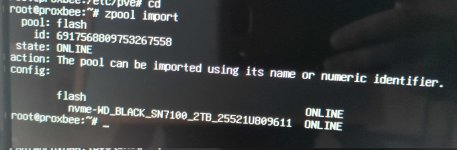
Proxmox has been running without problem on a pc for a few months without problem. The pc has two nvme drives, one for running Proxmox and VMs, the other for data storage. All of a sudden, Proxmox won't boot. When I hook up a monitor to view the boot screen, everything proceeds normally, then the error message below is flashed briefly, then the screen goes black and unresponsive.
------
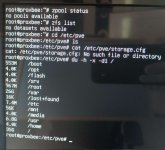
It appears that the issue is somehow related to the data storage disk. When I reboot into recovery mode, I check /etc/fstab and see no corresponding problematic mount points
/etc/fstab
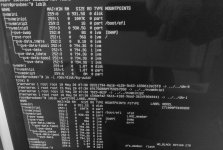
Checking #lsblk: I see the problematic nvme disk listed as nvme1n1, with partitions nvme1n1p1 and nvme1n1p9. There are no mount points associated with these partitions.
Checking #blkid: Each of the nvmen1n1 partitions are shown with the LABEL and types assigned from Proxmox. The UUIDs shown here do not match the uuids shown in the boot error message.
-----
I am stumped on what to do here. Any help would be appreciated!!! I have backups for the VMs and the most critical data stored on the problem disk, but I don't have a backup for Proxmox itself (yet)..
Code:
Found logical volume group “pve” using metadata type lvm2

3 logical volume(s) in volume group “pve” now active

/dev/mapper/pve-root: recovering journal

/dev/mapper/pve-root: clean, 94714/6291456 files, 9452054/25165824 blocks


[TIME] Timed out waiting for device dev-disk-by\x2duuid-6d36f059\x2dbdfc\x2d8c44\x2d2b52c8185443.device - /dev/disk/by-uuid/6d36f059-bdfc-4010-8c44-2b52c8185443.

[DEPEND] Dependency failed for mnt-pve-nvme2tb.mount – Mount storage ‘nvme2tb’ under /mnt/pve.
------
It appears that the issue is somehow related to the data storage disk. When I reboot into recovery mode, I check /etc/fstab and see no corresponding problematic mount points
/etc/fstab
Code:
# <file system> <mount point> <type> <options> <dump> <pass>


/dev/pve/root / ext4 errors=remount-ro 0 1

UUID=7D29-0E2F /boot/efi vfat defaults 0 1

/dev/pve/swap none swap sw 0 0

proc /proc proc defaults
Checking #lsblk: I see the problematic nvme disk listed as nvme1n1, with partitions nvme1n1p1 and nvme1n1p9. There are no mount points associated with these partitions.
Checking #blkid: Each of the nvmen1n1 partitions are shown with the LABEL and types assigned from Proxmox. The UUIDs shown here do not match the uuids shown in the boot error message.
-----
I am stumped on what to do here. Any help would be appreciated!!! I have backups for the VMs and the most critical data stored on the problem disk, but I don't have a backup for Proxmox itself (yet)..
Last edited: