Proxmox Virtual Environment now available for 64-bit ARM (arm64)!

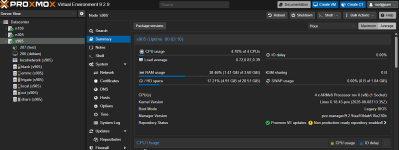
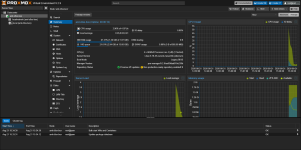
indeed the new official arm64 works! installed on stock armbian trixie and it just works! tested vm with kvm enabled, and lxc

target is an s905x3 amlogic, zfs also works fine, this is actually pretty great

added to my mini cluster as a spare node so i can remove old qdevice and do testings while also providing shared storage for iso and such, wow!

1786268423021.png
 
What kind of cluster? It's not recommended to mix architectures. But a single-node pve on the raspbian could be used for a qdevice lxc and some other lightweight containers
 
What kind of cluster? It's not recommended to mix architectures. But a single-node pve on the raspbian could be used for a qdevice lxc and some other lightweight containers

a simple 3 node, 2 x86 (alderlake n100 and n305) and 1 arm64 (amlogic s905x3), earlier i had just the 2 nodes + qdevice for qorum now deprecated the qdevice and added the third node, works great so far i've rebuild the arm kernel adding also zfs (i hate doing dkms) and will test stability but i'm confident it will work just fine

the s905 has to do arm lxc for something simple, share disk, add a vote, not much after all, and it's quite powerfull for what it needs to do.

ofc you are not going to move vm from x86 to arm64 but for HA i just use the two x86 and zfs replication between them (pfsense, homeassistant).
 
  • Like
Reactions: Johannes S
Had a chance to install the ISO on my ROCK 5 ITX+ (RK3588) using EDK2 UEFI. After setting it to ACPI Only, the installer completed without issue. I haven't had much time to play with it, but I did manage to install Ubuntu Server 26.04, and that appears to have installed fine.

prozxyarm-forum.webp
 
indeed the new official arm64 works! installed on stock armbian trixie and it just works! tested vm with kvm enabled, and lxc

target is an s905x3 amlogic, zfs also works fine, this is actually pretty great

added to my mini cluster as a spare node so i can remove old qdevice and do testings while also providing shared storage for iso and such, wow!

View attachment 99344
I have the same config here, running with the stock armbian trixie. Could you send me your build to test here too?
 
Good work, thanks! I've tested on Asus Ascent GX10 mini-node, so the platform is Grace-Blackwell. Installation process looks fine on both ZFS and EXT4 and is able to finish. But then I've failed to boot the system - on EXT4 it hangs on loading initial ramdisk, on ZFS no details are displayed and I've received kernel panic with exitcode=0x00000100, Attempted to kill Init!. Strange is that the same kernel 7.0.14-6-pve works fine during the installation and I'm able to use installation flash drive in debug mode to get into the system (chrooted environment with ZFS). I've checked that zfs/spl is in the initrd image. Pool itself looks fine too. Any idea where the problem is? Has anyone met the same problem? I know it's not server grade device. We run private research GPU cluster with GH200, AMD MI210, A100, H100, A40 and several other GPU node types. It would be nice to put those tiny inference nodes (for small reasearch groups) under standard management, backup and monitoring UI.
 
I have the same config here, running with the stock armbian trixie. Could you send me your build to test here too?

fairly simple, just boot armbian, add the official proxmox repo

Bash:
wget https://enterprise.proxmox.com/debian/proxmox-release-trixie.gpg \
  -O /usr/share/keyrings/proxmox-archive-keyring.gpg

cat >/etc/apt/sources.list.d/proxmox.sources <<'EOF'
Types: deb
URIs: http://download.proxmox.com/debian/pve
Suites: trixie
Components: pve-no-subscription
Signed-By: /usr/share/keyrings/proxmox-archive-keyring.gpg
EOF

nano update

and install the packages needed minus proxmox-ve that is not needed (it would install proxmox kernel instead of the armbian amlogic one

Bash:
apt install \
  pve-manager \
  pve-qemu-kvm \
  qemu-server \
  pve-cluster \
  pve-container \
  pve-edk2-firmware-aarch64 \
  ifupdown2

it will already work as is (possibly check hostnames), ui will open up at 8006, you will probably have networkmanager on armbian but you need ifupdown2 to make the eth0 be handled by proxmox, so install it with and disable the other, also set static ip

Bash:
apt install ifupdown2

cat >/etc/network/interfaces <<'EOF'
auto lo
iface lo inet loopback

iface eth0 inet manual

auto vmbr0
iface vmbr0 inet static
        address 192.168.0.100/24
        gateway 192.168.0.1
        hwaddress 56:16:ce:88:9f:51
        bridge-ports eth0
        bridge-stp off
        bridge-fd 0
        dns-nameservers 192.168.0.1
EOF

systemctl disable NetworkManager
systemctl stop NetworkManager
ifreload -a

you should not have any problems to do this, maybe check if you have systemd-resolved installed and configured correctly, the rest is stock armbian.
 
  • Like
Reactions: epv5jubs
Thank you , it works like a charm, i migrated my home test lab from raspberry os + pxvirt repo (no more updates )
i used rbpi UEFI firmware
https://github.com/pftf/RPi4

Do you have the UEFI firmware on a separate drives, or were you able to make both the UEFI firmware and Proxmox boot from the same drive? I'm currently booting the UEFI firmware from microsd with PVE installed on USB SSD but it would be nice to use the microsd slot for e.g. backup storage.

Another issue I ran into was the built-in Broadcom NIC's MAC address changing on every boot, but that's likely related to the UEFI firmware rather than Proxmox. Anyway, I was able to work around the problem by pinning the NIC by driver instead of MAC address which the pve-network-interface-pinning utility appeared to do:

Code:
# /usr/local/lib/systemd/network/50-pmx-nic0.link
[Match]
Driver=bcmgenet
Type=ether

[Link]
Name=nic0
 
Good work, thanks! I've tested on Asus Ascent GX10 mini-node, so the platform is Grace-Blackwell. Installation process looks fine on both ZFS and EXT4 and is able to finish. But then I've failed to boot the system - on EXT4 it hangs on loading initial ramdisk, on ZFS no details are displayed and I've received kernel panic with exitcode=0x00000100, Attempted to kill Init!. Strange is that the same kernel 7.0.14-6-pve works fine during the installation and I'm able to use installation flash drive in debug mode to get into the system (chrooted environment with ZFS). I've checked that zfs/spl is in the initrd image. Pool itself looks fine too. Any idea where the problem is? Has anyone met the same problem? I know it's not server grade device. We run private research GPU cluster with GH200, AMD MI210, A100, H100, A40 and several other GPU node types. It would be nice to put those tiny inference nodes (for small reasearch groups) under standard management, backup and monitoring UI.
Note: The same failure also with older kernel (6.17.13-1-pve). In case of ZFS installation both kernel and initrd are correctly stored on FAT32 EFI partition and systemd-boot is able to load it. With adapted initrd init script it's possible to trace the process to spl and zfs loading. Kernel panic looks to come immediately after "Loaded zfs module" announcement (displayed when booting with nomodeset earlycon=efifb kernel params). I'll try external USB storage to ensure if internal NVMe compatibility is not the problem.

And now the solution - almost funny: DGX Spark + PVE 9.2 ARM64: add console=tty0 to the kernel command line. Done, works fine on top of ZFS.
 
Last edited:
Thank you , it works like a charm, i migrated my home test lab from raspberry os + pxvirt repo (no more updates )
i used rbpi UEFI firmware
https://github.com/pftf/RPi4

CPU(s)
4 x Cortex-A72 (1 Socket)
Kernel Version
Linux 7.0.14-6-pve (2026-07-20T14:45Z)
Boot Mode
EFI
Manager Version
pve-manager/9.2.9/aa93fdab516e230b
That sounds awesome!
Does it work on a Pi5? or on a NVMe?
Did you, by anychance have documented the process?
 
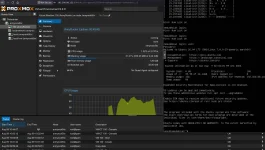
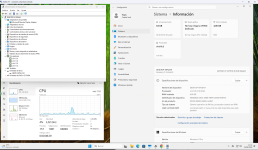
It works perfectly on a Pi5 8Gb that I had lying around unused. :D

Captura de pantalla 2026-08-15 202908.png

I've installed Docker on an LXC and now I'm testing if Windows 11 ARM works, but the installation is slow because I only have a 128GB microSD card.

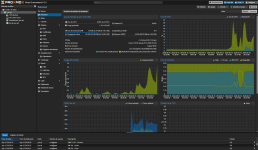
Captura de pantalla 2026-08-15 203119.png

I even overclocked it to 3.1GHz.

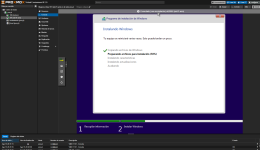
Captura de pantalla 2026-08-15 203204.png
Now I'm really going to put this Pi 5 to good use.

Thank you so much for bringing Proxmox to ARM, it's a lot of fun! :D


EDIT:

It works fine on Windows 11 ARM.

But the 8GB of RAM on my Pi5 isn't enough. If I had 16GB and an NVMe drive, the VM would be fully usable via remote desktop

Captura de pantalla 2026-08-15 214441.png

https://browser.geekbench.com/v6/cpu/19003887
 
Last edited:
  • Like
Reactions: UdoB
fairly simple, just boot armbian, add the official proxmox repo

Bash:
wget https://enterprise.proxmox.com/debian/proxmox-release-trixie.gpg \
  -O /usr/share/keyrings/proxmox-archive-keyring.gpg

cat >/etc/apt/sources.list.d/proxmox.sources <<'EOF'
Types: deb
URIs: http://download.proxmox.com/debian/pve
Suites: trixie
Components: pve-no-subscription
Signed-By: /usr/share/keyrings/proxmox-archive-keyring.gpg
EOF

nano update

and install the packages needed minus proxmox-ve that is not needed (it would install proxmox kernel instead of the armbian amlogic one

Bash:
apt install \
  pve-manager \
  pve-qemu-kvm \
  qemu-server \
  pve-cluster \
  pve-container \
  pve-edk2-firmware-aarch64 \
  ifupdown2

it will already work as is (possibly check hostnames), ui will open up at 8006, you will probably have networkmanager on armbian but you need ifupdown2 to make the eth0 be handled by proxmox, so install it with and disable the other, also set static ip

Bash:
apt install ifupdown2

cat >/etc/network/interfaces <<'EOF'
auto lo
iface lo inet loopback

iface eth0 inet manual

auto vmbr0
iface vmbr0 inet static
        address 192.168.0.100/24
        gateway 192.168.0.1
        hwaddress 56:16:ce:88:9f:51
        bridge-ports eth0
        bridge-stp off
        bridge-fd 0
        dns-nameservers 192.168.0.1
EOF

systemctl disable NetworkManager
systemctl stop NetworkManager
ifreload -a

you should not have any problems to do this, maybe check if you have systemd-resolved installed and configured correctly, the rest is stock armbian.
Thank you so much bud, I will try asap
 
fairly simple, just boot armbian, add the official proxmox repo

Bash:
wget https://enterprise.proxmox.com/debian/proxmox-release-trixie.gpg \
  -O /usr/share/keyrings/proxmox-archive-keyring.gpg

cat >/etc/apt/sources.list.d/proxmox.sources <<'EOF'
Types: deb
URIs: http://download.proxmox.com/debian/pve
Suites: trixie
Components: pve-no-subscription
Signed-By: /usr/share/keyrings/proxmox-archive-keyring.gpg
EOF

nano update

and install the packages needed minus proxmox-ve that is not needed (it would install proxmox kernel instead of the armbian amlogic one

Bash:
apt install \
  pve-manager \
  pve-qemu-kvm \
  qemu-server \
  pve-cluster \
  pve-container \
  pve-edk2-firmware-aarch64 \
  ifupdown2

it will already work as is (possibly check hostnames), ui will open up at 8006, you will probably have networkmanager on armbian but you need ifupdown2 to make the eth0 be handled by proxmox, so install it with and disable the other, also set static ip

Bash:
apt install ifupdown2

cat >/etc/network/interfaces <<'EOF'
auto lo
iface lo inet loopback

iface eth0 inet manual

auto vmbr0
iface vmbr0 inet static
        address 192.168.0.100/24
        gateway 192.168.0.1
        hwaddress 56:16:ce:88:9f:51
        bridge-ports eth0
        bridge-stp off
        bridge-fd 0
        dns-nameservers 192.168.0.1
EOF

systemctl disable NetworkManager
systemctl stop NetworkManager
ifreload -a

you should not have any problems to do this, maybe check if you have systemd-resolved installed and configured correctly, the rest is stock armbian.
It worked perfectly following your tutorial, thank you so much!
 

Attachments

  • aml-s9xx-box-Proxmox Virtual Environment.png
    aml-s9xx-box-Proxmox Virtual Environment.png
    159.8 KB · Views: 28
We are excited to announce the first release of Proxmox Virtual Environment with official support for a second CPU architecture: 64-bit ARM (arm64/aarch64). Until now, Proxmox VE was available for x86-64 (amd64) only.

Proxmox VE 9.2 for arm64 shares the code base, package repositories, and release lifecycle with its x86-64 counterpart. It is built on Debian 13.5 "Trixie" with Linux kernel 7.0 as the stable default, and ships the same versions of our underlying key technologies, including QEMU 11.0, LXC 7.0, and ZFS 2.4. Configuration, tooling, and documentation are identical to x86-64, except for a small set of architecture-specific differences listed below.

Platform support
  • Fully supported on the NVIDIA Grace Hopper and NVIDIA Vera platforms
  • Best-effort support on other UEFI-based ARMv9-A or newer hardware (ARMv8-A generally works as well, likewise best-effort)
  • The host must boot through UEFI and describe its hardware through ACPI
  • Device-tree-only single-board computers, such as the Raspberry Pi, are not supported

Architecture-specific differences
  • Virtual machines always boot through UEFI, provided by the ARM build of OVMF (AAVMF). SeaBIOS is not available on arm64.
  • AMD SEV memory encryption and Intel GVT-g mediated vGPUs are x86-only.
  • There is no operating-system-level CPU microcode package, unlike intel-microcode and amd64-microcode on x86.
  • Guests only run on nodes matching their architecture, and live migration is only possible between nodes of the same architecture.

A special thank you goes to NVIDIA for their trust and their close collaboration on this port, which allowed us to develop, test, and harden Proxmox VE on arm64. It is already deployed in production on the supported platforms today. See more:
https://www.proxmox.com/en/about/co...ox-ve-for-nvidia-mission-control-ai-factories

We are working together with further enterprise server vendors on their ARM efforts and hope to expand the list of officially supported hardware platforms in the future.

Release notes
https://pve.proxmox.com/wiki/Roadmap

Press release
https://www.proxmox.com/en/about/company-details/press-releases/

Download
https://www.proxmox.com/en/downloads
Alternate ISO download:
https://enterprise.proxmox.com/iso

Documentation
https://pve.proxmox.com/pve-docs

Community Forum
https://forum.proxmox.com

Bugtracker
https://bugzilla.proxmox.com

Source code
https://git.proxmox.com

A huge thank you to our community, customers, and partners for reporting bugs, submitting patches, and helping us test - we couldn't do it without you!

FAQ
Q
: Is Proxmox VE on arm64 a technology preview?
A: No. Proxmox VE on arm64 is fully supported on the platforms listed above, with the same release lifecycle and support windows as the x86-64 builds.

Q: Is there an enterprise repository, and is enterprise support available for arm64?
A: Yes. The pve-enterprise repository is available for arm64, and as on x86-64 we recommend it for production use. Hosts with an active subscription get enterprise support with the same service levels as on x86-64, through the usual customer portal.

Q: How do I get a subscription for an arm64 host?
A: Subscriptions for arm64 are separate from the x86-64 ones and are currently available on request. Please contact our sales team for a quote: sales@proxmox.com

Q: Will other Proxmox products become available for arm64?
A: We already have internal test builds for some of our products, for example Proxmox Backup Server, and are confident that we can bring them up to our release standards. Which products we prioritize depends on the requirements of our enterprise customers, so if this is relevant for you, please contact our business channels with details about your enterprise setup: office@proxmox.com

Q: Which hardware is officially supported?
A: The NVIDIA Grace Hopper and NVIDIA Vera platforms. Other UEFI-based ARMv9-A or newer server hardware is supported on a best-effort basis; ARMv8-A hardware generally works too, also best-effort.

Q: Can I run Proxmox VE on a Raspberry Pi or a similar single-board computer?
A: No. An arm64 host must boot through UEFI and describe its hardware through ACPI. Device-tree-only boards and legacy boot are not supported.

Q: Can I mix x86-64 and arm64 nodes in one cluster?
A: This is not blocked technically, but mixed-architecture clusters are not officially supported. Note that guests only run on nodes of their own architecture, and live migration across architectures is not possible.

Q: Can I move an existing guest from an x86-64 node to an arm64 node?
A: The guest's data can be moved through offline migration, backup and restore, or shared storage, but the guest has to be reinstalled or reconfigured for the new architecture before it starts.

Q: Can I install Proxmox VE on top of Debian 13 "Trixie" for arm64?
A: Yes, the procedure is the same as on x86-64, see https://pve.proxmox.com/wiki/Install_Proxmox_VE_on_Debian_13_Trixie

Q: Are the package versions the same as on x86-64?
A: Both architectures are built from the same sources and track the same versions. Individual packages can be released later on arm64, as we currently have fewer systems available for validating that architecture.

Q: Where can I get more information about feature updates?
A: Check the roadmap, forum, the mailing list, and/or subscribe to our newsletter.

Really nice to see official ARM64 support finally landing. I’ve been interested in running Proxmox on ARM for a while, and having the same codebase and release cycle as x86-64 makes this much more appealing.
The Raspberry Pi situation is a bit disappointing, but the UEFI/ACPI requirement makes sense for a properly supported platform. I’m especially curious to see how support expands to more ARM server hardware over the next few releases.
 
indeed the new official arm64 works! installed on stock armbian trixie and it just works! tested vm with kvm enabled, and lxc

target is an s905x3 amlogic, zfs also works fine, this is actually pretty great

added to my mini cluster as a spare node so i can remove old qdevice and do testings while also providing shared storage for iso and such, wow!

View attachment 99344
It looks like it's ARM v8—it should support ARM v8, right?