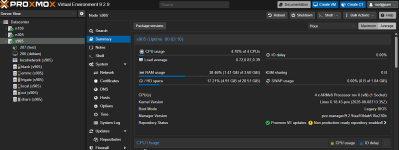
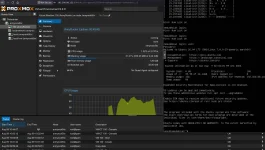
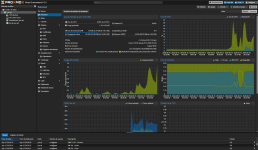
We are excited to announce the first release of Proxmox Virtual Environment with official support for a second CPU architecture: 64-bit ARM (arm64/aarch64). Until now, Proxmox VE was available for x86-64 (amd64) only.
Proxmox VE 9.2 for arm64 shares the code base, package repositories, and release lifecycle with its x86-64 counterpart. It is built on Debian 13.5 "Trixie" with Linux kernel 7.0 as the stable default, and ships the same versions of our underlying key technologies, including QEMU 11.0, LXC 7.0, and ZFS 2.4. Configuration, tooling, and documentation are identical to x86-64, except for a small set of architecture-specific differences listed below.
Platform support
- Fully supported on the NVIDIA Grace Hopper and NVIDIA Vera platforms
- Best-effort support on other UEFI-based ARMv9-A or newer hardware (ARMv8-A generally works as well, likewise best-effort)
- The host must boot through UEFI and describe its hardware through ACPI
- Device-tree-only single-board computers, such as the Raspberry Pi, are not supported
Architecture-specific differences
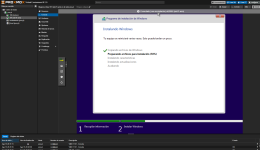
- Virtual machines always boot through UEFI, provided by the ARM build of OVMF (AAVMF). SeaBIOS is not available on arm64.
- AMD SEV memory encryption and Intel GVT-g mediated vGPUs are x86-only.
- There is no operating-system-level CPU microcode package, unlike intel-microcode and amd64-microcode on x86.
- Guests only run on nodes matching their architecture, and live migration is only possible between nodes of the same architecture.
A special thank you goes to NVIDIA for their trust and their close collaboration on this port, which allowed us to develop, test, and harden Proxmox VE on arm64. It is already deployed in production on the supported platforms today. See more:
https://www.proxmox.com/en/about/co...ox-ve-for-nvidia-mission-control-ai-factories
We are working together with further enterprise server vendors on their ARM efforts and hope to expand the list of officially supported hardware platforms in the future.
Release notes
https://pve.proxmox.com/wiki/Roadmap
Press release
https://www.proxmox.com/en/about/company-details/press-releases/
Download
https://www.proxmox.com/en/downloads
Alternate ISO download:
https://enterprise.proxmox.com/iso
Documentation
https://pve.proxmox.com/pve-docs
Community Forum
https://forum.proxmox.com
Bugtracker
https://bugzilla.proxmox.com
Source code
https://git.proxmox.com
A huge thank you to our community, customers, and partners for reporting bugs, submitting patches, and helping us test - we couldn't do it without you!
FAQ
Q: Is Proxmox VE on arm64 a technology preview?
A: No. Proxmox VE on arm64 is fully supported on the platforms listed above, with the same release lifecycle and support windows as the x86-64 builds.
Q: Is there an enterprise repository, and is enterprise support available for arm64?
A: Yes. The
pve-enterprise repository is available for arm64, and as on x86-64 we recommend it for production use. Hosts with an active subscription get enterprise support with the same service levels as on x86-64, through the usual customer portal.
Q: How do I get a subscription for an arm64 host?
A: Subscriptions for arm64 are separate from the x86-64 ones and are currently available on request. Please contact our sales team for a quote:
sales@proxmox.com
Q: Will other Proxmox products become available for arm64?
A: We already have internal test builds for some of our products, for example Proxmox Backup Server, and are confident that we can bring them up to our release standards. Which products we prioritize depends on the requirements of our enterprise customers, so if this is relevant for you, please contact our business channels with details about your enterprise setup:
office@proxmox.com
Q: Which hardware is officially supported?
A: The NVIDIA Grace Hopper and NVIDIA Vera platforms. Other UEFI-based ARMv9-A or newer server hardware is supported on a best-effort basis; ARMv8-A hardware generally works too, also best-effort.
Q: Can I run Proxmox VE on a Raspberry Pi or a similar single-board computer?
A: No. An arm64 host must boot through UEFI and describe its hardware through ACPI. Device-tree-only boards and legacy boot are not supported.
Q: Can I mix x86-64 and arm64 nodes in one cluster?
A: This is not blocked technically, but mixed-architecture clusters are not officially supported. Note that guests only run on nodes of their own architecture, and live migration across architectures is not possible.
Q: Can I move an existing guest from an x86-64 node to an arm64 node?
A: The guest's data can be moved through offline migration, backup and restore, or shared storage, but the guest has to be reinstalled or reconfigured for the new architecture before it starts.
Q: Can I install Proxmox VE on top of Debian 13 "Trixie" for arm64?
A: Yes, the procedure is the same as on x86-64, see
https://pve.proxmox.com/wiki/Install_Proxmox_VE_on_Debian_13_Trixie
Q: Are the package versions the same as on x86-64?
A: Both architectures are built from the same sources and track the same versions. Individual packages can be released later on arm64, as we currently have fewer systems available for validating that architecture.
Q: Where can I get more information about feature updates?
A: Check the
roadmap,
forum, the
mailing list, and/or subscribe to our
newsletter.





 . But I guess it's a chicken-and-egg problem until then.