

Hello,
With my proxmox, the console crashes every time after approx. 20 - 40 seconds with this error.
In addition, my remote ssh connection to this host always crashes.
i don't know if this has anything to do with it, but with my newly installed vms i can no longer access the console via proxmox after a certain time.
i had this problem before and reinstalled proxmox completely. but i still have this problem. Can you help me?
here is my route from my maschine to the host:
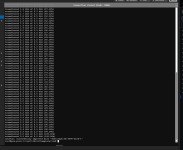
Somehow exactly after 24 pings...
With my proxmox, the console crashes every time after approx. 20 - 40 seconds with this error.
In addition, my remote ssh connection to this host always crashes.
i don't know if this has anything to do with it, but with my newly installed vms i can no longer access the console via proxmox after a certain time.
i had this problem before and reinstalled proxmox completely. but i still have this problem. Can you help me?
here is my route from my maschine to the host:
Code:
PS C:\Users\x> tracert 192.168.99.10

Tracing route to prx-prod-1.home.ptechnet.com [192.168.99.10]
over a maximum of 30 hops:

  1    <1 ms    <1 ms    <1 ms  192.168.10.1
  2    <1 ms    <1 ms    <1 ms  prx-prod-1.home.ptechnet.com [192.168.99.10]

Trace complete.
Somehow exactly after 24 pings...
Code:
PS C:\Users\x> ssh root@192.168.99.10
root@192.168.99.10's password:
Linux prx-prod-1 6.8.12-10-pve #1 SMP PREEMPT_DYNAMIC PMX 6.8.12-10 (2025-04-18T07:39Z) x86_64

The programs included with the Debian GNU/Linux system are free software;
the exact distribution terms for each program are described in the
individual files in /usr/share/doc/*/copyright.

Debian GNU/Linux comes with ABSOLUTELY NO WARRANTY, to the extent
permitted by applicable law.
Last login: Fri May  9 18:20:16 2025 from 192.168.10.10
root@prx-prod-1:~# ping 1.1.1.1
PING 1.1.1.1 (1.1.1.1) 56(84) bytes of data.
64 bytes from 1.1.1.1: icmp_seq=1 ttl=56 time=8.27 ms
64 bytes from 1.1.1.1: icmp_seq=2 ttl=56 time=6.77 ms
64 bytes from 1.1.1.1: icmp_seq=3 ttl=56 time=6.81 ms
64 bytes from 1.1.1.1: icmp_seq=4 ttl=56 time=6.35 ms
64 bytes from 1.1.1.1: icmp_seq=5 ttl=56 time=6.22 ms
64 bytes from 1.1.1.1: icmp_seq=6 ttl=56 time=6.78 ms
64 bytes from 1.1.1.1: icmp_seq=7 ttl=56 time=6.26 ms
64 bytes from 1.1.1.1: icmp_seq=8 ttl=56 time=6.54 ms
64 bytes from 1.1.1.1: icmp_seq=9 ttl=56 time=6.46 ms
64 bytes from 1.1.1.1: icmp_seq=10 ttl=56 time=7.69 ms
64 bytes from 1.1.1.1: icmp_seq=11 ttl=56 time=6.52 ms
64 bytes from 1.1.1.1: icmp_seq=12 ttl=56 time=8.52 ms
64 bytes from 1.1.1.1: icmp_seq=13 ttl=56 time=6.69 ms
64 bytes from 1.1.1.1: icmp_seq=14 ttl=56 time=6.80 ms
64 bytes from 1.1.1.1: icmp_seq=15 ttl=56 time=6.34 ms
64 bytes from 1.1.1.1: icmp_seq=16 ttl=56 time=6.59 ms
64 bytes from 1.1.1.1: icmp_seq=17 ttl=56 time=6.65 ms
64 bytes from 1.1.1.1: icmp_seq=18 ttl=56 time=6.56 ms
64 bytes from 1.1.1.1: icmp_seq=19 ttl=56 time=7.12 ms
64 bytes from 1.1.1.1: icmp_seq=20 ttl=56 time=7.08 ms
64 bytes from 1.1.1.1: icmp_seq=21 ttl=56 time=7.11 ms
64 bytes from 1.1.1.1: icmp_seq=22 ttl=56 time=6.76 ms
64 bytes from 1.1.1.1: icmp_seq=23 ttl=56 time=6.29 ms
64 bytes from 1.1.1.1: icmp_seq=24 ttl=56 time=6.39 ms
client_loop: send disconnect: Connection reset
PS C:\Users\x> ssh root@192.168.99.10
root@192.168.99.10's password:
Linux prx-prod-1 6.8.12-10-pve #1 SMP PREEMPT_DYNAMIC PMX 6.8.12-10 (2025-04-18T07:39Z) x86_64

The programs included with the Debian GNU/Linux system are free software;
the exact distribution terms for each program are described in the
individual files in /usr/share/doc/*/copyright.

Debian GNU/Linux comes with ABSOLUTELY NO WARRANTY, to the extent
permitted by applicable law.
Last login: Fri May  9 18:21:27 2025 from 192.168.10.10
root@prx-prod-1:~# ping 1.1.1.1
PING 1.1.1.1 (1.1.1.1) 56(84) bytes of data.
64 bytes from 1.1.1.1: icmp_seq=1 ttl=56 time=8.17 ms
64 bytes from 1.1.1.1: icmp_seq=2 ttl=56 time=7.02 ms
64 bytes from 1.1.1.1: icmp_seq=3 ttl=56 time=6.64 ms
64 bytes from 1.1.1.1: icmp_seq=4 ttl=56 time=6.36 ms
64 bytes from 1.1.1.1: icmp_seq=5 ttl=56 time=6.70 ms
64 bytes from 1.1.1.1: icmp_seq=6 ttl=56 time=6.99 ms
64 bytes from 1.1.1.1: icmp_seq=7 ttl=56 time=6.75 ms
64 bytes from 1.1.1.1: icmp_seq=8 ttl=56 time=7.17 ms
64 bytes from 1.1.1.1: icmp_seq=9 ttl=56 time=9.38 ms
64 bytes from 1.1.1.1: icmp_seq=10 ttl=56 time=6.47 ms
64 bytes from 1.1.1.1: icmp_seq=11 ttl=56 time=6.78 ms
64 bytes from 1.1.1.1: icmp_seq=12 ttl=56 time=6.77 ms
64 bytes from 1.1.1.1: icmp_seq=13 ttl=56 time=6.98 ms
64 bytes from 1.1.1.1: icmp_seq=14 ttl=56 time=6.31 ms
64 bytes from 1.1.1.1: icmp_seq=15 ttl=56 time=6.88 ms
64 bytes from 1.1.1.1: icmp_seq=16 ttl=56 time=9.50 ms
64 bytes from 1.1.1.1: icmp_seq=17 ttl=56 time=6.72 ms
64 bytes from 1.1.1.1: icmp_seq=18 ttl=56 time=6.86 ms
64 bytes from 1.1.1.1: icmp_seq=19 ttl=56 time=6.79 ms
64 bytes from 1.1.1.1: icmp_seq=20 ttl=56 time=6.59 ms
64 bytes from 1.1.1.1: icmp_seq=21 ttl=56 time=6.81 ms
64 bytes from 1.1.1.1: icmp_seq=22 ttl=56 time=6.77 ms
64 bytes from 1.1.1.1: icmp_seq=23 ttl=56 time=6.63 ms
64 bytes from 1.1.1.1: icmp_seq=24 ttl=56 time=6.56 ms
client_loop: send disconnect: Connection reset
PS C:\Users\Philipp>
PS C:\Users\x> ssh root@192.168.99.10
root@192.168.99.10's password:
Linux prx-prod-1 6.8.12-10-pve #1 SMP PREEMPT_DYNAMIC PMX 6.8.12-10 (2025-04-18T07:39Z) x86_64

The programs included with the Debian GNU/Linux system are free software;
the exact distribution terms for each program are described in the
individual files in /usr/share/doc/*/copyright.

Debian GNU/Linux comes with ABSOLUTELY NO WARRANTY, to the extent
permitted by applicable law.
Last login: Fri May  9 18:50:01 2025 from 192.168.10.10
root@prx-prod-1:~# ping 1.1.1.1
PING 1.1.1.1 (1.1.1.1) 56(84) bytes of data.
64 bytes from 1.1.1.1: icmp_seq=1 ttl=56 time=8.10 ms
64 bytes from 1.1.1.1: icmp_seq=2 ttl=56 time=6.93 ms
64 bytes from 1.1.1.1: icmp_seq=3 ttl=56 time=6.66 ms
64 bytes from 1.1.1.1: icmp_seq=4 ttl=56 time=6.85 ms
64 bytes from 1.1.1.1: icmp_seq=5 ttl=56 time=6.78 ms
64 bytes from 1.1.1.1: icmp_seq=6 ttl=56 time=6.97 ms
64 bytes from 1.1.1.1: icmp_seq=7 ttl=56 time=7.07 ms
64 bytes from 1.1.1.1: icmp_seq=8 ttl=56 time=6.99 ms
64 bytes from 1.1.1.1: icmp_seq=9 ttl=56 time=6.58 ms
64 bytes from 1.1.1.1: icmp_seq=10 ttl=56 time=6.79 ms
64 bytes from 1.1.1.1: icmp_seq=11 ttl=56 time=6.81 ms
64 bytes from 1.1.1.1: icmp_seq=12 ttl=56 time=6.73 ms
64 bytes from 1.1.1.1: icmp_seq=13 ttl=56 time=6.54 ms
64 bytes from 1.1.1.1: icmp_seq=14 ttl=56 time=6.93 ms
64 bytes from 1.1.1.1: icmp_seq=15 ttl=56 time=6.91 ms
64 bytes from 1.1.1.1: icmp_seq=16 ttl=56 time=6.83 ms
64 bytes from 1.1.1.1: icmp_seq=17 ttl=56 time=6.98 ms
64 bytes from 1.1.1.1: icmp_seq=18 ttl=56 time=6.72 ms
64 bytes from 1.1.1.1: icmp_seq=19 ttl=56 time=6.63 ms
64 bytes from 1.1.1.1: icmp_seq=20 ttl=56 time=6.31 ms
64 bytes from 1.1.1.1: icmp_seq=21 ttl=56 time=6.75 ms
64 bytes from 1.1.1.1: icmp_seq=22 ttl=56 time=6.50 ms
64 bytes from 1.1.1.1: icmp_seq=23 ttl=56 time=6.94 ms
64 bytes from 1.1.1.1: icmp_seq=24 ttl=56 time=7.08 ms
client_loop: send disconnect: Connection reset