

Hello all,
I have a small ITX host with only one SSD in it, for proxmox installation and the VM storage.
But I don't understand how my local-lvm is almost full while it should have plenty space left.
Here is the physical disk :

If I understand correctly, Proxmox create a "root" LV of 100Gb, here it is :
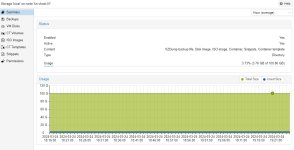
Then, it use the rest of the disk for a "data" LV to store VM disks and containers, but it is almost full :
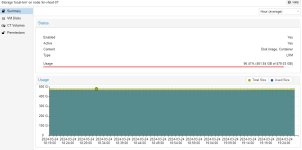
"lvdisplay" show me that there is only two vm disks of 64Gb each on it :
So where is all the space ? I am a bit of a linux noob and I don't understand why I cannot create another disk on the local-lvm storage.
Thank for your help.
I have a small ITX host with only one SSD in it, for proxmox installation and the VM storage.
But I don't understand how my local-lvm is almost full while it should have plenty space left.
Here is the physical disk :
If I understand correctly, Proxmox create a "root" LV of 100Gb, here it is :
Then, it use the rest of the disk for a "data" LV to store VM disks and containers, but it is almost full :
"lvdisplay" show me that there is only two vm disks of 64Gb each on it :
Code:
root@kn-vhost-01:~# lvdisplay
  --- Logical volume ---
  LV Name                data
  VG Name                pve
  LV UUID                kewOOG-tBNp-gdFV-VRxb-5FyX-Uy2a-HPv0i8
  LV Write Access        read/write (activated read only)
  LV Creation host, time proxmox, 2024-01-25 16:17:04 +0100
  LV Pool metadata       data_tmeta
  LV Pool data           data_tdata
  LV Status              available
  # open                 0
  LV Size                <319.61 GiB
  Allocated pool data    12.28%
  Allocated metadata     0.84%
  Current LE             81820
  Segments               1
  Allocation             inherit
  Read ahead sectors     auto
  - currently set to     256
  Block device           252:5

  --- Logical volume ---
  LV Path                /dev/pve/swap
  LV Name                swap
  VG Name                pve
  LV UUID                kqaqrE-F0oI-SKeN-9frY-KaR7-TRv5-UKPjM2
  LV Write Access        read/write
  LV Creation host, time proxmox, 2024-01-25 16:16:54 +0100
  LV Status              available
  # open                 2
  LV Size                8.00 GiB
  Current LE             2048
  Segments               1
  Allocation             inherit
  Read ahead sectors     auto
  - currently set to     256
  Block device           252:0

  --- Logical volume ---
  LV Path                /dev/pve/root
  LV Name                root
  VG Name                pve
  LV UUID                AUbAc2-5ROO-OGtI-L9Mf-yQ0h-gz35-EAIB8P
  LV Write Access        read/write
  LV Creation host, time proxmox, 2024-01-25 16:16:54 +0100
  LV Status              available
  # open                 1
  LV Size                96.00 GiB
  Current LE             24576
  Segments               1
  Allocation             inherit
  Read ahead sectors     auto
  - currently set to     256
  Block device           252:1

  --- Logical volume ---
  LV Path                /dev/pve/vm-999-disk-0
  LV Name                vm-999-disk-0
  VG Name                pve
  LV UUID                vCldTR-8AmU-Noih-3jze-IUFZ-iptU-d3yBQJ
  LV Write Access        read/write
  LV Creation host, time kn-vhost-01, 2024-01-25 16:59:16 +0100
  LV Pool name           data
  LV Status              available
  # open                 1
  LV Size                64.00 GiB
  Mapped size            61.31%
  Current LE             16384
  Segments               1
  Allocation             inherit
  Read ahead sectors     auto
  - currently set to     256
  Block device           252:6

  --- Logical volume ---
  LV Path                /dev/pve/vm-999-disk-1
  LV Name                vm-999-disk-1
  VG Name                pve
  LV UUID                bQAZzp-fAf3-rlap-u7HG-3WCI-2NiI-QWY29z
  LV Write Access        read/write
  LV Creation host, time kn-vhost-01, 2024-01-25 17:10:21 +0100
  LV Pool name           data
  LV Status              available
  # open                 1
  LV Size                64.00 GiB
  Mapped size            0.00%
  Current LE             16384
  Segments               1
  Allocation             inherit
  Read ahead sectors     auto
  - currently set to     256
  Block device           252:7
So where is all the space ? I am a bit of a linux noob and I don't understand why I cannot create another disk on the local-lvm storage.
Thank for your help.