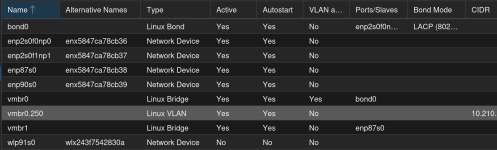
I see some problems with option 1, so I would go with option 2, more on this later

I am looking for the optimal Backup Setup for my Proxmox VE Environment. So lets start with what i have:
2x Proxmox VE Server, I9, 64 GB RAM, 1TB NVME SSD for System and VMs, 2x2 TB NVME SSD for DATA of my Nextcloud. All VMs are hosted on these Servers and can be replicated between the Servers. ( HA )
1x Proxmox VE Device, N150 32GB RAM, 256 GB NVME SSD, used as cuorum no VMs.
If you only use it for quorum I wouldn't add it to the cluster but instead seperate it and use it as a combined ProxmoxBackupServer/qdevice. This also saves some hassle in the network setup. How is your setup configured in the moment? It's recommended that you have a dedicated cluster network so you would need at least two network cards on each member of the cluster due to the latency needs of corosync. The qdevice on the other hand doesn't need it. If your n150 device has only one network adapter I would reconsider adding it to the cluster.
The Proxmox VE cluster stack requires a reliable network with latencies under 5 milliseconds (LAN performance) between all nodes to operate stably. While on setups with a small node count a network with higher latencies
may work, this is not guaranteed and gets rather unlikely with more than three nodes and latencies above around 10 ms.
The network should not be used heavily by other members, as while corosync does not use much bandwidth, it is sensitive to latency jitters; ideally corosync runs on its own physically separated network. Especially do not use a shared network for corosync and storage (except as a potential low-priority fallback in a
redundant configuration)....
https://pve.proxmox.com/wiki/Cluster_Manager#pvecm_cluster_network
Unlike corosync itself, a QDevice connects to the cluster over TCP/IP. The daemon can also run outside the LAN of the cluster and isn’t limited to the low latencies requirements of corosync.
https://pve.proxmox.com/wiki/Cluster_Manager#_corosync_external_vote_support
Now i am looking for the best Option on the Backup Strategy and got the following in Mind:
Option 1:
Add a SAS 12 Controller and 3 2.4 TB SAS HDD to each of the above Servers. Install a Proxmox Backup VM on each VE Server and Backup crosswise. Means the Proxmox Backup Server 2 holds the backups from VE Server 1 and the Proxmox Backup Server 1 holds the Backups from VE Server 2
I see following issues with this: Since both servers are members of a cluster a bad actor who manages to take over the cluster can also access your backups no matter which server host them. If you want to use the servers as backup servers you would better NOT cluster them but instead uses the ProxmoxDatacenterManager for migrating between them and pve-zsync for replication.
https://pve.proxmox.com/wiki/PVE-zsync
Personally I wouldn't like that I need a working PVE to even restore my backups. This could be mitigated by installing PBS in paarlel to your PVE ( see:
https://pbs.proxmox.com/docs/installation.html#install-proxmox-backup-server-on-proxmox-ve ). Allthough this is not recommended it would have the advantage that even if your PVE setup is broken (so unable to launch any vms) you could still use the backups. It's still not optimal since you then need to be more careful with updating (e.G. PVE 8 and PBS 3 were based on Debian 12, after the release of PVE9 (based on Debian 13) you needed to wait until the release of PBS4 to ugrade them) and you still have backups and production vms on the same physical machine.
You also will still need an external backup as offsite location.
Then the Backups from both Backup Servers will be stored on a third Server in a different location.
Option 2:
Use a new server, i5 or higher, 32 + GB of RAM, NVME SSD for the System and 1 SAS12 Controller with 6 x2.4 TB SAS HDD, which connects to my Core-Switch Stack with 2x 10 GB .
This Server holds the Backups of both VE Server and replicates them to a second Server in a different location.
This is the best variant imho. One dedicated physical machine just for backups is really the best way to go .You could also use it to host another backup server if for (whatever reason) you have things you want to backup seperately from PBS. Imho your N150 CPU/RAM will propably be enough as backup server but of course such hardware ususally doesn't allow much for extending the storage bays.
If you happen to save on power and thus only start up your PBS for the backups it actually might be an option to have a PBS in your cluster (be it directly on one node, as vm or lxc). It's actually not indended to be a backup copy but more kind of a relay. Let's say you want to have hourly backup (PBS deduplicates so this won't cost much space) so you have a PBS-VM which will only hold backups of some days so it doesn't need too much storage. You use this as backup target from your cluster and if you want to restore something from the last days without booting up your backup server. The backup server is poweredony via a timed event (e.g. wakeonlan) and pulls the backups from the vm before powering down. Your second location server then would also pull his copies from the vm or your physical pbs during his wakeup time (depending on your preference).
If you want to keep this machine running 24/7 you could also setup the same machine as qdevice and backups server. One caveat though: By default after the setup the qdevice can be accesses via ssh from the cluster so also from any attacker. Obviouvsly for a backup this is NOT what you want. There are ways to avoid this too with a setup like the ones described by
@aaron and
@UdoB in following posts:
What I maintain personally, are 2 powerful AMD EPYC nodes that run the infrastructure. The 3rd server is far less powerful in terms of CPU and memory and is using cheaper but quite a bit larger SSDs to be used as PBS for that 2-node cluster and also to remote sync another small PVE / PBS combo on the other side of the country.
On that 3rd machine I installed PVE first and PBS on top. PBS is the main functionality for that machine. On the PVE side, for now, the only guest is the qdevice container. That PBS server is there anyway, and using PVE on that one as well helps to keep using the...
Statement: it is not required to allow root@cluster to login to a separate “Quorum Device”-machine
after installation.
The “tl;dr” boils down to a single line:
Code:
~$ echo "PermitRootLogin no" | sudo tee /etc/ssh/sshd_config.d/permitrootlogin.conf
(( This is Debian, and it comes without “sudo” by default. I am still trying to convince myself that “passwordless sudo” actually is a great idea... ))
This post is definitely
much longer than required. (Perhaps I have too much spare time...) I prefer to leave it in this state as I believe too few details are worse than too many...