[SOLVED] PBS 4.1: Push Sync Jobs Fail, No Output in Task Viewer & Connection Error

PeterZwgatPX

New Member
Sep 6, 2024
10
5
3
Hello everyone,


I am currently facing several issues with my local Proxmox Backup Server which most likely are related, and I am hoping for some support in identifying the root cause.


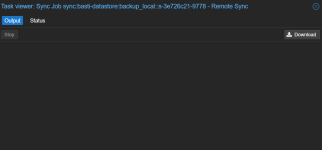
When I start a Push Sync Job from my local PBS, it fails, especially when syncing larger VMs. If I then try to view the failed task in the Task Viewer, no output is shown anymore. As a result, it is not possible for me to understand why the task failed. This behavior does not only occur with Sync Jobs, but also with Verify Jobs, where no output is displayed in the Task Viewer either. Prune Jobs, however, continue to show log output as expected.


In addition, I receive a Connection Error as soon as I open the Status tab of a specific task. At the same time, the log of the local PBS is constantly being filled with very similar messages, for example:
Code:
Dec 23 05:05:54 pbs proxmox-backup-proxy[788]: processed 10.867 GiB in 3d 15h 11m 8s, uploaded 7.289 GiB
Dec 23 05:05:59 pbs proxmox-backup-proxy[788]: processed 8.492 GiB in 3d 20m 5s, uploaded 6.59 GiB
Dec 23 05:06:01 pbs proxmox-backup-proxy[788]: processed 19 GiB in 1h 6m 0s, uploaded 16.379 GiB
Dec 23 05:06:04 pbs proxmox-backup-proxy[788]: processed 3.586 GiB in 2d 1h 6m 4s, uploaded 1.91 GiB
Dec 23 05:06:05 pbs proxmox-backup-proxy[788]: processed 1.089 TiB in 1d 1h 6m 2s, uploaded 127.473 GiB
Dec 23 05:06:06 pbs proxmox-backup-proxy[788]: processed 15.52 GiB in 3d 1h 6m 5s, uploaded 13.223 GiB
Dec 23 05:06:07 pbs proxmox-backup-proxy[788]: processed 1.419 GiB in 4d 1h 6m 7s, uploaded 1.101 GiB
Dec 23 05:06:07 pbs proxmox-backup-proxy[788]: processed 7.793 GiB in 3d 18h 30m 6s, uploaded 3.395 GiB
Dec 23 05:06:13 pbs proxmox-backup-proxy[788]: processed 4.813 GiB in 3d 18h 6m 9s, uploaded 2.711 GiB
Dec 23 05:06:27 pbs proxmox-backup-proxy[788]: processed 2.641 GiB in 3d 20h 45m 6s, uploaded 1.844 GiB

These log entries repeat continuously, even when no job is actively running.


Regarding my setup: locally, I am running a Proxmox Backup Server version 4.1.0. The system uses a 12 TB Seagate IronWolf, a 4 TB WD Red, and an older 1 TB WD Blue. Each disk is configured as its own datastore, and all datastores are using ZFS.
The offsite PBS is also running version 4.1.0, uses two 2 TB WD disks with a separate datastore on each disk using ext4, and is connected via an IPSec site-to-site tunnel. This system does not show any issues.


As part of my troubleshooting, I recreated the datastores on the local PBS, which were originally using ext4, as new ZFS datastores. I also completely reinstalled the local PBS. In addition, I restarted both the PBS itself and the proxmox-backup-proxy.service multiple times. I also checked disk utilization; none of the HDDs are more than 50% utilized. Unfortunately, the very first sync job after the reinstallation failed again, and the described behavior reappeared.


Thank you very much in advance for your support.
 
could you try updating both ends to the 6.17.4-2 kernel on pbs-test? there is a known issue with older 6.17 kernels that can lead to TCP connection stalls.. if that doesn't help, you could try the 6.14 kernel next.

although the symptoms don't match exactly, so there might be a different issue (or the mentioned issue *and* a different issue) on your PBS system.
 
I have now activated the pbs-test repository on both systems and updated the kernel to 6.17.4-2-pve. I have now restarted the sync job. It is currently running, but I still cannot see any logs in the Task Viewer.
1766488907899.png
 
The sync job also failed with the new kernel. Unfortunately, I still cannot see any logs from the sync task on the local PBS. On the remote PBS, I get the following output:
Code:
2025-12-23T12:03:48+01:00: starting new backup on datastore 'basti-datastore' from ::ffff:192.168.201.11: "vm/100/2025-12-18T22:47:03Z"
2025-12-23T12:03:48+01:00: add blob "/mnt/datastore/basti-datastore/vm/100/2025-12-18T22:47:03Z/qemu-server.conf.blob" (379 bytes, comp: 379)
2025-12-23T12:03:48+01:00: created new fixed index 1 ("vm/100/2025-12-18T22:47:03Z/drive-scsi0.img.fidx")
2025-12-23T12:47:09+01:00: POST /fixed_chunk: 400 Bad Request: error reading a body from connection
2025-12-23T12:47:09+01:00: backup failed: connection error
2025-12-23T12:47:09+01:00: removing failed backup
2025-12-23T12:47:09+01:00: removing backup snapshot "/mnt/datastore/basti-datastore/vm/100/2025-12-18T22:47:03Z"
2025-12-23T12:47:09+01:00: POST /fixed_chunk: 400 Bad Request: error reading a body from connection
2025-12-23T12:47:09+01:00: TASK ERROR: connection error: connection reset
2025-12-23T12:47:09+01:00: POST /fixed_chunk: 400 Bad Request: error reading a body from connection
 
could you try the 6.14 kernel as well? if that also doesn't work, it really looks like a network/load issue on your system(s)..

regarding the task log on the UI - could you try accessing them using the CLI and/or using a fresh, new browser profile? are there any errors in the browser dev console?
 
I think I have found the cause of both problems.
Regarding the empty Task Viewer:
I accessed the GUI of my Proxmox and Proxmox Backup Server via a domain that runs behind a Traefik reverse proxy. When I access the GUI directly via the IP address, I can see the logs in the Task Viewer again. Since the setup worked before, I need to take another closer look at how I can access the Task Viewer via the domain again.

Regarding the failed sync jobs:
The sync job also failed with kernel 6.14.11-5-pve, so I looked for other possible causes. Since the problem only occurs in one direction and with one datastore, and therefore only with one HDD, I took a closer look at the SMART data for this HDD. Although the HDD passed all automatic SMART tests and has a SMART status of “passed” in the GUI, it shows many command timeouts. I therefore assume that the hard drive is damaged and have already ordered a new one. Due to the holidays, I will not be able to install it until the beginning of next year. I will then provide a new update on whether the hard drive was the cause of the problem.

Thank you very much for your support, and I wish you a Merry Christmas.
 
  • Like
Reactions: fabian and Onslow
Due to the missing logs in Task Viewer, I have now downgraded my Traefik reverse proxy from version 3.6.5 back to version 3.5.0. In thie Version all logs are now displayed as desired. I will continue investigating over the holidays and see if I can find a solution that will allow me to continue using the latest Treafik version.
Once I have found a solution, I will update the thread.
 
I had some time to take a closer look at the problem with the missing logs in Task Viewer. Since I access the GUI of my PBS via a Traefik reverse proxy, I searched for the cause of the error in my Traefik config and found out that the problem only occurs since Traefik version 3.6.4 or newer. The reason is that Traefik version 3.6.4 and later block certain characters in the path for security reasons.
https://doc.traefik.io/traefik/v3.6/migrate/v3/#v364

To work around this, the characters must be enabled in the middleware. I adjusted my middleware in the traefik.yml as follows:

Code:
  websecure:
    address: :443
    http:
      encodedCharacters:
        allowEncodedSlash: true
        allowEncodedBackSlash: true
        allowEncodedSemicolon: true
 
  • Like
Reactions: Onslow
I hope you had a good start to the new year.

I finally got around to replacing the hard drive in my local PBS.
Unfortunately, the sync job is still failing. I tested both kernel versions again.

Here are the logs from the sync task of local PBS:
Code:
026-01-03T17:21:47+01:00: Starting datastore sync job 'sync:basti-datastore:backup_local::s-8019f28d-d730'
2026-01-03T17:21:47+01:00: sync datastore 'backup_local' to 'sync/basti-datastore'
2026-01-03T17:21:47+01:00: ----
2026-01-03T17:21:47+01:00: Syncing datastore 'backup_local', root namespace into datastore 'basti-datastore', root namespace
2026-01-03T17:21:47+01:00: Found 14 groups to sync (out of 14 total)
2026-01-03T17:21:47+01:00: skipped: 1 snapshot(s) (2026-01-03T14:11:20Z) - older than the newest snapshot present on sync target
2026-01-03T17:21:47+01:00: skipped: 1 snapshot(s) (2026-01-03T14:11:36Z) - older than the newest snapshot present on sync target
2026-01-03T17:21:47+01:00: skipped: 1 snapshot(s) (2026-01-03T14:19:20Z) - older than the newest snapshot present on sync target
2026-01-03T21:33:09+01:00: Percentage done: 28.57% (4/14 groups)
2026-01-03T21:33:09+01:00: Encountered errors: pipelined request failed: timed out
2026-01-03T21:33:09+01:00: Failed to push group vm/100 to remote!
2026-01-03T21:33:11+01:00: skipped: 1 snapshot(s) (2026-01-03T13:57:20Z) - older than the newest snapshot present on sync target
2026-01-03T21:33:11+01:00: skipped: 1 snapshot(s) (2026-01-03T14:05:19Z) - older than the newest snapshot present on sync target
2026-01-03T21:33:11+01:00: skipped: 1 snapshot(s) (2026-01-03T14:06:57Z) - older than the newest snapshot present on sync target
2026-01-03T21:33:11+01:00: skipped: 1 snapshot(s) (2026-01-03T14:07:42Z) - older than the newest snapshot present on sync target
2026-01-03T21:33:11+01:00: skipped: 1 snapshot(s) (2026-01-03T14:08:54Z) - older than the newest snapshot present on sync target
2026-01-03T21:33:11+01:00: skipped: 1 snapshot(s) (2026-01-03T14:10:30Z) - older than the newest snapshot present on sync target
2026-01-03T21:33:11+01:00: skipped: 1 snapshot(s) (2026-01-03T14:11:53Z) - older than the newest snapshot present on sync target
2026-01-03T21:33:11+01:00: skipped: 1 snapshot(s) (2026-01-03T14:15:44Z) - older than the newest snapshot present on sync target
2026-01-03T21:33:11+01:00: skipped: 1 snapshot(s) (2026-01-03T14:17:34Z) - older than the newest snapshot present on sync target
2026-01-03T21:33:12+01:00: skipped: 1 snapshot(s) (2026-01-03T14:17:47Z) - older than the newest snapshot present on sync target
2026-01-03T21:33:12+01:00: Finished syncing root namespace, current progress: 13 groups, 0 snapshots
2026-01-03T21:33:12+01:00: queued notification (id=5fcd4a46-6ad6-4dc0-82a1-3c0d1856c299)
2026-01-03T21:33:12+01:00: TASK ERROR: Sync failed with some errors!

Here are the syslogs of local PBS:
Code:
Jan 03 21:17:48 pbs proxmox-backup-proxy[1114]: processed 1.074 TiB in 3h 56m 0s, uploaded 109.258 GiB
Jan 03 21:18:48 pbs proxmox-backup-proxy[1114]: processed 1.074 TiB in 3h 57m 0s, uploaded 109.258 GiB
Jan 03 21:19:48 pbs proxmox-backup-proxy[1114]: processed 1.074 TiB in 3h 58m 0s, uploaded 109.258 GiB
Jan 03 21:20:48 pbs proxmox-backup-proxy[1114]: processed 1.074 TiB in 3h 59m 0s, uploaded 109.258 GiB
Jan 03 21:21:09 pbs proxmox-backup-proxy[1114]: rrd journal successfully committed (41 files in 0.054 seconds)
Jan 03 21:21:48 pbs proxmox-backup-proxy[1114]: processed 1.074 TiB in 4h 0s, uploaded 109.258 GiB
Jan 03 21:22:48 pbs proxmox-backup-proxy[1114]: processed 1.074 TiB in 4h 1m 0s, uploaded 109.258 GiB
Jan 03 21:23:48 pbs proxmox-backup-proxy[1114]: processed 1.074 TiB in 4h 2m 0s, uploaded 109.258 GiB
Jan 03 21:24:48 pbs proxmox-backup-proxy[1114]: processed 1.074 TiB in 4h 3m 0s, uploaded 109.258 GiB
Jan 03 21:25:48 pbs proxmox-backup-proxy[1114]: processed 1.074 TiB in 4h 4m 0s, uploaded 109.258 GiB
Jan 03 21:26:48 pbs proxmox-backup-proxy[1114]: processed 1.074 TiB in 4h 5m 0s, uploaded 109.258 GiB
Jan 03 21:27:48 pbs proxmox-backup-proxy[1114]: processed 1.074 TiB in 4h 6m 0s, uploaded 109.258 GiB
Jan 03 21:28:48 pbs proxmox-backup-proxy[1114]: processed 1.074 TiB in 4h 7m 0s, uploaded 109.258 GiB
Jan 03 21:29:48 pbs proxmox-backup-proxy[1114]: processed 1.074 TiB in 4h 8m 0s, uploaded 109.258 GiB
Jan 03 21:30:48 pbs proxmox-backup-proxy[1114]: processed 1.074 TiB in 4h 9m 0s, uploaded 109.258 GiB
Jan 03 21:31:48 pbs proxmox-backup-proxy[1114]: processed 1.074 TiB in 4h 10m 0s, uploaded 109.258 GiB
Jan 03 21:32:48 pbs proxmox-backup-proxy[1114]: processed 1.074 TiB in 4h 11m 0s, uploaded 109.258 GiB
Jan 03 21:33:09 pbs proxmox-backup-proxy[1114]: HTTP/2.0 connection failed
Jan 03 21:33:12 pbs proxmox-backup-proxy[1114]: TASK ERROR: Sync failed with some errors!
Jan 03 21:33:16 pbs proxmox-backup-api[1082]: skipping disabled matcher 'default-matcher'
Jan 03 21:33:17 pbs proxmox-backup-api[1082]: notified via target `Mail`

Here are the logs from the remote PBS:
Code:
2026-01-03T17:21:47+01:00: starting new backup on datastore 'basti-datastore' from ::ffff:192.168.201.11: "vm/100/2026-01-03T12:55:29Z"
2026-01-03T17:21:47+01:00: add blob "/mnt/datastore/basti-datastore/vm/100/2026-01-03T12:55:29Z/qemu-server.conf.blob" (379 bytes, comp: 379)
2026-01-03T17:21:47+01:00: created new fixed index 1 ("vm/100/2026-01-03T12:55:29Z/drive-scsi0.img.fidx")
2026-01-03T21:33:30+01:00: POST /fixed_chunk: 400 Bad Request: error reading a body from connection
2026-01-03T21:33:30+01:00: backup failed: connection error
2026-01-03T21:33:30+01:00: removing failed backup
2026-01-03T21:33:30+01:00: removing backup snapshot "/mnt/datastore/basti-datastore/vm/100/2026-01-03T12:55:29Z"
2026-01-03T21:33:30+01:00: TASK ERROR: connection error: connection reset
2026-01-03T21:33:30+01:00: POST /fixed_chunk: 400 Bad Request: error reading a body from connection
2026-01-03T21:33:30+01:00: PUT /fixed_index: 400 Bad Request: Problems reading request body: error reading a body from connection
2026-01-03T21:33:30+01:00: POST /fixed_chunk: 400 Bad Request: error reading a body from connection

Do you have any other ideas about what I can do to get the sync job running again?
 
I was able to fix the problem. It was a network issue that was responsible for the failed sync jobs. It seems that the Ubiquiti Dream Machine Pro interrupts long-lasting TCP sessions after about 1.5 to 2 hours. It doesn't matter whether the session runs via the site-to-site tunnel or the Wireguard VPN on the UDM Pro.

I have now set up a VM on the remote site and configured the Wireguard server there, which means that the UDM Pro only sees UDP traffic and can no longer interrupt any sessions.
 
  • Like
Reactions: fabian and Onslow