[SOLVED] new SSD Storage not available

pvejj

New Member
Feb 13, 2026
6
1
3
Hi folks, i am an absolute beginner at proxmox, but a debian user for a decade now.

I installed proxmox on a mini pc with a nvme.

Then i added ssd storage afterwards the common way, with fdisk and mkfs.ext4 in the shell.

But as i tried to create a directory, the new disk space could not be selected in the gui. Nothing is available in the drop down list.

Hope someone can help the noob.
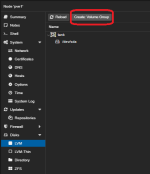
 
In the Proxmox GUI, when you select the host and click on Disks, do you see the disk you added? You can initialize it from there and assign it a role.
 
Please create using the items shown in the image.

LVM, LVM-Thin, directories, or ZFS

You can choose and use any of these.
 

Attachments

  • スクリーンショット 2026-02-13 211735.png
    スクリーンショット 2026-02-13 211735.png
    22.2 KB · Views: 6
Last edited:
Wow you are fast - great!

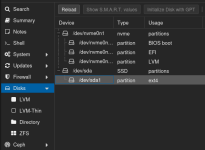
@odhiambo: OK, i am in the host and clicked on the entry "Disks" the added disk appears, and the created partition is also visible.pxmx1.png

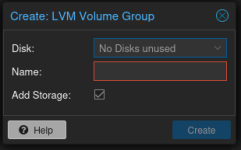
@uzumo : I can't create a volume group, because there is no disk to select:
pxmx2.png
 
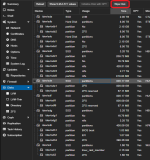
Please wipe it before running.
 

Attachments

  • スクリーンショット 2026-02-13 212754.png
    スクリーンショット 2026-02-13 212754.png
    110.1 KB · Views: 3
  • Like
Reactions: pvejj
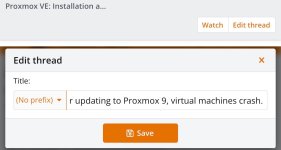
The method for solved is as shown in the image. Please change it via the menu instead of writing it out.

画像.jpeg