MS-A2 Minisforum (AMD Ryzen™ 9 9955HX + Radeon™ 610M) – The “I Finally Stopped Crying” Zero-Artifact iGPU Passthrough Thread

Unfortunately, I was able to use the igpu for some gameplay, emulation and other graphical uses. The 610m indeed is inadequate and artifacts everywhere to a point where it heavily distorts the picture. Ill look at some dgpu options and will go for nvidia gpu to see how it goes.

my old dell dimension with a 4790-i7 and nvidia 2070 super beats the pants off the quality but cannot run pve for anything.
 
I only provided settings to remove Code 43, so it likely won't function properly on its own.

* Your configuration does not meet the prerequisites for implementing the steps he outlined (such as blacklisting amdgpu and gop not being set), so I commented to point that out.
In your current state, you have just reached the starting point to implement the configuration he presented.

Artifacts won't disappear unless the BIOS and other settings are adjusted to match the specific requirements for that model.

Since I don't own that model, you should follow the steps provided by the person who has the device.

He polished it to near-perfect condition, so his procedure should be followed.
 
Last edited:
Oh, once I removed the blacklist for amdgpu my GPU appears in the Windows VM!
I believe now we have a proven way to get the igpu to work in Proxmox 9.1.0 on the Minisforum MS-A2 with 9955HX CPU and 610M iGPU.

View attachment 93955

A side note, the AMD Adrenaline driver app will give a "Oops error 195" when the app doesnt detect the igpu 610M.
1765723164338.png


As you can see I have that as well. I would like to get ASPM working as I have had it function without the VFIO values. This allowed me to have ASPM and the artifacts made that really difficult to debug as I have PFsense hosting my entire home network/hotspots etc. Rebooting pve meant I had to take down the network. I am running a PFsense / Ubuntu / Windows 11 ; MS - A2, with no need to restart pve. I mentioned almost everything I can think of from : BIOS , to Tools and Utilities to make working with this more accessible while the system is unstable, and the values from pretty much every table possible.
 
  • Like
Reactions: uzumo
Well theres some other reasons I need a stronger GPU but this was good enough for me to evaluate the 610M.
@ozumo thank you very much for all your assist. THe suggestions here are indeed insightful.
@futiless Thank you as well for posting your settings.

Anyone else using the MS-A2 with 9955HX specifically, lets share our settings!
 
Last edited:
UPDATE Cleanup of Startup and Shutdown script for no lingering disabled devices in device manager. :

Code:
@echo off
:: ================================================
:: EnableiGPUPassthrough.bat
:: Purpose: Fully enable AMD iGPU passthrough devices
::          and automatically activate all greyed/degraded
::          subordinate Bluetooth/MEDIA devices.
:: Usage: Schedule at logon via Task Scheduler
:: ================================================

echo Enabling GPU Display Adapter...
pnputil /enable-device "PCI\VEN_1002&DEV_13C0&SUBSYS_B0211F4C&REV_D8\4&23f93f77&0&00E0"

echo Enabling GPU HDMI Audio...
pnputil /enable-device "HDAUDIO\FUNC_01&VEN_1002&DEV_AA01&SUBSYS_00AA0100&REV_1008\5&36250e79&0&0001"

echo Enabling Bluetooth Root Adapter...
pnputil /enable-device "USB\VID_13D3&PID_3604&MI_00\8&13c9d4d2&0&0000"

:: Wait for child devices to enumerate (30 seconds is reliable, not heavy)
::echo Waiting 30 seconds for child devices to enumerate...
::timeout /t 30 >nul

:: Auto-enable greyed/degraded Bluetooth subordinates
echo Enabling greyed Bluetooth devices...
powershell -Command "Get-PnpDevice -Class 'Bluetooth' | Where-Object {$_.Status -in 'Error','Degraded','Unknown'} | Enable-PnpDevice -Confirm:$false"

:: Auto-enable greyed/degraded MEDIA subordinates
echo Enabling greyed MEDIA devices...
powershell -Command "Get-PnpDevice -Class 'MEDIA' | Where-Object {$_.Status -in 'Error','Degraded','Unknown'} | Enable-PnpDevice -Confirm:$false"

:: Restart Bluetooth service to finalize everything
echo Restarting Bluetooth service...
net stop bthserv
net start bthserv

echo All passthrough devices enabled and activated.
Code:
@echo off
:: ================================================
:: DisableiGPUPassthrough.bat
:: Purpose: Cleanly disable all passthrough devices
::          (GPU display, HDMI audio, Bluetooth adapter)
::          and as many subordinates as possible.
:: Usage: Run manually or via VM shutdown script
::          (e.g., scheduled task on shutdown event)
:: ================================================

setlocal enabledelayedexpansion
set LOGFILE=C:\Scripts\disable.log
echo [%date% %time%] Starting disable script >> %LOGFILE%

:: Disable root devices explicitly
echo [%date% %time%] Disabling root GPU Display... >> %LOGFILE%
pnputil /disable-device "PCI\VEN_1002&DEV_13C0&SUBSYS_B0211F4C&REV_D8\4&23f93f77&0&00E0" >nul 2>&1
if errorlevel 0 (echo [%date% %time%] Success: GPU Display >> %LOGFILE%) else (echo [%date% %time%] Failed: GPU Display >> %LOGFILE%)

echo [%date% %time%] Disabling root GPU HDMI Audio... >> %LOGFILE%
pnputil /disable-device "HDAUDIO\FUNC_01&VEN_1002&DEV_AA01&SUBSYS_00AA0100&REV_1008\5&36250e79&0&0001" >nul 2>&1
if errorlevel 0 (echo [%date% %time%] Success: GPU HDMI Audio >> %LOGFILE%) else (echo [%date% %time%] Failed: GPU HDMI Audio >> %LOGFILE%)

echo [%date% %time%] Disabling root Bluetooth Adapter... >> %LOGFILE%
pnputil /disable-device "USB\VID_13D3&PID_3604&MI_00\8&13c9d4d2&0&0000" >nul 2>&1
if errorlevel 0 (echo [%date% %time%] Success: Bluetooth Adapter >> %LOGFILE%) else (echo [%date% %time%] Failed: Bluetooth Adapter >> %LOGFILE%)

:: Disable remaining subordinates via class (some "not connected" messages are normal)
echo [%date% %time%] Disabling remaining Bluetooth subordinates... >> %LOGFILE%
pnputil /disable-device /class Bluetooth >nul 2>&1

echo [%date% %time%] Disabling remaining MEDIA subordinates... >> %LOGFILE%
pnputil /disable-device /class MEDIA >nul 2>&1

:: Restart Bluetooth service to clean up the stack
echo [%date% %time%] Restarting Bluetooth service... >> %LOGFILE%
net stop bthserv >nul 2>&1
net start bthserv >nul 2>&1
echo [%date% %time%] Bluetooth service restarted >> %LOGFILE%

echo [%date% %time%] Disable script complete - all devices disabled >> %LOGFILE%
endlocal

This should result in :
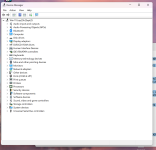
1765907624476.png

after startup.
 
  • Like
Reactions: uzumo
Hello!

I am also trying to pass through GPU with PVE to a debian VM on Minisforum MS-A2, I have also AMD Ryzen 9 9955HX 16-Core Processor and Radeon 610M.

I followed the steps in README.md, used different vbioses:
vbios_9955HX.bin
and vbios generated based on README.md. I have also used different
AMDGopDriver.rom,
and AMDGopDriver_9950x3d.rom.

However I still cannot make my VM (VMID 140) to display it's output via minisforum ms a-2 HDMI port. When I execute qm start 140, the HDMI output disappears. When I execute qm shutdown 140, the hookscript correctly assigns amdgpu and snd_hda_intel drivers to PVE host and HDMI output goes properly back to PVE.

Maybe this is a matter of vbios? @uzumo, @futiless maybe you would be able to send me DM with vbios, or is the vbios_9955HX.bin in https://github.com/isc30/ryzen-gpu-passthrough-proxmox/tree/main the most appropriate one?

My config is as follows:
Bash:
root@pve:~# lspci -nnk | grep -iA 3 "VGA\|Display\|Audio"
01:00.0 VGA compatible controller [0300]: Advanced Micro Devices, Inc. [AMD/ATI] Granite Ridge [Radeon Graphics] [1002:13c0] (rev d8)
        Subsystem: Device [1f4c:b021]
        Kernel driver in use: vfio-pci
        Kernel modules: amdgpu
01:00.1 Audio device [0403]: Advanced Micro Devices, Inc. [AMD/ATI] Radeon High Definition Audio Controller [Rembrandt/Strix] [1002:1640]
        Subsystem: Device [1f4c:b021]
        Kernel driver in use: vfio-pci
        Kernel modules: snd_hda_intel
--
01:00.6 Audio device [0403]: Advanced Micro Devices, Inc. [AMD] Family 17h/19h/1ah HD Audio Controller [1022:15e3]
        DeviceName: Realtek ALC245
        Subsystem: Device [1f4c:b021]
        Kernel driver in use: snd_hda_intel
root@pve:~# cat /etc/modules
vfio
vfio_iommu_type1
vfio_pci
root@pve:~# cat /etc/modprobe.d/vfio.conf
options vfio-pci ids=1002:13c0,1002:1640 disable_vga=1
softdep amdgpu pre: vfio-pci
softdep snd_hda_intel pre: vfio-pci
root@pve:~# cat /etc/default/grub | grep -i LINUX_DEFAULT
GRUB_CMDLINE_LINUX_DEFAULT="quiet amd_iommu=on iommu=pt default_hugepagesz=1G hugepagesz=1G hugepages=48"
root@pve:~# cat /etc/kernel/cmdline
root=ZFS=rpool/ROOT/pve-1 boot=zfs quiet iommu=pt amd_iommu=on pcie_aspm=off
My VM config (140.conf):
Code:
root@pve:~# cat /etc/pve/qemu-server/140.conf
#hostpci0%3A 0000%3A01%3A00.0,pcie=1,x-vga=1,romfile=vbios_9955HX.bin
#hostpci0%3A 0000%3A01%3A00.0,pcie=1,x-vga=1,romfile=vbios_9800x3d.bin
#hostpci0%3A 0000%3A01%3A00.0,pcie=1,rombar=1,romfile=vbios_9800x3d.bin
#hostpci1%3A 0000%3A01%3A00.1,pcie=1,romfile=AMDGopDriver_9950x3d.rom
#hostpci1%3A 0000%3A01%3A00.1,pcie=1,romfile=AMDGopDriver_9800x3d.rom
args: -cpu host,hv_passthrough,-hypervisor,+svm
bios: ovmf
boot: order=scsi0;ide2;net0
cores: 4
cpu: host
efidisk0: local-zfs:vm-140-disk-0,efitype=4m,ms-cert=2023,pre-enrolled-keys=1,size=1M
hookscript: local:snippets/ryzen_igpu_reset.sh
hostpci0: 0000:01:00.0,pcie=1,romfile=vbios_9955HX.bin,x-vga=1
hostpci1: 0000:01:00.1,pcie=1,romfile=AMDGopDriver_164E_graniteridge_9955hx.rom
ide2: local:iso/debian-13.3.0-amd64-netinst.iso,media=cdrom,size=754M
machine: q35
memory: 16384
meta: creation-qemu=10.1.2,ctime=1768252038
name: frigate.outpost.net
net0: virtio=BC:24:11:FA:16:45,bridge=vmbr0,firewall=1
numa: 0
ostype: l26
scsi0: local-zfs:vm-140-disk-1,iothread=1,size=40G
scsihw: virtio-scsi-single
smbios1: uuid=c9a99589-2fdc-424d-89e2-6623690f2151
sockets: 1
vga: none
vmgenid: 306e1544-2176-4b63-9f4d-b35d63aa8407

My hookscript looks as follows:
Bash:
root@pve:~# cat /var/lib/vz/snippets/ryzen_igpu_reset.sh
#!/bin/bash

GPU_PCI="0000:01:00.0"
AUDIO_PCI="0000:01:00.1"

log() {
    echo "$(date '+%Y-%m-%d %H:%M:%S') - $*" >> /var/log/hook_igpu.log
}

phase="$2"
vmid="$1"

log "Hook called for VM $vmid - phase: $phase"

case "$phase" in
    "pre-start")
        log "Preparing iGPU for VM start..."

        if [ -d "/sys/bus/pci/drivers/amdgpu" ] && \
           grep -q "$GPU_PCI" /sys/bus/pci/drivers/amdgpu/bind 2>/dev/null; then
            log "Unbinding GPU from amdgpu..."
            echo "$GPU_PCI" > /sys/bus/pci/drivers/amdgpu/unbind || true
        fi

        if [ -d "/sys/bus/pci/drivers/snd_hda_intel" ] && \
           grep -q "$AUDIO_PCI" /sys/bus/pci/drivers/snd_hda_intel/bind 2>/dev/null; then
            log "Unbinding Audio from snd_hda_intel..."
            echo "$AUDIO_PCI" > /sys/bus/pci/drivers/snd_hda_intel/unbind || true
        fi

        sleep 2

        log "pre-start completed"
        ;;

    "post-stop")
        log "Restoring iGPU after VM shutdown..."

        echo "$GPU_PCI" > /sys/bus/pci/drivers/vfio-pci/unbind 2>/dev/null || true
        echo "$AUDIO_PCI" > /sys/bus/pci/drivers/vfio-pci/unbind 2>/dev/null || true

        sleep 2

        echo "$GPU_PCI" > /sys/bus/pci/drivers/amdgpu/bind 2>/dev/null || true
        echo "$AUDIO_PCI" > /sys/bus/pci/drivers/snd_hda_intel/bind 2>/dev/null || true

        echo 1 > "/sys/bus/pci/devices/$GPU_PCI/reset" 2>/dev/null || true

        log "post-stop completed – host GPU should be usable again"
        ;;

    *)
        log "Unhandled phase: $phase"
        ;;
esac

exit 0
 
Hello,

I have finally made it work with following 140.conf (please note there is no args, with which it didn't start for me and also the display is set to default:
Code:
acpi: 1
bios: ovmf
boot: order=scsi0;ide2;net0
cores: 4
cpu: host
efidisk0: local-zfs:vm-160-disk-0,efitype=4m,ms-cert=2023,pre-enrolled-keys=1,size=1M
hookscript: local:snippets/ryzen_igpu_reset.sh
hostpci0: 0000:01:00.0,pcie=1,romfile=vbios_9955HX,x-vga=1
hostpci1: 0000:01:00.1,pcie=1,romfile=AMDGopDriver_164E_graniteridge_9955hx.rom
ide2: none,media=cdrom
machine: q35
memory: 16384
meta: creation-qemu=10.1.2,ctime=1768340201
name: frigate.outpost.net
net0: virtio=BC:24:11:A0:D7:77,bridge=vmbr0,firewall=1
numa: 0
ostype: l26
scsi0: local-zfs:vm-160-disk-1,iothread=1,size=32G
scsihw: virtio-scsi-single
smbios1: uuid=60e971dc-2f15-407d-b09a-54eb46e559d0
sockets: 1
usb0: host=1c4f:0034
usb1: host=1c4f:0002
usb2: host=1a86:fe00
vmgenid: 6e5cf948-3fb3-4df9-a7df-fc1a6e7ea08f

To make it stable (not to loose HDMI display on some screen saver, power saving, similar events) I had to turn off screen saver and DPMS under guest os:
Code:
xset s off -dpms  
gsettings set org.gnome.desktop.session idle-delay 0
and turn off pm in guest os in /etc/modprobe.d/amdgpu.conf:
Code:
options amdgpu pm=0

I have also turned off APSM in Bios in multiple places in AMD CBS / PCIE-E Configuration, but I think this is actually unnecessary and will try getting back to auto settings.

Thanks and wish all of you success with GPU passthrough!
 
Last edited:
Hello,

I have finally made it work with following 140.conf (please note there is no args, with which it didn't start for me and also the display is set to default:
Code:
acpi: 1
bios: ovmf
boot: order=scsi0;ide2;net0
cores: 4
cpu: host
efidisk0: local-zfs:vm-160-disk-0,efitype=4m,ms-cert=2023,pre-enrolled-keys=1,size=1M
hookscript: local:snippets/ryzen_igpu_reset.sh
hostpci0: 0000:01:00.0,pcie=1,romfile=vbios_9955HX,x-vga=1
hostpci1: 0000:01:00.1,pcie=1,romfile=AMDGopDriver_164E_graniteridge_9955hx.rom
ide2: none,media=cdrom
machine: q35
memory: 16384
meta: creation-qemu=10.1.2,ctime=1768340201
name: frigate.outpost.net
net0: virtio=BC:24:11:A0:D7:77,bridge=vmbr0,firewall=1
numa: 0
ostype: l26
scsi0: local-zfs:vm-160-disk-1,iothread=1,size=32G
scsihw: virtio-scsi-single
smbios1: uuid=60e971dc-2f15-407d-b09a-54eb46e559d0
sockets: 1
usb0: host=1c4f:0034
usb1: host=1c4f:0002
usb2: host=1a86:fe00
vmgenid: 6e5cf948-3fb3-4df9-a7df-fc1a6e7ea08f

To make it stable (not to loose HDMI display on some screen saver, power saving, similar events) I had to turn off screen saver and DPMS under guest os:
Code:
xset s off -dpms 
gsettings set org.gnome.desktop.session idle-delay 0
and turn off pm in guest os in /etc/modprobe.d/amdgpu.conf:
Code:
options amdgpu pm=0

I have also turned off APSM in Bios in multiple places in AMD CBS / PCIE-E Configuration, but I think this is actually unnecessary and will try getting back to auto settings.

Thanks and wish all of you success with GPU passthrough!
Sorry I was working double time this week is everything sorted .. Did you get the file from me .. :) Cheers :)
 
Hello, no worries, I have used the file from you, thanks for sending it. Yes, everything now works and quick update - I have set back all APSM in minisforum ms a-2 Bios back to auto / balanced performance and still it works fine.
 
Jumping on the same boat, I want to pass a GPU to a Debian VM to run Jellyfin.

Could someone send me the official vbios file in a private message?

Thanks!
 
I sent a message to Minisforum, let's see if they share it with me too.

I'm using the VBIOS uploaded to the Github repo. Everything is working fine on a fresh boot and when shutting down or rebooting the VM.

But I'm having issues when stopping or resetting the VM. The iGPU seems to get stuck and it's not loaded correctly on next boot.

Any ideas on what the issue could be?
 
On Windows, if you don't disable the device on the guest OS before shutting down, the iGPU won't terminate properly and will require a host reboot.

*@afonya seems to be using Linux. If his VM can handle shutdowns and restarts, it's best to set it up using his procedure.
In that case, you won't need to go through the hassle of procedures like those on Windows.

The same thing will likely happen on Linux if you don't disable it there as well.

I have no desire to test this on Linux, so if you want to try it, how about attempting the following?
*I don't know if it will work.

Code:
echo 1 > /sys/bus/pci/devices/0000¥:13¥:00.0/remove
echo 1 > /sys/bus/pci/devices/0000¥:13¥:00.1/remove
echo 1 > /sys/bus/pci/rescan
*Please ensure SSH access is available in case you cannot access the console.

If it works normally after deletion and rescan, simply delete it, shut down, and restart.

Code:
echo 1 > /sys/bus/pci/devices/0000¥:13¥:00.0/remove
echo 1 > /sys/bus/pci/devices/0000¥:13¥:00.1/remove
shutdown

Hopefully there won't be any problems after startup.

If there are no issues, you can simply run it via cron during shutdown.

*The latest kernel includes numerous fixes for amdgpu, so we recommend using the latest version. (6.17.9-1)
 
Last edited:
  • Like
Reactions: YYZ88
I need to update this thread. All my early works and provisions are not necessary. My hunch is that default settings for Proxmox has updated and fixed everything I was struggling with a few months back. This is presumably how recent gen AMD processors are by default completely barring APSM from even playing a role on our chips. This seems good and bad.

The things you must do with minisforum MS-A2 is force a 8 GB allocated video memory. Auto and game optimized settings still cause artifacts. That and APSM which is by default now not on. Unlike Aug-Dec of last year.